Skip to content
Home›Phones›Samsung
Samsung logo
Brand

Samsung Phone Reviews & Rankings

777 phones reviewed
Last updated: October 22, 2026

Top-Rated Samsung Phones, Ranked

phones
Sort:
Samsung Galaxy Z Fold8
8.4
Flagship Samsung Galaxy Z Fold8
Samsung · Android 17
Samsung Galaxy Z Fold8 Ultra
8.2
Flagship Samsung Galaxy Z Fold8 Ultra
Samsung · Android 17
Samsung Galaxy S26 Ultra
8.6
Flagship Samsung Galaxy S26 Ultra
Samsung · Android 16
Compass Verdict

A premium phone that offers some unique features but also brings familiar elements for those looking to upgrade.

Pros
+ Privacy Display feature
+ Camera improvements
+ Fast AI performance
+ Comfortable design
+ S-Pen inclusion
Cons
− Heavy weight
− Short battery life
− S-Pen positioning
− No Qi2 magnets
− Camera bump issue
Samsung Galaxy Z Flip8
7.9
Flagship Samsung Galaxy Z Flip8
Samsung · Android 17
Samsung Galaxy S26+
7.9
Flagship Samsung Galaxy S26+
Samsung · Android 16
Compass Verdict

A solid phone, but it sits awkwardly between more compelling options.

Pros
+ Vibrant, large display
+ Good AI features
+ Strong build quality
+ Smooth performance
+ Better brightness control
Cons
− Price increase
− No magnetic charging
− Camera hardware unchanged
− Minor battery life gain
− Limited unique features
Samsung Galaxy S26
7.9
Premium Samsung Galaxy S26
Samsung · Android 16
Compass Verdict

A slim and compact phone with a vibrant display and solid performance, though lacking major innovations.

Pros
+ Compact, lightweight design
+ Strong AI features
+ Bright, vibrant screen
+ Smoother performance
+ Decent camera quality
Cons
− No fast charging
− Lacks anti-reflective display
− Smaller battery capacity
− Camera wobble
− No major upgrades
Samsung Galaxy S26 FE
7.5
Mid-range Samsung Galaxy S26 FE
Samsung · Android 17
Samsung Galaxy Z Fold7
8.6
Flagship Samsung Galaxy Z Fold7
Samsung · Android 16
Compass Verdict

A sleek, foldable phone with an innovative design that finally matches traditional smartphones in size and weight.

Pros
+ Thinner, lighter design
+ Improved camera system
+ Seamless multitasking
+ Enhanced durability
+ Vibrant dual displays
Cons
− High price point
− Noticeable camera bump
− Average battery life
− Heats quickly in sun
− No S Pen support
Samsung Galaxy S25 Ultra
8.6
Flagship Samsung Galaxy S25 Ultra
Samsung · Android 15
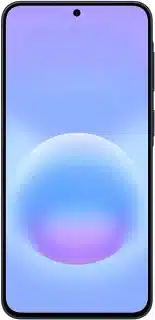
Compass Verdict

A refined phone blending top-tier power and subtle design with familiar components, capped with a dose of AI advancements.

Pros
+ Powerful AI features
+ Improved camera software
+ Tough Gorilla Armor 2 glass
+ Long software support
+ Elegant design update
Cons
− High price point
− Limited design changes
− Battery life not best-in-class
− S Pen features removed
− Charging speed not fastest
Samsung Galaxy A27
7.3
Budget Samsung Galaxy A27
Samsung · Android 16
Samsung Galaxy A57
7.6
Mid-range Samsung Galaxy A57
Samsung · Android 16
Compass Verdict

A balanced phone offering good displays and long-lasting software support but with room for camera improvement.

Pros
+ Slim, light design
+ Bright, colorful display
+ Solid battery life
+ IP68 water resistance
Cons
− Weak camera performance
− Price increase
− Macro camera lacks value
− Fingerprint sensor issues
Samsung Galaxy A37
7.5
Mid-range Samsung Galaxy A37
Samsung · Android 16
Compass Verdict

A solid midrange choice with good battery life and solid build but some performance hiccups.

Pros
+ Bright, colorful screen
+ Long software updates
+ Reliable performance
+ Solid build quality
+ Durable design
Cons
− Average camera quality
− Fingerprint scanner issues
− No wireless charging
− Slower app performance
− Pricier than competitors
Samsung Galaxy S25
8.1
Premium Samsung Galaxy S25
Samsung · Android 15
Compass Verdict

A safe, minimal update with enhanced AI features is a solid choice, but don’t expect drastic changes from prior models.

Pros
+ Sleek, premium design
+ Bright, vibrant display
+ Strong performance
+ AI-powered features
+ Compact size
Cons
− Minor hardware updates
− Unchanged camera specs
− Slow charging speed
Samsung Galaxy Z Flip7
8.1
Flagship Samsung Galaxy Z Flip7
Samsung · Android 16
Compass Verdict

A stylish foldable phone with a standout cover screen, offering great versatility but limited cover screen app support.

Pros
+ Large cover screen
+ Great foldable design
+ Flexible AI features
+ Tough and durable build
+ Good for selfies
Cons
− Heats during use
− Limited camera upgrades
− Restricted cover screen apps
− Not flagship chip
− Average battery life
Samsung Galaxy S25+
8.0
Flagship Samsung Galaxy S25+
Samsung · Android 15
Compass Verdict

A capable phone with a big screen, strong performance, and a few AI features, but limited design changes from past models.

Pros
+ Powerful performance
+ Advanced AI features
+ Stunning display
+ Long software support
+ Fast charging speeds
Cons
− Slightly dull design
− Minimal hardware upgrades
− Same camera system
− No significant battery improvements
− Higher price tag
Page of · phones
Compare is full
About the brand

About Samsung

Quick facts
Founded 1938
Country South Korea
Phones reviewed 777
OS updates Varies by model
Follow

Samsung and related logos are trademarks of their respective owners. PhoneCompass is an independent publication and is not affiliated with or endorsed by Samsung. All product names, logos, and brands are the property of their respective owners.

Community

Questions & answers

SA
Sajib_47407 · Answered

Samsung plz release marshmallow update for samsung galaxy j2 2015. Android version 8.0 realease but we the samsung j2 users are remain in android 5.0. This is so poor

CA
Carl · Answered

Although some say it is expected to receive Marshmallow, there's still no official statement that it will come soon.

You
AP
APhillip · Answered

Dear Carl P:Where do you find the volume buttons? Have you opened the alarm app yourself? There is no volume indicator. The options are World Clock, Alarm, and Stop Watch. In the settings dialogue box you will only see Delete. Check it out.

CA
Carl · Answered

Are you in the alarm screen when you tried adjusting the volume? You should notice that when your press the volume button, there's a clock icon beside the volume bar.

You
AS
Asroy · Answered

hi bro I have the same problem all above,I tried everything but still the notification panel didn't show anything except do not disturb

CA
Carl · Answered

Hi Usman. Press volume up, the volume bar will show up. Notice there's a bell icon beside it? Tap on it and choose All.

You
RA
railita · Answered

told us multiple times that the TV will be considered in warranty for ALL issues and repairs related to the TV. You wont call us, you'll only work over email and we have tried SO many times to fix this and you stonewall us and refuse to help. Step up Samsung. This is ridiculous.

RA
railita · Answered

We contacted your customer service department and after over a year of back and forth, repairs on our end and yours and us ever getting a new console because you thought it was the console not your TV you guys are STILL delaying the process

You
CA
Carl · Answered

I never noticed a timer when entering the security code. Have you tried simply restarting the tablet to enter the code?

You
CA
Carl · Answered

Hi Hussein. On your Samsung phone, go to Settings > Accounts > choose the account you are using for Google, disable all sync. Try accessing phone book again and check if error persist.

CA
Carl · Answered

Hmm.. That sucks. When Wi-Fi or data connection is off, does the error show up? Also, back up all your contacts then go Settings > Apps > Contacts > Clear data.

You
CA
Carl · Answered

Hi Kit. What you will just need is an adapter to fit your charger into your destination's electrical outlets. Most phone chargers, including Samsung, are world voltage. Check your charger, it should say 110-220V or 110/240V.

You
RA
Randy_12787 · Answered

Me just looking for a tablet could make png themes on. have like background layer and three at least png layers to go on top. Like app in 3d hologram. And hopefully play in and out lucky sideways with switch button.

CA
Carl · Answered

That I'm not sure but I did a quick Google search, maybe this is what you're looking for: 3D Dynamic Hologram Projection Launcher Theme (link) Hologram Colors 3D Theme (link)

You
CA
Carl · Answered

Hi Yasir. Can you please describe the network problem?

You
CA
Carl · Answered

On Android phones, it's usually found in Settings > Security > Unown sources. Please let us know if you find it.

You
Have a question?