


Nokia 5
Verdict
Key specs
Critic consensus

“An affordable vanilla droid with solid build, great battery life, bright display, and camera output that won't leave you embarrassed - that would have been enough to seal the deal for any smartphone. This one? This one can claim all of the above, but adds something even sweeter - a Nokia badge. Yes, we kinda fancy the Nokia 5.”

“You cannot expect much from a smartphone listed for 200 Euros (~$236), can you? The Nokia 5 proves exactly the opposite, offering quite a bit in terms of features and performance. You are getting a quite fast Qualcomm Snapdragon 430 octa-core SoC, a very bright HD display, LTE Cat.4 covering a wide range of frequency bands, and a good 13-MP camera. The current Android 7.1 version, a long battery life, and the stylish aluminum case including a fingerprint sensor also speak for the Nokia 5.”

“We’ve long been lovers of the Moto G series for the top pick in the budget Android category, but the Nokia 5 knocks it off the top spot. With a better camera, better performance and a stunning design, we are blown away by the low price tag offered here.”

“It's the best-looking phone at its price point, but isn't as sharp in use as its rivals. Battery life struggles when pushed, and load times can be lengthy.”
Watch before you decide


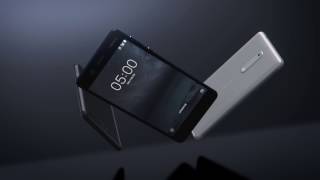
In Depth
Nokia has gone through some changes over the years, but now the brand is back on the market with their latest offering – the Nokia 5.
If you’re hoping for the fun, peppy colors and amazing camera of the Lumia line you’ll be disappointed. With that said, the Nokia 5 has some attractive features for those looking to re-invest in the brand.
Let’s see what it offers!
The Nokia 5 sits between the better quality Nokia 6 and cheaper Nokia 3. Priced for the mid-range market, it doesn’t offer nearly the same bells and whistles as the 6. But it’s also not much cheaper either.
Still, it has some benefits. Critics consider it one of the best-looking phones in its price range. It has an all-metal body and a selection of colors from traditional silver to tempered blue for more variety.
The metal isn’t just for show. Reviewers were very pleased with overall build quality. They couldn’t bend it at all.
While its dimensions are on par with other smartphones, experts found the Nokia 5 much more comfortable in hand thanks to its curved front and back. And, despite being a budget phone, it also comes with a fingerprint scanner for an additional layer of security.
All budget phones have to make concessions to achieve a low price tag. The Nokia 5 is no exception. So where did it skimp? The screen. The 5.2 inch HD (720p) IPS display is passable. But its muted colors and lack of detail didn’t wow reviewers.
Still, they add it provides excellent viewing angles and good sunlight legibility. If you’re looking to use this to view a lot of media, they suggest finding a phone with a full HD panel.
Performance didn’t impress anyone either. However, the 1.4GHz octa-core processor and 2GB of RAM got the job done. Reviewers didn’t run into issues, even when multitasking. Unfortunately, they noticed lag when browsing image heavy web pages and gaming. Still for average use, it worked well enough.
While the performance might not be a drawback for many, internal storage might. It only comes with 16GB of storage though you can upgrade to 128GB with a microSD.
Battery life gets the same middle-ground opinion. The Nokia 5 neither excels nor fails. It lasted most critics around a full day using 4G, watching videos, playing games and just browsing the web. All on a 3,000mAh battery. It does not, however, come with fast charge. So be prepared to wait awhile on top-ups.
On paper, the 13MP camera sounds promising. In good lighting situations, reviewers could get sharp images. But they noticed colors weren’t very bold and the white balance was often unreliable. Add in noisy low-light shots and most considered the camera slightly below average. Android Authority adds, “… you’ll want to take another camera with you on holiday.”
In general, experts recommend the Nokia 5 for those on a tight budget. ZDNet states, “Nokia has delivered a reasonably competitive mid-range handset…” CNET adds, “If you want a decent all-round phone to tackle all your everyday essentials and you want some cash left over then the Nokia 5 is well worth your time.”
What people actually want to know
When was the Nokia 5 released?
The Nokia 5 was released on May 31, 2017.
How long does the battery last on the Nokia 5?
The Nokia 5 has a 3,000 mAh battery.
Does the Nokia 5 support wireless charging?
No, the Nokia 5 does not support wireless charging.
Does the Nokia 5 have a headphone jack?
Yes, the Nokia 5 has a 3.5mm headphone jack.
Does the Nokia 5 have NFC?
Yes, the Nokia 5 has NFC. You can use Google Wallet, Apple Pay, and tap-to-pair with Bluetooth accessories.
Where can I download the Nokia 5 manual?
You can view and download the Nokia 5 manual on our dedicated manual page.
Questions & answers
Loading answers…
✓ Question submitted. We'll notify you when someone answers.
We sent a verification link to . Click it to publish your question.
Can't find it? Check your spam folder.
Finish the security check above to post your question.
Your name shows with your question.


New phones, honest scores.
One email when something worth knowing changes. No deal spam, no filler.
1. Start watching any video in Chrome and press the button to watch full screen. In other apps, like YouTube, you don’t even have to view the video full screen, just start playing any video.
2. Tap the home button to return to the home screen.
3. The video will play in a small window in the lower right. You can keep using your phone as normal.
4. Tap the little window to slightly expand it and show play controls. Tap the window again, and you return the app that is playing it.
5. You can drag the PIP window around to any other point along the edges of the screen. If you release it somewhere in the middle, the window will snap to the closest valid location.
6. To dismiss the window, simply drag it off the bottom of the screen.
Let us know if that works for you.
source