


Acer Iconia W510
Key specs
Critic consensus

“The $500 starting price for the W510 sounds appealing, but it’s misleading. For $500 you don’t get the keyboard and you get only 32GB of SSD. Configured as tested, the price hits $750, which seems awfully high, approaching the arena of full-fledged Windows 8 laptops, which start at around $800. It’s ultimately a question of how you’re going to use a device like this as to whether it’s going to work for you. Anyone who’s looking for a daily productivity tool will find the epic waits, mysterious blank screens, and occasional crashes simply unsatisfactory.”
“The Acer Iconia W510 is a good-looking tablet with a securely fastening dock on the accompanying keyboard that gives you instant laptop capability. It has a good array of ports and full-fat Windows 8 but it's let down badly by its underpowered processor which just about copes with light tablet duties, but struggles severely when it has to deal with standard laptop drills.”

“The Acer Iconia W510 is a fairly attractive tablet that can double as a notebook, offering a design that makes it easy to change modes, plus a comfortable keyboard and very long battery life. The fact that you can get more than 15 hours of endurance with the keyboard dock alone will cause some to look this Acer's way. The W510 also has a leg up on the Microsoft Surface RT and Vivo Tab RT in that it can run traditional desktop programs.”

“This widescreen Windows 8 tablet is great for video, if not books, and the docking station models are serviceable as netbook-sized laptops.”
Watch before you decide
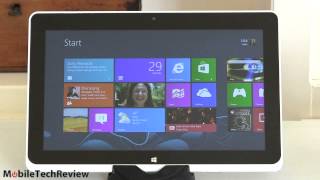


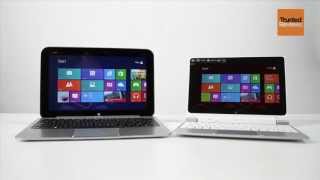
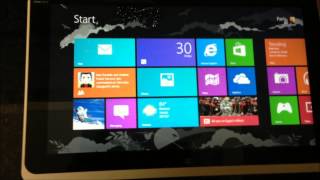


In Depth
With an available keyboard dock, Windows Pro 8, a 10.1-inch display and a dual-core Intel Atom processor, the Acer Iconia W510 is a decent tablet hybrid. The display supports native Windows 8 touch inputs and gestures to make it easy to use in tablet mode and make the most of the new Metro interface. Round out the package with stereo sound, an 8-megapixel rear camera and a spare battery and full-sized USB port in the keyboard dock and you have a great all-around device for getting things done on the go. Brian Westover of PC Magazine summed up the device with “The Acer Iconia W510-1422 may not be the fastest tablet—it’s pretty slow for anything beyond Web browsing and document editing—but it does offer portability and unparalleled battery life.”
In many ways, the W510 is the next generation of netbook. It has a similar shape, features and performance with a few added perks. The keyboard dock holds the tablet firmly in place while the miniature keyboard and touchpad provide easy input for text documents, emails and other uses. The IPS display offers great viewing angles and the 1388-by-768 screen resolution offers plenty of detail without crippling the performance of the device. At 2.8-pounds, including the keyboard dock, the device is extremely portable. With the added battery within the keyboard dock, the W510 achieved nearly 15 hours in Engadget’s battery benchmark.
Unfortunately, this portability comes with a few drawbacks. The Atom processor is competent for basic productivity work, web browsing and media consumption. However, it is woefully inadequate for any gaming, video editing or other processor-intensive functions. The trackpad on the keyboard dock does not support multi-touch input or gestures either. Finally, to make the keyboard fit the form of the tablet, it is quite shallow and a little cramped.
With the price of the tablet, you could pick up a more powerful ultrabook or similar device for slightly more. TechRadar summed up the pro’s and con’s of the device well when they said “In trying to be everything to everyone, it embraces the tired old “Jack of all trades, master of none” cliche. While we loved the portability it offered, we’d rather sacrifice our shoulders and haul a heftier notebook with a full keyboard.”
The Good: Crisp display, outstanding battery life, well-made keyboard dock and Windows 8 Pro.
The Bad: Weak processor, limited touchpad and a high price tag.
What people actually want to know
When was the Acer Iconia W510 released?
The Acer Iconia W510 was released on November 27, 2012.
How long does the battery last on the Acer Iconia W510?
The Acer Iconia W510 has a 3,650 mAh battery.
Where can I download the Acer Iconia W510 manual?
You can view and download the Acer Iconia W510 manual on our dedicated manual page.
Questions & answers
Have a question about the Acer Iconia W510? Ask it here and we'll email you as soon as someone answers. Readers have answered 5,000 questions across PhoneCompass.
Finish the security check above to post your question.
Your name shows with your question.
✓ Question submitted. We'll notify you when someone answers.
We sent a verification link to . Click it to publish your question.
Can't find it? Check your spam folder.
How it compares


New phones, honest scores.
One email when something worth knowing changes. No deal spam, no filler.