


Archos 9 PC Tablet
Key specs
Critic consensus

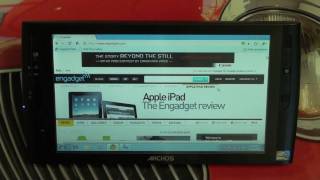
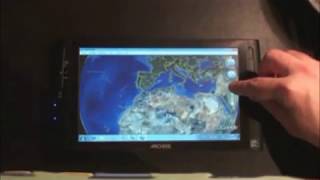
“The greatest flaw is its usability. The touchscreen often proves unresponsive, rendering even the most basic tasks a frustrating experience. Selecting the wrong option in menus is all too easy, while dragging windows around is a shaky affair. A tiny touch-sensitive panel on the right side of the device can be used as an alternative means of control and fares slightly better. Users will still long for a touchpad or a mouse, however.”

“The near-fatal flaw with the Archos 9 is in the realm of data entry. A tablet is only as good as its touchscreen, and the Archos’ is one of the least capable we’ve used. While you can theoretically use your fingers to operate the device, this is in reality a fool’s errand of the highest order. Accuracy is a problem, but pressure sensitivity is an even bigger one. In mere minutes of use, you’ll find you’re jabbing at the onscreen keyboard (conveniently loadable at the push of a hardware button, thankfully), only to find you are missing the right letter half the time.Performance is another issue. Remember, this isn’t a souped-up phone, it’s a stripped-down PC with an Atom processor and a 60-GB hard drive. It’s the meager 1 GB of RAM that’s the problem. Delays of more than a minute for applications to load are not uncommon with the Archos 9, and its performance benchmarks are truly rock-bottom. Without enough RAM to run Windows (and there’s no upgrade available, so you’re stuck with that 1 GB), the 9 often borders on frustratingly unusable.”

“Unfortunately, nailing that recipe is apparently tougher than it looks, and the final result fully satisfies neither as a Windows PC nor as a handheld multimedia device. The most crippling design decision may be the choice of the 1.1GHz Intel Atom Z510 as the CPU. Though we've squeezed decent performance from the N270/N280 Atoms, as well as from the newer N450 version, any product we've tested with the slower Z-series Atom CPU has been frustratingly sluggish, and this is no exception. Our second major issue comes from the touch screen itself. Devoid of a keyboard, or even more than a couple physical control buttons, you're at the mercy of the touch screen and onscreen commands to get anything done with the Archos 9. Unfortunately, we found the resistive 8.9-inch screen to be less responsive than we would have liked, even when using the included dummy stylus, and the custom onscreen keyboard (handily summoned by a physical button on the bezel) required very firm finger taps to use.”
Watch before you decide








What people actually want to know
When was the Archos 9 PC Tablet released?
The Archos 9 PC Tablet was released on October 22, 2009.
Where can I download the Archos 9 PC Tablet manual?
You can view and download the Archos 9 PC Tablet manual on our dedicated manual page.
Questions & answers
Have a question about the Archos 9 PC Tablet? Ask it here and we'll email you as soon as someone answers. Readers have answered 5,000 questions across PhoneCompass.
Finish the security check above to post your question.
Your name shows with your question.
✓ Question submitted. We'll notify you when someone answers.
We sent a verification link to . Click it to publish your question.
Can't find it? Check your spam folder.
How it compares


New phones, honest scores.
One email when something worth knowing changes. No deal spam, no filler.