


NOOK HD+
Key specs
Critic consensus

“The Nook HD+ is a well-built tablet with a sharp screen and a microSD slot. Those looking to take advantage of a huge media library will be disappointed as Barnes & Noble struggles to match the current movie, TV show, and apps support enjoyed by its rivals. Still, thanks to their unique and effective implementation, magazines and catalogs are done better here than on any other tablet, and the Nook HD+'s book support can easily stand with the best of them. Starting at only $269, the Nook HD+ makes for a fantastic tablet deal.”

“Barnes & Noble wants you to think of the Nook HD+ as a regular tablet, not an e-reading tablet with benefits. What holds it back from that? The lack of certain hardware elements like a camera, GPS, fancy sensors (barometers, thermometers, a gyroscope), NFC, and the like. Restricting owners to one content store and limiting some of Android’s features also brings the HD+ into question.However, we don’t think that the HD+ necessarily needs to play in the big leagues to be successful. If you’re looking for the pure Android experience, you’re going to buy the Nexus 10, anyway. The Nook HD+ is for people who want a streamlined, easy to use and understand tablet that has all the big, important things like apps and videos, and games. It’s also for people who prioritize e-reading and want one place for all their magazines, books, and comics.”

“Staring deeply at the $270 price of the 16GB base model of the NOOK HD+ ($300 for the 32GB version), there’s no arguing that their intent is to keep Amazon itching with anticipation. Rightfully so, they’re able to do just that, as the NOOK HD+ has the more detailed display of the two – while also being lighter as well. However, it’s missing out on several key features to make it an instant buy over other highly-prized full tablet offerings on the market. Therefore, if you’re all about the reading aspect, then you’ll undoubtedly take into agreement to what the NOOK HD+ has to offer with its ecosystem. Beyond that, the Google Nexus 10 still continues to offer the most balanced set of features and hardware to make it the more compelling tablet – and better long term investment as well.”

“Barnes & Noble seems to have figured out how to compete with the iPad: build a light, nice-looking tablet with a great screen, offer a bunch of different ways to watch and read things, and charge a reasonable amount for it. $269 for a 9-inch tablet is a great deal, and if you want a Netflix and Hulu machine this is a pretty good one — as long as you're happy using headphones all the time. But Barnes & Noble shoots itself in the foot over and over, with a slow and bug-riddled interface that is often infuriating to use. I waited a full minute for it to switch accounts at one point, and several minutes to load a game — that's not acceptable. Even worse for Barnes & Noble, other companies have figured out how to make inexpensive tablets with great screens and much better experiences. Google makes a cheap(ish) tablet with a big screen, the $399 Nexus 10. Amazon's $299 Kindle Fire HD 8.9 fits the bill as well — I'd recommend either over the Nook HD+ until Barnes & Noble fixes the performance problems. And, of course, there's still the iPad mini, which isn't much smaller or much more expensive than the Nook HD+, and gives you access to the giant iOS app ecosystem (though its screen isn't anywhere near as good as the HD+). Those devices share many of the same advantages offered by the Nook HD+, and all offer far better and more consistent performance — the Nook models do have a few cool and unique features, but they're ruined by the lag and freezing. The Nook HD+ won the price war, but unless that's your absolute only consideration, you can find a better tablet without looking very hard.”
Watch before you decide


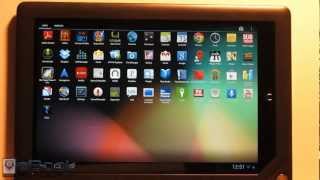

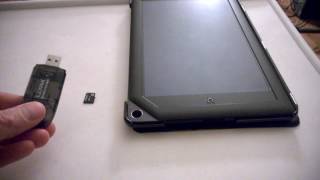


In Depth
Barnes & Noble first made a name for itself in the consumer electronics space with its Nook e-book readers, which became fast-selling alternatives to Amazon’s Kindle devices. Now, it’s ready to step confidently outside of the e-reading device segment with products like this one.
The Barnes & Noble Nook HD+ gets its name because of its higher-than-full-HD resolution 9-inch screen. It features a native resolution of 1280×1920 pixels, and is referred to by many as having one of the best-looking screens available on a tablet today. Android 4.0 Ice Cream Sandwich is the pre-installed operating system, and it runs on a 1.5GHz dual-core TI OMAP 4470 processor. Battery life is rated at 10 hours for reading e-books. To store the books, there’s up to 64GB of internal space and it can be expanded even further through microSD cards.
The most evident negatives of the HD+ are its lack of a built-in camera or a GPS antenna. That might be a deal-breaker for some, but in some ways it makes sense on a device designed primarily for multimedia content consumption.
There’s no question that the Nook HD+ offers plenty of bang for the buck. The biggest difference between it something like the Amazon Kindle Fire is basically the fact that it is built with tight Barnes & Noble software ecosystem integration. Sure, Amazon may have the bigger primary source of digital content, but Barnes & Noble is working hard to make sure that its customers are fully satisfied. If you’re after a unique hardware and software experience, you can add the Nook HD+ to your list of choices.
Need to Know: Barnes & Nobles Nook HD+
1. Boasts a 1280×1920 pixel resolution 9-inch touchscreen display. (The Good)
2. Comes with Android 4.0 Ice Cream Sandwich pre-installed. (The Good)
3. Lacks a built-in camera. (The Bad)
4. Doesn’t have built-in 3G wireless connectivity. (The Bad)
What people actually want to know
When was the NOOK HD+ released?
The NOOK HD+ was released on November 8, 2012.
Does the NOOK HD+ have a headphone jack?
Yes, the NOOK HD+ has a 3.5mm headphone jack.
Where can I get support for the NOOK HD+?
Visit Barnes & Noble's official support page for warranty info, repairs, and troubleshooting.
Where can I download the NOOK HD+ manual?
You can view and download the NOOK HD+ manual on our dedicated manual page.
Questions & answers
Have a question about the NOOK HD+? Ask it here and we'll email you as soon as someone answers. Readers have answered 5,000 questions across PhoneCompass.
Finish the security check above to post your question.
Your name shows with your question.
✓ Question submitted. We'll notify you when someone answers.
We sent a verification link to . Click it to publish your question.
Can't find it? Check your spam folder.


New phones, honest scores.
One email when something worth knowing changes. No deal spam, no filler.