


BlackBerry PlayBook 4G LTE
Key specs
Critic consensus

“One of the most important features of the PlayBook is its ability to seamlessly integrate with a BlackBerry smartphone, but unfortunately, we did not have a device on hand to test this functionality. RIM has managed to fix the Bridge issue since we last reviewed it, so the PlayBook no longer requires tethering to a BlackBerry device in order to be fully usable. However, it is still lacking some functionality which other tablets have, like Skype video chatting abilities and an instant messaging application, which doesn't cater just to the BlackBerry's PIM users. As we mentioned in our initial review, it would have been handy to have some native Dropbox integration make its way to the PlayBook. Though it's possible to access and manage third-party cloud storage services like Dropbox and Box.net, it's taxing to have to download a document, edit it in the PlayBook's included Docs To Go app, and then manually re-upload it. Back in its heyday, RIM was successful because of how well the BlackBerry cloud services integrated with the enterprise, but it's time for RIM to evolve and integrate with other services besides Microsoft Office. This is especially important if RIM wants to lure back those who have switched from BlackBerry to a more widely used mobile operating system like Android or iOS. Admittedly, with the near-total market dominance of Android and iOS over mobile handsets, RIM has a lot to contend with. The PlayBook is a decent device, but it had a plethora of problems at launch which severely hurt its entry into the game, and eighteen months later, many of those problems are still present. If the PlayBook wants its mojo back, RIM needs to act fast. In order to become marketable again, the company needs to continue to push the PlayBook as a standalone device—something that will cater to enterprises and business-oriented consumers. With BlackBerry 10 targeted to hit soon, this could be RIM's chance to start over with a clean slate.”

“The RIM’s BlackBerry Playbook is a great entry into Tablet market and surely is successful. Two HD camera’s, 1 GHz processor, 1 GB RAM, stereo speakers and microphone, HDMI connectivity, etc. makes it powerful and competitive with Apple and Samsung. Its 7 inch screen size is less in comparison to present available tablets in the market. The built quality of playbook is strong but the keys on its Top are very small and hard to press.”

“RIM's ecosystem isn't huge and it doesn't have as many apps available as Android or iOS but there is more to buying a tablet than just games and apps. The experience as a whole has to be considered and for what the 4G LTE PlayBook offers it's an option that shouldn't be dismissed.”

“With 4G connectivity, a faster processor and NFC, the 4G PlayBook is a rock-solid upgrade from the original PlayBook. I’m actually surprised they didn’t call it the PlayBook 2, or the new PlayBook for that matter. The processor is a straight-up beast, the build is still solid, the LTE speeds are very fast. It’s a very future-proof tablet solution, provided BlackBerry 10 does deliver the complete software package. With a large price gap between the two PlayBook models, it’s not the most worthwhile upgrade for the money. What the PlayBook needs more than anything else is software, software that empowers the user to accomplish complex tasks with the least amount of work. Hence the reason for BlackBerry 10. Sometime in mid-2013, the PlayBook series of tablets should receive the upgrade to BlackBerry 10, which should offer a comprehensive tablet solution for consumers. The 4G PlayBook, as it stands, should appeal to enterprise customers who are looking for a professional, secure, always-connected tablet without the company swimming in red ink. For the average consumer, the original PlayBook is much more of a steal and still is quite fast and capable, especially with a paired BlackBerry smartphone. Overall, this tablet improves on the Wi-Fi PlayBook in many ways, including some that you’d never expect. With these hardware improvements, the software weaknesses are also more glaring than they were before. Looking at the negatives, you’re not going to be as impressed with the display and the HSPA+ will drain that battery quick. But the latter part was expected. Its lighter and faster, but I’d rather more of that weight go to a larger battery. We all know that the iPad sells because it has the selection of apps, elegance, and the simplified user experience that many consumers want. Unfortunately, the 4G PlayBook won’t be a best-seller, or even on the podium for that matter. It will likely appeal mostly to enterprise customers looking for that portable, powerful, secure tablet solution. Ignoring software, it truly is a no-compromises tablet. However, the software on the 4G PlayBook is still unchanged from the original PlayBook. Realizing a 4G PlayBook running a complete version of BlackBerry 10 would have been a great success f0r RIM. Remember the potential of the original PlayBook? Double that and you have completely described the 4G PlayBook.”
Watch before you decide







In Depth
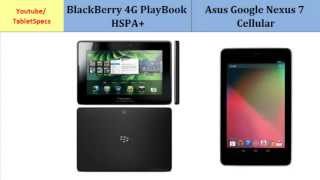
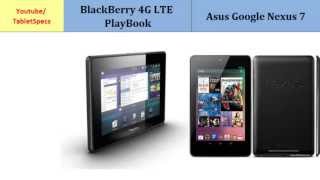
It was quite a long time coming, but after 1.5 years the BlackBerry PlayBook 4G LTE tablet finally got released to the market. It doesn’t differ much from its non-4G LTE-enabled counterpart but that’s not necessarily a bad thing. After all, it takes a lot of hardware cues from the sleek and slim model that came before it, and yet somehow it manages to come out on top in terms of computing power and maximum battery life.
For a tablet that’s being released to the market in 2012, the BlackBerry PlayBook 4G LTE comes with a few rather disappointing features. For one thing, RIM has not seen it fit to update the 7-inch 1024×600 pixel resolution screen, and the main camera on the back still works with a 5-megapixel sensor that does not have an accompanying flash. Hardware improvements are indeed present, though. The fact that these are mostly out of sight doesn’t have to mean they don’t make a difference.
The biggest difference between this and the original BlackBerry PlayBook can be seen in the overall speed in menu or app navigation and Web browsing. This is because of the improved dual-core processor that’s clocked at a higher speed than the one on the previous model. There’s still only 1GB of RAM, but the 4G LTE model makes good use of it as evidenced by the responsiveness of the system during usage. And storage options have now been tripled to include 16GB, 32GB, and 64GB variants for those who need it.
Because of the above-mentioned feature improvements and the fact that the casing is still only 10mm thin, the BlackBerry PlayBook 4G LTE looks like an excellent choice for those who want in on the tablet craze that has taken over the world. The only problem is when you take a look at what RIM’s competition has to offer, you’ll realize that the asking price for a 4G-enabled BlackBerry PlayBook might be a bit too high. BlackBerry fans and those who need 4G support may do good to lean towards this tablet, but if you think that 4G data as a feature is an unnecessary option, you’re better off setting your sights elsewhere.
Need To Know: BlackBerry PlayBook 4G LTE
1. 1.5GHz dual-core processor coupled with 4G LTE speeds makes for very fast Web browsing. (The Good)
2. Overall quality of hardware is top-notch and the casing is as sleek as they come with a 10mm profile. (The Good)
3. The 7-inch screen has a low native resolution of 1024×600 pixels. (The Bad)
4. The retail price for a BlackBerry PlayBook 4G LTE tablet without a contract may be a bit too high for some considering what a user gets as part of the overall package—including the app ecosystem and third-party software/hardware support. (The Bad)
What people actually want to know
When was the BlackBerry PlayBook 4G LTE released?
The BlackBerry PlayBook 4G LTE was released on August 9, 2012.
How long does the battery last on the BlackBerry PlayBook 4G LTE?
The BlackBerry PlayBook 4G LTE has a 4,800 mAh battery.
Does the BlackBerry PlayBook 4G LTE have a headphone jack?
Yes, the BlackBerry PlayBook 4G LTE has a 3.5mm headphone jack.
Where can I download the BlackBerry PlayBook 4G LTE manual?
You can view and download the BlackBerry PlayBook 4G LTE manual on our dedicated manual page.
Questions & answers
Have a question about the BlackBerry PlayBook 4G LTE? Ask it here and we'll email you as soon as someone answers. Readers have answered 5,000 questions across PhoneCompass.
Finish the security check above to post your question.
Your name shows with your question.
✓ Question submitted. We'll notify you when someone answers.
We sent a verification link to . Click it to publish your question.
Can't find it? Check your spam folder.


New phones, honest scores.
One email when something worth knowing changes. No deal spam, no filler.