


Lenovo Tab 4 10
Key specs
Critic consensus

“There are many reasons to decide to choose the Lenovo Tab 4 10: the good accessory options, multiple user accounts, the large battery, and the performance typical for the price class. The tablet does well in many areas.”

“If you've cut cable out of your life and are simply looking for a tablet for streaming Netflix, Hulu, and the rest around the house, the Lenovo Tab 4 10 will serve your needs wonderfully. You're unlikely to find a better Android tablet for under $200 that offers such a clean and focused design and user interface.”

“The Lenovo Tab 4 is a good option for an affordable, big screen tablet that doesn’t feel too cheap.”

“The Lenovo Tab 4 10 delivers exactly what it promises: a capable 10-inch tablet experience at a great price. If you want to invest an extra $150, the Apple iPad offers longer battery life, a superior display and access to Apple's wider ecosystem of tablet-friendly apps. You could save a lot of money by purchasing an 8-inch Android tablet, such as Lenovo's own Yoga 4 8 ($129) or the Amazon Fire HD 8 ($79.99). However, if you want a large-screen media tablet with great battery life and capable performance at an affordable price, the Lenovo Tab 4 10 is your best choice.”
Watch before you decide


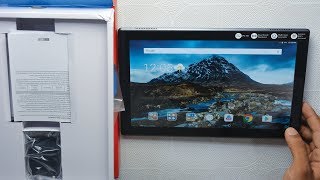
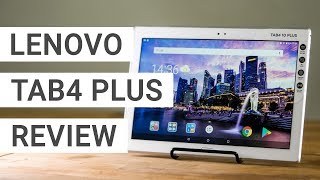


What people actually want to know
When was the Lenovo Tab 4 10 released?
The Lenovo Tab 4 10 was released on June 30, 2017.
How long does the battery last on the Lenovo Tab 4 10?
The Lenovo Tab 4 10 has a 7,000 mAh battery.
Does the Lenovo Tab 4 10 support wireless charging?
No, the Lenovo Tab 4 10 does not support wireless charging.
Does the Lenovo Tab 4 10 have a headphone jack?
Yes, the Lenovo Tab 4 10 has a 3.5mm headphone jack.
Does the Lenovo Tab 4 10 have NFC?
No, the Lenovo Tab 4 10 does not have NFC. Contactless payments and tap-to-pair will not be available.
Where can I get support for the Lenovo Tab 4 10?
Visit Lenovo's official support page for warranty info, repairs, and troubleshooting.
Where can I download the Lenovo Tab 4 10 manual?
You can view and download the Lenovo Tab 4 10 manual on our dedicated manual page.
Questions & answers
✓ Question submitted. We'll notify you when someone answers.
We sent a verification link to . Click it to publish your question.
Can't find it? Check your spam folder.
Finish the security check above to post your question.
Your name shows with your question.
How it compares


New phones, honest scores.
One email when something worth knowing changes. No deal spam, no filler.
Are you pertaining to the Facebook app icon to be on the home page? If so, try tap and holding on the Facebook app icon and see if it brings a shortcut on the home screen.