


Lenovo ThinkPad 10
Key specs
Critic consensus

“The business tablet and convertible market is a difficult nut to crack, and the ThinkPad 10 (while a valiant effort) once again demonstrates just why that is. It certainly does a lot of things right, topping the list of positives is the excellent battery life, great portability, good construction, and the option for 4 GB of RAM (and thus support for 64-bit Windows). We also were thrilled to see support for a keyboard dock, docking station, and a digitizer pen.But when you are selling to a market as choosy as that of business professionals, getting most of the details right just isn’t enough. And—for all its positives—the devil’s in the details with the ThinkPad 10. Although the passive cooling contributes to its stellar battery life, it also feeds the thermal monster which results in frequent and obstructive performance throttling anytime moderate to heavy workloads are introduced. And considering that its size is approaching that of small Ultrabooks (especially with the keyboard base taken into account), some of its specifications are unfortunately constrained by the conventions of tablet design. Take, for example, its sluggish eMMC storage and the general lack of ports (including a sole USB 2.0 port with no options for USB 3.0 connectivity apart from the separately-sold dock).Speaking of which, that’s the final and perhaps biggest issue of all: if you include the Ultrabook Keyboard ($120) and ThinkPad Tablet Dock ($130) accessories in the bill—both of which are essentially necessary if the user needs a physical keyboard or a reasonable array of ports—this $600 tablet climbs to an $850 MSRP. That’s a lot for a machine with compromises when there’s already such a large selection of traditional notebooks available for that price.”

“The sheer flexibility of the ThinkPad 10 ecosystem is appealing for using a single device -- in different configurations -- at home, at the office, or on the road. In practice, I found it worked best paired with the keyboard cover as a coffee shop or airplane seat computer. On its own, it's a harder case to make, but that's largely because Windows 8 has yet to prove it really works as a satisfying full-time tablet OS.The ThinkPad 10 feels great in the hand, but the price, especially considering the sold-separately accessories, gives me pause. If you can find the base tablet for under $500, as I've seen on Amazon, it's reasonable. At the more than $700 Lenovo is selling it directly for right now, it's overpriced for the performance it offers.”

“Lenovo’s ThinkPad 10 is one of the most technically impressive Windows tablets we’ve ever handled. Though it doesn’t match the thin design and long battery life of an iPad or Android tablet, it comes close, and still offers a full Windows 8.1 experience with all the functionality that entails.The price is the catch. At $600, the ThinkPad 10 is hundreds more than competitors like the Acer Switch 10 and Dell Venue Pro, both of which offer roughly comparable hardware. Our entry-level review unit, which includes a 64GB hard drive, ties the price of a 64GB iPad Air and is much more expensive than a similar Sony Xperia X2 or Samsung Galaxy Tab. Most readers will find these alternatives a better value due to lower price, better display, long battery life, or a combination of these traits.Microsoft’s Surface Pro 3 is also a competitor. Though more expensive, it also offers a larger screen and more powerful hardware. Portability is what defines the Pro 3 from the ThinkPad 10, the latter is less capable, but smaller and easier to carry. Lenovo also includes a stylus by default, while Microsoft charges $50 for the privilege.Still, for a certain user, the ThinkPad 10 makes sense. This is the most portable Windows 8.1 tablet we’ve reviewed, and it nearly ties the Surface Pro 3 in functionality. A useful digitizer pen is included and a host of accessories are available to expand its capabilities, though they come at a steep price. Lenovo’s tablet isn’t built for most of us, but it’s a strong contender for those few who need a portable Windows tablet.”

“For $150 less than premium Android tablets and the iPad Air, the Lenovo Yoga Tablet 10 HD+ is a pretty strong value. The slate sports a handy kickstand, loud speakers, and enough battery life to make it through a full day of work and play. Unfortunately, the tablet's sluggish performance makes it a poor choice for demanding games, while users who are picky about color quality won't like the 1080p display.For just $10 more, you can get the ASUS Transformer Pad TF701T, which is much more powerful and has a better screen. And, if you're willing to splurge, the $499 Galaxy Tab S 10.5 has the most vibrant display of any tablet this size. However, if long endurance is paramount, the Tablet 10 HD+ is certainly worth considering.”
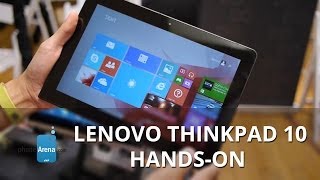
Watch before you decide




What people actually want to know
When was the Lenovo ThinkPad 10 released?
The Lenovo ThinkPad 10 was released on June 30, 2014.
How long does the battery last on the Lenovo ThinkPad 10?
The Lenovo ThinkPad 10 has a 33 mAh battery.
Does the Lenovo ThinkPad 10 support wireless charging?
No, the Lenovo ThinkPad 10 does not support wireless charging.
Does the Lenovo ThinkPad 10 have a headphone jack?
Yes, the Lenovo ThinkPad 10 has a 3.5mm headphone jack.
Does the Lenovo ThinkPad 10 have NFC?
Yes, the Lenovo ThinkPad 10 has NFC. You can use Google Wallet, Apple Pay, and tap-to-pair with Bluetooth accessories.
Where can I get support for the Lenovo ThinkPad 10?
Visit Lenovo's official support page for warranty info, repairs, and troubleshooting.
Where can I download the Lenovo ThinkPad 10 manual?
You can view and download the Lenovo ThinkPad 10 manual on our dedicated manual page.
Questions & answers
Have a question about the Lenovo ThinkPad 10? Ask it here and we'll email you as soon as someone answers. Readers have answered 5,000 questions across PhoneCompass.
Finish the security check above to post your question.
Your name shows with your question.
✓ Question submitted. We'll notify you when someone answers.
We sent a verification link to . Click it to publish your question.
Can't find it? Check your spam folder.
How it compares


New phones, honest scores.
One email when something worth knowing changes. No deal spam, no filler.