


Key specs
Watch before you decide



In Depth
Don’t let the name of the Motorola Xoom Family Edition (FE) fool you. This tablet is seen by many as the one that the original Motorola Xoom should have been. It’s a tad lighter, a hair slimmer, and comes with a wallet-friendly price tag. It also supports for a more advanced version of the Android software. So where does the “Family Edition” bit of its name comes from you ask? Perhaps only its lower price.
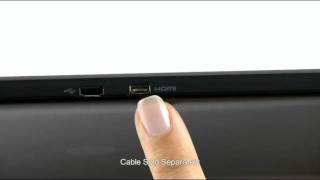
Motorola bills the Xoom FE as “loaded with fun.” It has several pre-loaded apps and its default software can be upgraded to Android 4.0 Ice Cream Sandwich. Like the original Xoom, it comes with a fairly impressive list of standard specs. It has a 10.1-inch 1280×800 HD screen, 5MP camera with LED flash, Wi-Fi, Bluetooth, USB, HDMI, and 16GB of onboard storage space. And the thing that made the original Xoom rather undesirable, a wallet-busting price tag, is conveniently absent from this version.
It may not be the most feature-rich Android tablet on the market today, but this one looks like a great choice for those wanting a good tablet that anyone in the family can enjoy.
Need to Know: Motorola Xoom Family Edition
1. Default software can be upgraded to Android 4.0 Ice Cream Sandwich. (The Good)
2. Comes with a highly-affordable price tag compared with its predecessor. (The Good)
3. Internal storage is limited to just 16GB. (The Bad)
4. Takes very long to recharge the battery. (The Bad)
What people actually want to know
When was the Motorola Xoom Family Edition released?
The Motorola Xoom Family Edition was released on October 16, 2011.
How long does the battery last on the Motorola Xoom Family Edition?
The Motorola Xoom Family Edition has a 24 mAh battery.
Does the Motorola Xoom Family Edition have a headphone jack?
Yes, the Motorola Xoom Family Edition has a 3.5mm headphone jack.
Where can I get support for the Motorola Xoom Family Edition?
Visit Motorola's official support page for warranty info, repairs, and troubleshooting.
Where can I download the Motorola Xoom Family Edition manual?
You can view and download the Motorola Xoom Family Edition manual on our dedicated manual page.
Questions & answers
Have a question about the Motorola Xoom Family Edition? Ask it here and we'll email you as soon as someone answers. Readers have answered 5,000 questions across PhoneCompass.
Finish the security check above to post your question.
Your name shows with your question.
✓ Question submitted. We'll notify you when someone answers.
We sent a verification link to . Click it to publish your question.
Can't find it? Check your spam folder.
How it compares


New phones, honest scores.
One email when something worth knowing changes. No deal spam, no filler.