


Samsung ATIV Smart PC
Key specs
Critic consensus

“The Samsung Ativ Smart PC is the worst part about computers - the uncertainty - amplified and distilled into a convertible tablet. It's too fiddly, too slow, and too low-quality.”

“For customers looking for a Windows 8 tablet with good performance, long battery life, and a dock that turns it into a laptop, the Smart PC Pro should be on the top of your list. If you’re just looking for a Windows 8 machine and don’t care about having a tablet, an Ultrabook is still the better overall choice.”

“Overall, it’s hard to recommend the Ativ given the slow processor and lack of RAM. And when coupled with the keyboard, the Ativ is not much lighter than a regular laptop, and certainly heavier than many Ultrabooks. We think most consumers would be better off buying a proper workhorse of a laptop and saving up for a separate tablet.”

“The Snow Fitness Workouts app for your iPod touch, iPad, and iPhone gives users a way to get in shape for ski season. This is a basic offering that is clean, easy to navigate, and contains a number of easy-to-follow exercises.”
Watch before you decide


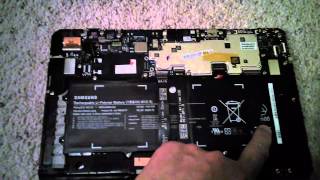





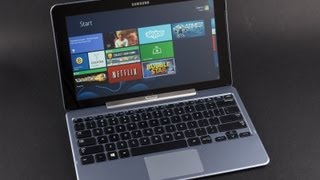


In Depth
Samsung’s ATIV Smart PC 500T is an 11.6”, Windows 8 hybrid laptop/tablet. Samsung notes that the 500T “runs the programs you need on a Windows 8 operating system in a sleek, lightweight form.”It runs on a pair of 1.8GHz Intel Atom CPU, 2GB of RAM and 64GB of storage. You can choose either the WiFi only version or the LTE version. According to Tom’s Hardware, the 64GB is “just not enough space” noting that while the tablet technically has 64GB, “a little more than 51 GB is user-accessible. And, once Windows 8 is installed, you’re only left with 39 GB…” Aside from lack of storage space, many reviewers have had some lag issues.
The ATIV Smart PC 500T offers regular tablet mode and desktop mode. Gizmodo noticed that while there were very few issues in tablet mode there are serious issues in desktop mode noting that “The machine is totally unusable while it’s downloading something in desktop mode…the touchscreen barely recognizes input. Dragging something around the screen will stutter for a few pixels at a time, lose track of your finger, and then all of a sudden catch up at once…” WPCentral mentions that for the most part, the keyboard is unnecessary as the 500T comes with a Wacom Digitizer and S-Pen for handwriting. According to the site, the “S-Pen is quite fun to use…” and allows consumers to use the Ativ Smart PC 500T as “just a tablet.”
Using the 500T as a tablet poses its own problems. PC World notes that the size of the tablet makes handling it awkward and goes on to mention that “in landscape mode (sideways, as you might view a laptop screen), reaching parts of the screen is difficult when holding the tablet with two hands. But in one-handed mode, the tablet seems unbalanced and tiring to hold. When used in portrait mode, the screen seems to tall and not wide enough.” The screen does, however, have an excellent resolution of 1366 x 768 and Hot Hardware notes that at max brightness the screen “is sharp and colors are vibrant.” In addition, most reviewers agree that the touch screen is very responsive.
In general, reviewers are split on the ATIV Smart PC 500T. Windows Phone Central commends the tablet saying that it is “solid [and] well-built.” Other reviewers are more critical. Extreme Tech notes that “far too much of what’s billed as basic functionality doesn’t work or comes with caveats.”
The Good: Easy handwriting capabilities with S-Pen, excellent display resolution and brightness, responsive touch screen.
The Bad: Awkward size for handling, lag issues in desktop mode when downloading files, limited onboard storage.
What people actually want to know
When was the Samsung ATIV Smart PC released?
The Samsung ATIV Smart PC was released on November 12, 2012.
How long does the battery last on the Samsung ATIV Smart PC?
The Samsung ATIV Smart PC has a 4,080 mAh battery.
Does the Samsung ATIV Smart PC have a headphone jack?
Yes, the Samsung ATIV Smart PC has a 3.5mm headphone jack.
Where can I get support for the Samsung ATIV Smart PC?
Visit Samsung's official support page for warranty info, repairs, and troubleshooting.
Where can I download the Samsung ATIV Smart PC manual?
You can view and download the Samsung ATIV Smart PC manual on our dedicated manual page.
Questions & answers
Have a question about the Samsung ATIV Smart PC? Ask it here and we'll email you as soon as someone answers. Readers have answered 5,000 questions across PhoneCompass.
Finish the security check above to post your question.
Your name shows with your question.
✓ Question submitted. We'll notify you when someone answers.
We sent a verification link to . Click it to publish your question.
Can't find it? Check your spam folder.
How it compares


New phones, honest scores.
One email when something worth knowing changes. No deal spam, no filler.