


Samsung Galaxy NotePRO
Verdict
Key specs
Critic consensus

“In conclusion, if you are looking for a tablet that has a big screen for watching videos or can multi-task effortlessly, and you want LTE to come with it, go ahead and pounce on the Samsung Galaxy Note Pro 12.2 LTE: Like its sister model, it deserves a Very Good.”
“Buyers can expect quite a lot in a tablet for over 700 Euros (~$973). For example, good connectivity, easy use, and extensive software or sensible, optional accessories. Samsung is beyond reproach in these points, and even adds an accessory bundle with a value of just under 180 Euros (~$250) for the so-called Launch Edition.Besides that, the Wi-Fi module is state-of-the-art, the GPS module functions reasonably, the infrared sensor is handy. Samsung's TouchWiz interface convinces with a multitude of options, and a very classy surface in terms of software. Its functionality makes using the virtual keyboard's extensive settings, and the digitizer pen, pleasant experiences.The screen that is not quite as brilliant as in some other devices from Samsung and the too high power consumption are minor points of complaint. However, this can probably be ignored when feasible battery runtimes are achieved, the temperatures remain low, and both the application and gaming performance are first-rate. The main menu's choppy use that is the result of the lower clocked processor cores, which are responsible for low load, are more severe in such an expensive device.All in all, Samsung launches a very big tablet on the market with the Galaxy Note Pro 12.2 that still can be held comfortably in one hand and features high-quality looks that convince at first glance. Hardly a flaw is found even when looking closer. Buyers with the necessary cash get a perfect-to-operate, stylish tablet for professional use.”

“Yes, the Note Pro 12.2 is big and expensive. It currently costs about $200 more than the smaller, though otherwise very similar Note 10.1 2014 edition. Are the couple of inches worth paying that much for? You certainly don’t have to if you don’t want to. Samsung offers the Note line in 5.7, 8.0, 10.1, and 12.2-inch screen sizes. And there’s the Galaxy Tab line, also in several sizes, if you don’t need the S Pen. So there’s little reason knock the Note Pro 12.2 too much for its large size or expansive feature set.But for those who want to take handwritten notes comfortably, open multiple apps on the screen at the same time, and are willing to pay extra for those abilities, the Note Pro 12.2 is a good choice, though it won’t always run smoothly.This is far the best showcase we’ve seen yet for Samsung’s S Pen features, making some that seemed silly on the Note 3’s screen, like Multi Window Mode, seem like features use fairly regularly.We do not recommend this tablet for those who travel a lot and like to use their tablet on the go. It’s too big and unwieldy, and its screen size makes it not the best for games, either. For those tasks, and for reading in bed, we’d say just get a smaller tablet like the Nexus 7 or Dell’s Venue 8. After all, if you can afford to spend $700 on a professional tablet, you can probably spare a couple hundred extra for a device that’s better suited to entertainment.”

“The Galaxy Note Pro is a solid tablet, even if it doesn’t quite live up to its PC workhorse aspirations.. It manages to retain a high level of portability despite its large 12.2-inch screen, and its performance, while not particularly remarkable, is still good by today’s standards. Plus, it has the might of the Android ecosystem behind it — something you can’t quite say for Windows 8 tablets and their app offerings. For someone looking to get things done on their slate, the Note Pro is a great option.”
Watch before you decide






In Depth
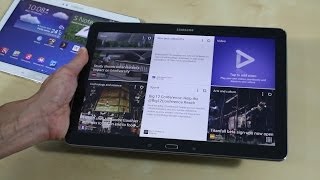
At 12.2″, the Samsung Galaxy NotePRO is one of the largest tablets available to the mass market. This behemoth of a tablet offers an 11.6″ display with a resolution of 2560×1600. Due to its overall size, the NotePRO weighs a hefty 1.6 pounds, which most reviewers found to be unwieldy with two hands let alone one. Phone Arena also found the tablet difficult to hold due to its faux leather back design.
USA Today notes however that the increased real estate allows for easier viewing of spreadsheets and text documents and also allows users to make full use of the new Multi Window feature. As the name suggests, the Multi Window lets you to have up to four apps placed on the screen at the same time.
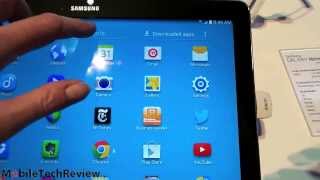
Aside from basic touch control, the NotePRO also includes the Samsung’s S Pen which, according to Gotta Be Mobile, makes it easier to create screenshots, clip images and to multitask thanks to the Pen Window function.
The tablet runs a 2.3GHz quad-core processor and features 3GB of RAM and up to 64GB of internal storage. Unfortunately, reviewers noticed that Samsung’s unremovable software takes 6.5GB of the internal memory. Despite this, Expert Reviews states that the tablet is a “serious powerhouse” and is one of the fastest devices they’ve tested.
In addition to the powerful processor and high resolution screen, Samsung claims that the 9,500mAh battery last around 10 hours of video playback.
Overall, experts don’t think that this is a tablet for the general public. While a well-made device, Phone Arena states that it’s “predominantly for stylus aficionados” and its heavy weight give this tablet limited portability. Reviewers from T3 were only mildly impressed with the tablet stating that the UI and multitask features were the only standouts.
What people actually want to know
When was the Samsung Galaxy NotePRO released?
The Samsung Galaxy NotePRO was released on February 9, 2014.
How long does the battery last on the Samsung Galaxy NotePRO?
The Samsung Galaxy NotePRO has a 9,500 mAh battery.
Does the Samsung Galaxy NotePRO support wireless charging?
No, the Samsung Galaxy NotePRO does not support wireless charging.
Does the Samsung Galaxy NotePRO have a headphone jack?
Yes, the Samsung Galaxy NotePRO has a 3.5mm headphone jack.
Does the Samsung Galaxy NotePRO have NFC?
No, the Samsung Galaxy NotePRO does not have NFC. Contactless payments and tap-to-pair will not be available.
Where can I get support for the Samsung Galaxy NotePRO?
Visit Samsung's official support page for warranty info, repairs, and troubleshooting.
Where can I download the Samsung Galaxy NotePRO manual?
You can view and download the Samsung Galaxy NotePRO manual on our dedicated manual page.
Questions & answers
✓ Question submitted. We'll notify you when someone answers.
We sent a verification link to . Click it to publish your question.
Can't find it? Check your spam folder.
Finish the security check above to post your question.
Your name shows with your question.
How it compares


New phones, honest scores.
One email when something worth knowing changes. No deal spam, no filler.
Hi Lance. I can't find any news or rumors about it.