


Samsung Galaxy Tab 3 10.1-inch
Key specs
Critic consensus

“Like many of Samsung's midrange offerings, the Samsung Galaxy Tab 3 10.1 is a mixed bag of features. On the one hand, you get the large display and slim design, the great codec support, and rich connectivity features which include an IR-port, while on the other you get a dual-core Intel Atom processor with questionable performance, a 1280 x 800 TFT panel which is hardly the sharpest tool in the shed, and a free ticket to a losing battle you'll be waging with the sub-1GB of user-available RAM.”

“Once regarded as the premium tablet offering from Samsung’s camp to compete against Apple’s mighty iPad, the Galaxy Tab series has now taken the back seat as an entry-level model – leaving the Galaxy Note series to occupy its former throne. Brandishing a $399 price point for the base 16GB Wi-Fi model, the Galaxy Tab 3 10.1-inch might seem like a tempting offering, especially when it’s priced below the $500 mark, but seriously, it just doesn’t seem enough to overpower some of the other noise makers in the same category. Heck, the sluggish performance and ho-hum specs doesn’t particularly make it as prized as the Google Nexus 10, which has undoubtedly redefined the Android tablet space.”

“My experience with the Tab 3 10.1 was more frustrating than functional. Even while cutting it some slack for being a midrange tablet that's impressively small and light for a 10-inch device, the Samsung Galaxy Tab 3 10.1 fails to make a good case for taking it home.”

“The Galaxy Tab 3 10.1 has all the makings of very nice tablet comfort food for Samsung phone owners. You get a design and software similar to those on the Galaxy S4 -- minus some features -- as well as the ability to control your TV. The robust quick settings and loud stereo speakers also help differentiate Samsung's midrange 10-incher. However, the 1280 x 800-pixel screen resolution falls flat when compared to full-HD or higher slates in the same price range. More disturbing, the Intel Atom processor exhibited severe lag at times, despite offering decent results in some benchmarks.”
Watch before you decide


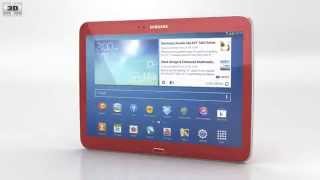


In Depth
By now, Samsung’s tablet strategy is clear, give the consumers as many choices as possible. Their Galaxy Tab line offers three different sizes with this one, the 10.1 inch, being the largest. A mid-range tablet in terms of specs and price, the Tab 3 10.1-inch is a good tablet for budget-minded consumers looking for a tablet that has a large screen.
Like other recent tablets, it runs Android 4.2.2 and features the Samsung TouchWiz UI, providing users with many of the same amenities on the Galaxy S4 such as a choice of five lock-screen shortcuts. Users also can customize these options with various widgets and easily flip through them on the lock screen — a feature that comes in handy for glancing at info. The UX is smooth and completely customizable. The main home screen on the Tab 3 10.1 displays a weather widget, a briefing widget, Facebook updates and a google search bar, all of which can be removed or swapped out.
One of the biggest draw of the Tab 3 10.1 is not the customization or specs, it is the Remote Control feature. An IR blaster on the front of the tablet works in tandem with the Peel Smart Remote app. Users need only enter their cable provider, manufacturers of the cable box and TVand the remote is ready to use. Aside from channel surfing, users can use the remote to record shows, access their DVRs and even control the volume on the TV.
From a hardware perspective, the Galaxy Tab 3 10.1 inch lags behind other competitors in its price range like the Nexus 10. It is, however, the first Android-based tablet that is equipped with a 1.6-GHz dual-core Intel Atom Clover Trail Z2560, which gives this tablet a better CPU, graphics and I/O performance than its competitors. The rest of the hardware is relatively standard with 1GB of ram and the option of either 16 or 32GB of internal storage. The device also comes with an expandable microSD slot and two cameras: a 3.15MP wide angle lens camera and a secondary 1.3MP video call camera.
Unfortunately there are a few drawbacks to the Tab 3 10.1, the biggest one being its most unique feature, the Atom Clover Trail processor. While the processor grants better graphics and I/O performance, it unfortunately suffers from poor performance in every other section. The tablet suffers from severe lag, even with simple apps, sometimes as long as seven seconds to simply open the gallery app to view images. More resource intensive apps such as games could take over twenty seconds to load and can lag in-game.
The screen of the Tab 3 10.1 is also below par with other tablets in its price range offering only a 1280 x 800 resolution. This leads to some pixelation and somewhat blurred text when compared to the Nexus 10 or older Asus Transformer Pad Infinity. Finally, the last major drawback of the Tab 3 10.1 is the lack of the Multi View multi-tasking feature and Air Gestures found on the Galaxy S4.
The Galaxy Tab 3 10.1 offers quite a bit of features for its price tag, however the laggy performance and poor screen resolution do not likely justify the $399 starting price tag.
The Good: Built-in remote control feature, large screen, customizable UI.
The Bad: Laggy performance, lower screen resolution when compared to competitors, lack of multi-tasking feature.
What people actually want to know
When was the Samsung Galaxy Tab 3 10.1-inch released?
The Samsung Galaxy Tab 3 10.1-inch was released on July 7, 2013.
How long does the battery last on the Samsung Galaxy Tab 3 10.1-inch?
The Samsung Galaxy Tab 3 10.1-inch has a 6,800 mAh battery.
Does the Samsung Galaxy Tab 3 10.1-inch support wireless charging?
No, the Samsung Galaxy Tab 3 10.1-inch does not support wireless charging.
Does the Samsung Galaxy Tab 3 10.1-inch have NFC?
No, the Samsung Galaxy Tab 3 10.1-inch does not have NFC. Contactless payments and tap-to-pair will not be available.
Where can I get support for the Samsung Galaxy Tab 3 10.1-inch?
Visit Samsung's official support page for warranty info, repairs, and troubleshooting.
Where can I download the Samsung Galaxy Tab 3 10.1-inch manual?
You can view and download the Samsung Galaxy Tab 3 10.1-inch manual on our dedicated manual page.
Questions & answers
Have a question about the Samsung Galaxy Tab 3 10.1-inch? Ask it here and we'll email you as soon as someone answers. Readers have answered 5,000 questions across PhoneCompass.
Finish the security check above to post your question.
Your name shows with your question.
✓ Question submitted. We'll notify you when someone answers.
We sent a verification link to . Click it to publish your question.
Can't find it? Check your spam folder.
How it compares


New phones, honest scores.
One email when something worth knowing changes. No deal spam, no filler.