
If you’re like most people, you store a huge portion of your life on your phone.
Pictures of your friends and family, favorite songs, your latest reading or TV show obsession, and of course your favorite memes… they’re all there somewhere.
But when it comes time to find a specific file, move things around, or clear out space doing so isn’t exactly intuitive on a handheld device.
Fortunately, file managers make it easier to dig through your files, see what’s cluttering up your storage, or organize things in a way that probably makes more sense than the default Android or iOS options.
In this roundup, we’ll cover the best file manager apps for Android and iOS to ensure you’ve always got your files at your fingertips.
Editor’s Note: This post has been updated for 2022
Our Picks
Documents by Readdle
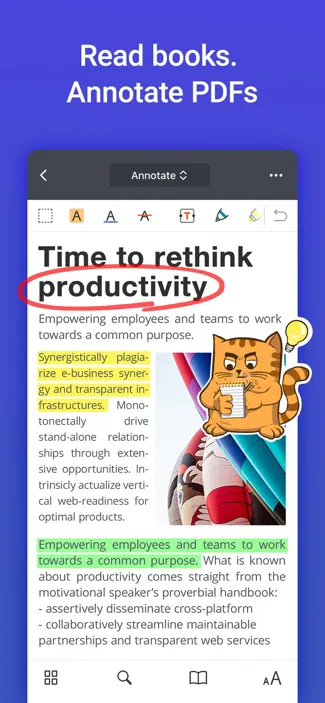
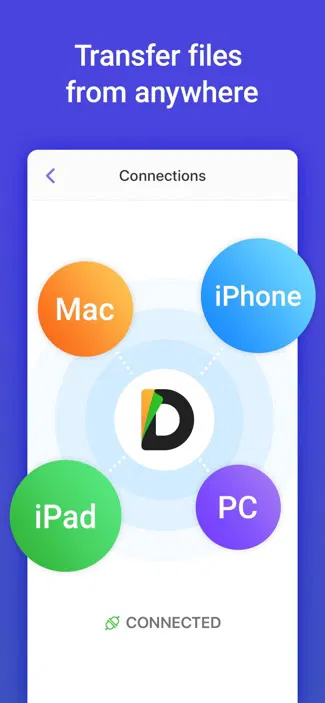
Ranked #25 for Productivity Apps in the iTunes App Store and averaging 4.8-stars with more than 200,000 ratings, Documents by Readdle is a great choice for anyone looking for a full featured file manager app for iPhones or iPads.
It features a ton of features — including an e-book reader, PDF annotation, wireless file transfers, cloud storage support, a download manager, media player, and even image editing — all with a sleek and intuitive interface.
Unless you’re looking for something super basic, Documents by Readdle sets the bar for iOS file managers.
Price: Free (with in-app purchases)
Get it: for iOS
Amaze File Manager
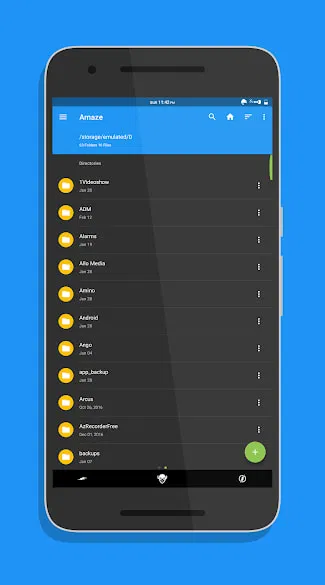
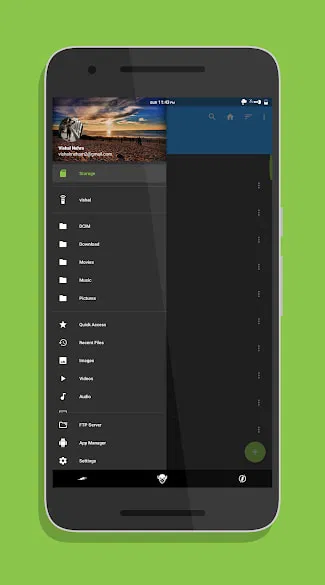
Amaze File Manager is one of the newest Android file management apps on Google Play. However, it’s already off to a strong start with a 4-star rating and over 10,000 reviews.
It features a simple design much like the default Android file management app but packs in a ton of extra features to help you keep your files tidy and find things quickly.
Options include tabbed browsing for easy file copying, text reading and editing, the ability to view files by type across multiple folders, and file encryption for added security. There’s even cloud storage support available through an extra plugin.
Multiple themes allow you to personalize the look of the app and there’s no ads to annoy you or drain your data while sorting through files. It’s also open source, so there is less to worry about in terms of data gathering and security concerns.
Price: Free
Get it: for Android
FE File Explorer: File Manager
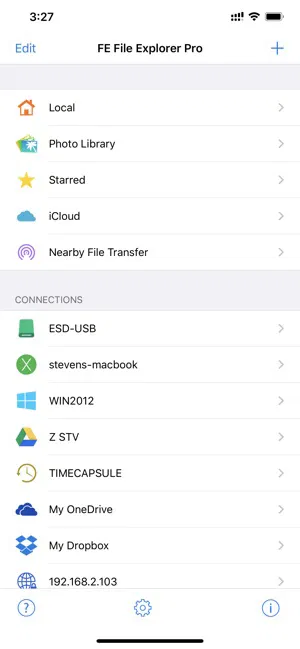
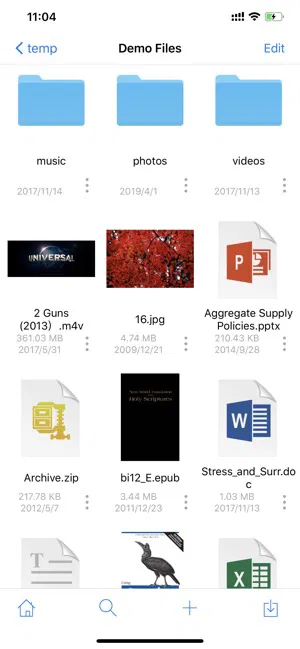
Geared more towards iPhone power users, FE File Explorer: File Manager provides access to the files on your phone and spread across your other devices.
You can add virtually any external file source to the browser and keep all of your files organized or backed up from a single place.
It also includes media editing and viewing for a range of file formats as well.
While it might be more than the average person might need, it offers a level of access to files across a broad range of devices if you’re more technically inclined.
Price: Free (with in-app purchases)
Get it: for iOS
File Manager by Astro
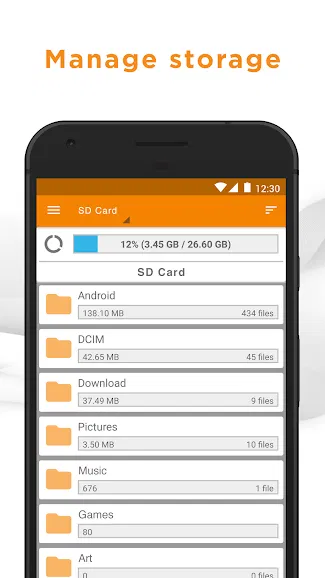
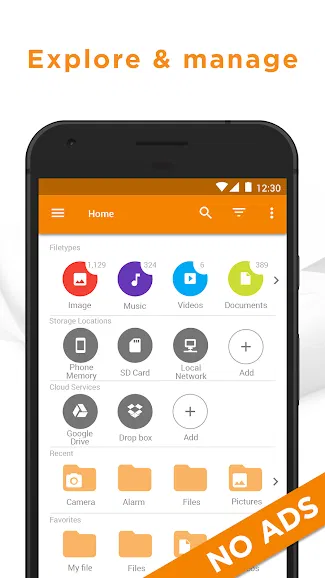
File Manager by Astro is one of the most popular file managers on the Google Play Store with a 4.5-star rating and more than 620,000 reviews.
It offers everything you need to keep your files organized — both on your phone and in the cloud. It also allows you to easily find files in multiple locations by the filetype — such as images, music, documents, or videos — to help track down everything without having to dig folder by folder through your phone.
Advanced features include file archiving support, backups to SD storage, and sharing files direct from the file manager.
While there are no ads, the permissions requested for the app aren’t exactly light. If you’re super privacy conscious, it might not be the ideal pick. However, for the average user, the app offers a powerful, easy-to-use way to keep your files organized.
Price: Free
Get it: for Android
Total Commander

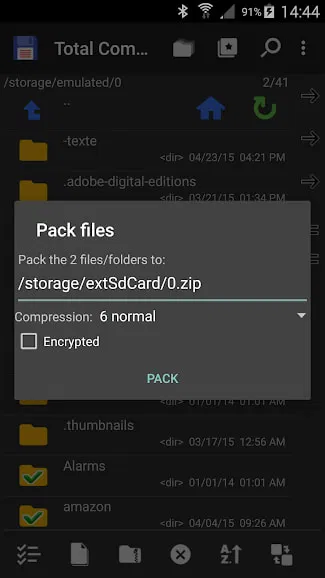
Total Commander is a file manager for Android power users.
The interface isn’t exactly beautiful, but it offers access to files throughout your device — complete with editing abilities, property panels, and all the technical details you could ever want.
It also offers a dual-pane view to make moving files around simple — even on smaller mobile displays.
By default, it includes a range of features such as file archiving, bulk renaming, accessing files on your LAN, sharing files via Bluetooth, and playing most of your media directly from the file manager.
However, what really sets this app apart is its extensive collection of plugins to add features and integrations. Popular options include support for cloud storage, FTP access, sharing files between devices over Wi-Fi.
While the app might be a bit overkill for the average user, anyone looking for in-depth access to every aspect of their phone’s storage should check out Total Commander.
Price: Free
Get it: for Android
Verdict
Each of the options in this roundup offer different benefits depending on your level of technical knowledge and the type of phone or tablet you use. As such, we don’t think that any one app is the best pick for everyone.
However, if you’re still not sure which app looks ideal for you, consider these suggestions.
For the average iPhone user, Documents by Readdle offers an easy-to-use but powerful alternative to the default file manager.
For the average Android user, we think Amaze File Browser is an excellent option with its simplified interface and broad feature set. File Manager by Astro is also attractive, but Amaze File Browser offers most of the same features with far fewer permissions requirements.
For power users, Total Commander for Android and FE File Explorer: File Manager for iOS offer even better support for wrangling files and accessing files both on and off your device.
It’s all a matter of needs. And there’s nothing saying you can’t install them all.
Good luck cleaning up those files and getting organized!
P.S. File management apps are an excellent way to improve the productivity potential of your phone or tablet. If you’re looking for additional ways to put your mobile device to work, be sure to check out our listing of the Best Productivity Apps for iOS and Android.
Disclosure: You should know that in some cases, we may receive a referral fee (at no additional cost to you) for products purchased through the links on our site. These links help support our work but they do not influence our content. Our editorial recommendations are always genuine and we try to feature only the best products and services. Why trust us?



This is great! I use this: http://www.winzip.com/win/en/learn/file-management.html to manage files on my PC but I couldn't find anywhere a good app as well for my iPhone. Thank you very much for sharing I think I just found what I was looking for