
Does it seem like every other time your phone rings, it’s some sweepstakes, scam or telemarketer?
An endless barrage of robocalls that keep coming no matter how many numbers you block.
You’re not alone…
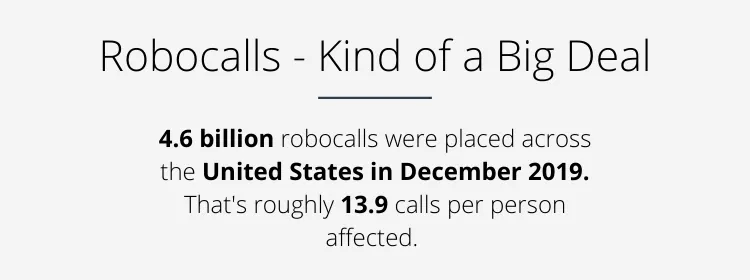
The FCC estimates that half the calls we receive might be Robocalls.
Enough is enough.
It’s time to fight back.
This guide will show the exact tips you can use to beat the robocallers once and for all!
Ready to reclaim your peace and quiet? Lets go.
Editor’s Note: This post has been updated for 2022.
Tools & Techniques You Can Use To Beat Robocallers
Don’t Respond to Robocalls
This one is the Golden Rule of Robocalls!
Stop interacting with them!
- Don’t push a button to speak to an agent.
- Don’t request to be removed from their list.
- If you recognize the number, don’t even bother to pick up.
Why?
Because these things let those annoying robocalling companies (or people searching for valid numbers to sell to robocallers) know that your number works.
Even worse, they might be recording your voice to commit other scams.
Say what!?
Yep. In early 2016 the FCC reported on a scam that recorded consumers saying “yes” to a question and then using that recording later to commit fraud.
They also cited robocalls as their top consumer complaint recently on Twitter.
Madness?
We agree.
When it comes to robocallers, silence is golden.
As Alex Quilici, chief executive of YouMail, told The New York Times: “Just interacting with these calls is just generally a mistake”.
Add Your Number to the “Do Not Call” Registries
The Federal Trade Commission established the National Do Not Call Registry to help people reduce the amount of telemarketing calls coming to their landlines and mobile phones.
Adding your number to the registry is easy.
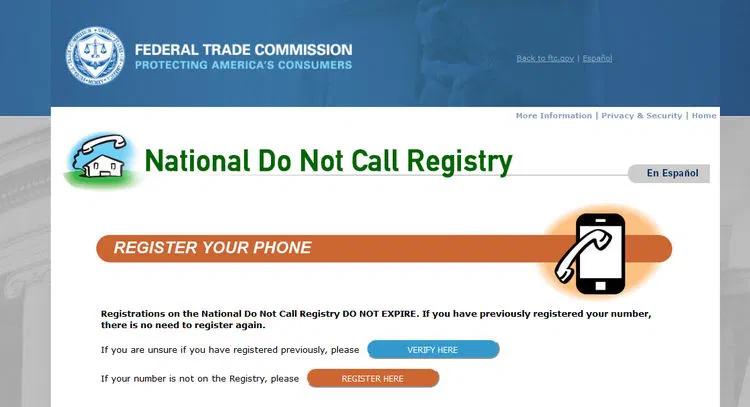
However, you’ll need to wait 31 days after registering before you can start reporting robocallers.
You can also forward spam text messages to the the number 7726 (SPAM) on your mobile device.
It’s important to remember that the registry might not cover all types of calls.
For additional information, check out the FTC’s National Do Not Call Registry Consumer Information FAQ.
The biggest problem with the registry method is that many of the robocalls hitting mobile phones are scams.
If they’re already running an illegal operation or operate abroad, they probably don’t care much what the law has to say about robocalling and soliciting.
However, it’s an effective way to stop calls from legitimate companies or parties you don’t want to hear from.
Use a Call Blocking or Caller ID App or Service
So what can you do if the robocallers don’t care about the registries?
This is where apps really shine.
Most work in a similar fashion…
…they use crowdsourced databases to help filter calls as they come in.
You can also mute calls from known robocallers and some will even prevent the notification from showing up on your phone at all.
Popular call blocking apps include:
| App | OS | Price | |
|---|---|---|---|
 | Truecaller | iOS Android | Free with Paid Monthly Subscription Options |
 | Nomorobo | iOS Android | Paid Monthly Subscription |
 | Hiya | iOS Android | Free |
 | Robokiller | iOS Android | Paid Monthly Subscription |
 | RoboStopper | iOS Android | Paid Monthly Subscription |
The Cellular Telecommunications Industry Association also has comprehensive lists of Android and iOS app options.
Many robocall blocking apps require a small monthly fee.
However, the extra dollar or two is likely worth the added peace of mind.
You can also check with your service provider to see if they offer robocall blocking or filtering.
While this isn’t available with all carriers, most that offer the feature do so for free.
Better still, some carriers enable the feature at the account level instead of on each device.
This means you won’t have to install extra apps or configure settings every time you upgrade or replace your phone!
Manually Remove Your Number from Calling Lists
If you’ve ever entered a drawing or sweepstakes, registered to vote, or even filled out a customer card at a local business, there’s a good chance your number is lurking around in a database for one of these groups somewhere.
In many cases, when you provided the information, there was fine print somewhere saying you agree to marketing calls. That means the previous options won’t stop the calls.
Your best bet?
Find the customer service number for the business or charity and call them. Direct.
Once you have a human on the line, politely request to have your number removed from their calling list.
In the case of political calls, yep… you should call them also.
Let the politician’s office know that their robocalls negatively impact your opinion of them.
That’s usually enough to silence the vote-hungry.
Depending on local regulations, your request may take up to 30 days to take effect.
If you still receive calls from a number you’ve manually requested to stop calling you, report them.
REMEMBER: Our initial advice on not interacting with robocalls still stands. If you’re looking to use this method. Place the call yourself.
Why? Because this way you know you’re not being scammed or added to any additional lists.
Summary
Robocalls are annoying… at best.
At worse, they can lead to fraud and other nasty situations.
While regulators around the world are finally starting to acknowledge the seriousness of these operations, the number of robocalls going out to mobile phones continues to increase.
The good news is that you can fight back.
- Follow the golden rule. Don’t interact with the calls.
- Add your number to a do not call registry.
- Install a call blocking app.
- Report the remaining offenders.
Stay strong robo fighter. Stay strong.
We hope this guide has helped.
If you have any questions or want to share your experience blocking robo-callers, let us know in the comments below.
Infographic: How-To Stop Robo Callers
The following infographic can be used as your robot fighting template. Follow one or more of the steps to defeat the evil robo callers once and for all!

Disclosure: You should know that in some cases, we may receive a referral fee (at no additional cost to you) for products purchased through the links on our site. These links help support our work but they do not influence our content. Our editorial recommendations are always genuine and we try to feature only the best products and services. Why trust us?

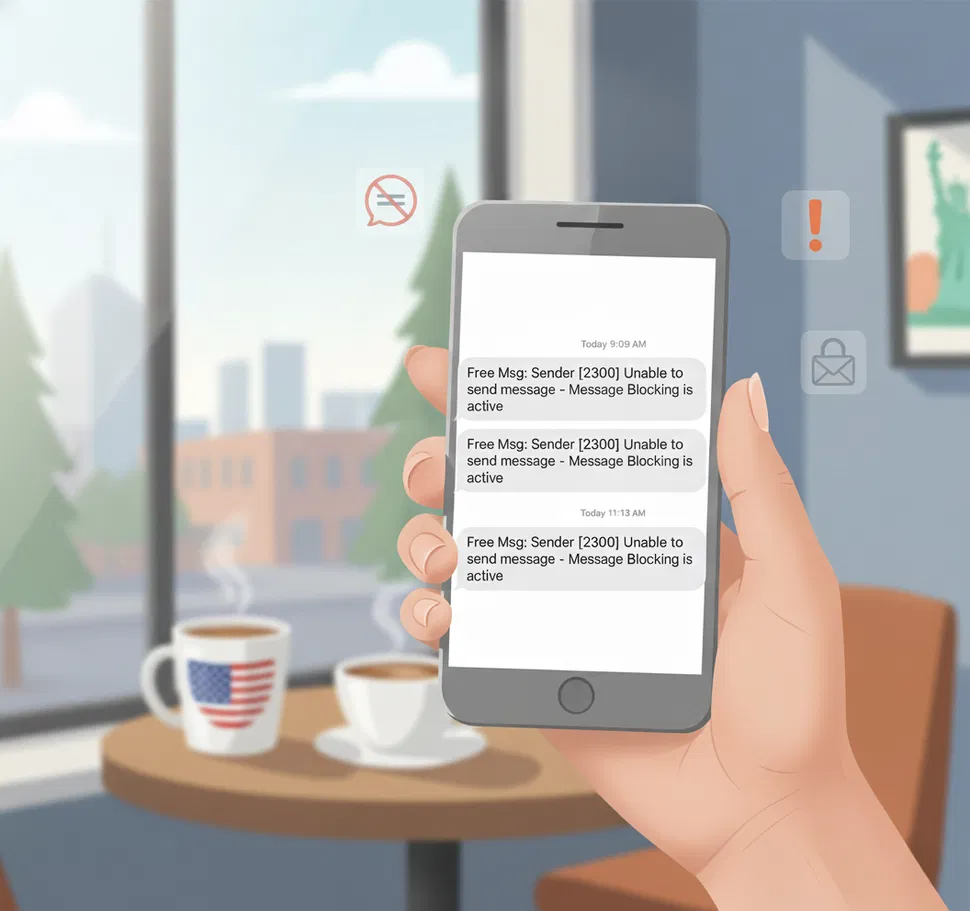

I've been using a third-party robocall blocker app (fyr it's Nize by Cube Apps) on my Android smartphone for a while now, and it does its job pretty well.