


Huawei P9 Lite
Verdict
Key specs
Critic consensus

“Huawei's solid P9 Lite only has to accept a few points of criticism. The plastic back could provide more grip and the camera could offer a bit more quality. However, that is complaining on a high level seeing that the smartphone already makes overall decent photos and videos.”

“Flagship smartphones will always have the appeal of a status symbol but the more practical users might find a viable alternative in premium midrangers, as long as they deliver quality while saving you money along with some perhaps unneeded features. The Huawei P9 lite has you covered on both accounts.”

“Huawei P9 Lite is a great follow up to a great P8 Lite and it will surely sell well. The main upgrades are the battery, display, camera, but still this is not exactly on par with the Galaxy A 2016, for example. It can fight it in the camera area, but the battery and screen are better on the Samsung model.”

“The Huawei P9 lite is a well-conceived package without serious weaknesses. The 5.2-inch smartphone is sufficiently compact and comfortable, with its 147 gram weight delivering the feel of a solidly crafted phone. The Huawei P9 lite must be looked at with a magnifying glass to identify serious criticisms. Like many Huawei smartphones, perhaps the worst that can be said about it is that it lacks some really stand-out features. Overall, the Huawei P9 lite is a completely solid middle-tier smartphone without much in the way of fancy extras.”
Watch before you decide


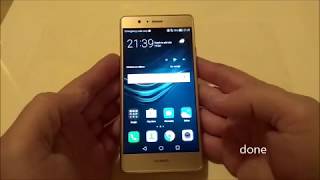


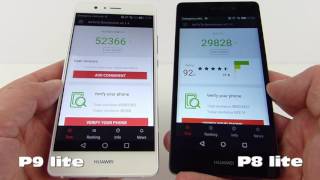


In Depth
Launched alongside their flagship P9 smartphone, Huawei also released the P9 Lite. As the name suggests, it is an affordable version of the original that sacrifices some features for the sake of lowering the cost. For example, instead of an aluminum unibody it comes with a polycarbonate back with an aluminum frame. Despite having mostly a plastic body, the P9 Lite weights 147 grams, which is 4 grams heavier than the P9. The rounded edges and corners provided reviewers with a nice hand feel, but the slippery back made it difficult to grip.
The 5.2-inch screen offers a resolution of 1080p for full HD clarity. Critics found it to be vibrant, saturated and bright with excellent viewing angles thanks to the use of IPS technology. Huawei also uses InCell technology for almost zero gap between the glass and display. Speaking of glass, unlike many other smartphones, the P9 Lite glass is regular glass and not Gorilla Glass.
Keeping the P9 Lite running is an octa-core processor clocked at 2GHz and 3 GB of RAM. Although the processor isn’t top-of-the-line, combined with the RAM critics found it relatively quick during everyday usage. They didn’t notice any lag when opening or switching between apps.
The only time it suffered was when they played graphics intensive games on max settings. Even then, they point to the graphics card as the cause for the stutters and not the processor. Android Pit states, “With the P9 Lite, Huawei has built a very well balanced package of performance, power consumption and heat output…Only gamers should think twice before picking one up.” Even more impressive than its performance was its battery life. Critics were able to get over 10 hours with moderate use.
The most notable aspect missing from the P9 Lite is the lack of dual lens found on the P9. Instead, there’s a single 13MP rear camera with no optical image stabilization. This didn’t present too much of a problem when reviewers tested out the camera in bright light situations. Most of the images were quite sharp in good lighting conditions. However, the quality quickly dipped once light decreased leading to distortions. It does come with a Pro mode so users can adjust the ISO, exposure time, white balance and focus for better image quality.
For the price, reviewers have no problem recommending the P9 Lite to non-power users. Notebook Check states, “Huawei has a strong mid-range smartphone in its lineup that does many things…” Pocket Lint adds, “Fair price, fair performance and more than fair design lead the way here…”
What people actually want to know
When was the Huawei P9 Lite released?
The Huawei P9 Lite was released on May 1, 2016.
How long does the battery last on the Huawei P9 Lite?
The Huawei P9 Lite has a 3,000 mAh battery.
Does the Huawei P9 Lite support wireless charging?
No, the Huawei P9 Lite does not support wireless charging.
Does the Huawei P9 Lite have a headphone jack?
Yes, the Huawei P9 Lite has a 3.5mm headphone jack.
Does the Huawei P9 Lite have NFC?
Yes, the Huawei P9 Lite has NFC. You can use Google Wallet, Apple Pay, and tap-to-pair with Bluetooth accessories.
Where can I get support for the Huawei P9 Lite?
Visit Huawei's official support page for warranty info, repairs, and troubleshooting.
Where can I download the Huawei P9 Lite manual?
You can view and download the Huawei P9 Lite manual on our dedicated manual page.
Questions & answers
Loading answers…
Loading answers…
✓ Question submitted. We'll notify you when someone answers.
We sent a verification link to . Click it to publish your question.
Can't find it? Check your spam folder.
Finish the security check above to post your question.
Your name shows with your question.
How it compares


New phones, honest scores.
One email when something worth knowing changes. No deal spam, no filler.
Hey guys. Did you recently install anything? Or change settings on the battery manager? Also, please check the phone's volume down button. I'm thinking it may be broken and it's pressing volume down 'til the phone is in silent mode.