


Kyocera DuraForce Pro
Key specs
Critic consensus

“The Kyocera DuraForce Pro is the best rugged phone on Verizon, with solid specs and unique features for a relatively affordable price.”

“The Kyocera DuraForce Pro is one of the toughest, most durable phones you can get right now, but its camera and battery aren't great.”

“Kyocera assembled a compelling handset in the DuraForce Pro. The phone is fully rugged, yet compact enough that it's easy to use on a day-to-day basis. The design is still chunkier than your average metal-and-glass slab (it's comparable to an iPhone 7 in an OtterBox case), but the extreme protection from water, dust, drops, and heat/cold is well worth the trade-off.”

“It’s readily apparent that Kyocera put a lot of thought into this phone — it truly is an ultra-durable unit, but one that, at times, feels premium. You don’t have to sacrifice on the security front, for example, thanks to the fingerprint sensor. The phone is truly waterproof, unlike some competing ‘waterproof’ models, and the screen is crisp, bright, and highly saturated.”
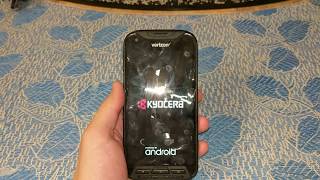
Watch before you decide






What people say
Only a few ratings so far, not enough to show a trend yet.
8 ratings so far
Got my phone a year ago and it has went through 4 SIM cards. Only time I can send text or call is if I am on my wifi... Worst piece of crap I ever wasted 400.00 on. Will NEVER purchase another one!!!!!!
Got my phone a year ago and it has went through 4 SIM cards. Only time I can send text or call is if I am on my wifi... Worst piece of crap I ever wasted 400.00 on. Will NEVER purchase another one!!!!!!
Got my phone a year ago and it has went through 4 SIM cards. Only time I can send text or call is if I am on my wifi... Worst piece of crap I ever wasted 400.00 on. Will NEVER purchase another one!!!!!!
What people actually want to know
Why is my Kyocera Dura Force Pro not ringing when I get calls?
If your Kyocera Dura Force Pro isn’t ringing for incoming calls, try these solutions:
- Check volume and sound settings: Press the volume up button on your home screen to ensure ring volume is turned up. Verify Silent mode and Do Not Disturb are both turned off.
- Disable call blocking apps: Temporarily turn off any spam blocker or call blocking apps (including Verizon’s spam blocker) to see if they’re interfering with your ringtone.
- Restart your phone: A simple restart often fixes volume settings that reset themselves or software glitches preventing the ringer from working.
- Check for pocket presses: The volume buttons may be accidentally pressed in your pocket, turning the ringer off. Consider using a case or being mindful of button placement.
- Try Safe Mode: Boot into Safe Mode to determine if a third-party app is causing the issue. If the phone rings normally in Safe Mode, uninstall recently added apps.
If none of these steps work, the issue may be a hardware defect. Contact Verizon for a warranty replacement or consider a factory reset after backing up your data.
When was the Kyocera DuraForce Pro released?
The Kyocera DuraForce Pro was released on August 31, 2016.
How long does the battery last on the Kyocera DuraForce Pro?
The Kyocera DuraForce Pro has a 3,240 mAh battery.
Is the Kyocera DuraForce Pro water resistant?
The Kyocera DuraForce Pro carries an IP68 rating.
Note: water resistance degrades over time and manufacturer warranties typically don't cover liquid damage.
Does the Kyocera DuraForce Pro support wireless charging?
Yes, the Kyocera DuraForce Pro supports wireless charging.
Does the Kyocera DuraForce Pro have a headphone jack?
Yes, the Kyocera DuraForce Pro has a 3.5mm headphone jack.
Does the Kyocera DuraForce Pro have NFC?
Yes, the Kyocera DuraForce Pro has NFC. You can use Google Wallet, Apple Pay, and tap-to-pair with Bluetooth accessories.
Where can I get support for the Kyocera DuraForce Pro?
Visit Kyocera's official support page for warranty info, repairs, and troubleshooting.
Where can I download the Kyocera DuraForce Pro manual?
You can view and download the Kyocera DuraForce Pro manual on our dedicated manual page.
Questions & answers
Loading answers…
✓ Question submitted. We'll notify you when someone answers.
We sent a verification link to . Click it to publish your question.
Can't find it? Check your spam folder.
Finish the security check above to post your question.
Your name shows with your question.
How it compares



New phones, honest scores.
One email when something worth knowing changes. No deal spam, no filler.
I have the same problem. I check the call volume and do not disturb, they are ok.
I can check those I get a call unless I feel the vibrate I don't know there is a call. I check again and find the call volume is off. What the heck is going on