


LG Stylo 4
Where reviewers agreed
- Positive: Useful stylus for note-taking · 2 sites
- Positive: Good screen · 2 sites
Points that 2 or more review sites made.
Key specs
Critic consensus

“The LG Q Stylus presents itself as a sturdy smartphone for everyday use. It offers good performance and can manage a little more than your basic WhatsApp use and Internet browsing. The included stylus gives this device a unique feature for this price range.”

“Despite my minor complaints, this is a fantastic phone at $250, and a good phone overall regardless of price. Choose which exact version you get wisely if you're on T-Mobile, but even with some of the tradeoffs — no NFC, extra applications — the Amazon Prime version is a great phone in its own right.”

“LG’s turned in a decent performer in most regards with the Stylo 4. The camera’s quite impressive and note-taking abilities set it apart from other devices. Nailing the basics like the screen and battery life help round the device out, but the computing performance leaves something to be desired.”

“The LG Stylo 4 is a good phone. As long as you’re not a power-user who needs a top-notch processor, this phone is perfect for your every day use, and great for taking notes or just doodling during your meetings. I love this phone, it punches up and tries something that most manufacturers seem afraid of.”
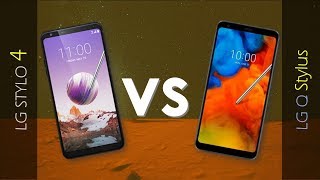
Watch before you decide



What people actually want to know
When was the LG Stylo 4 released?
The LG Stylo 4 was released on June 18, 2018.
How long does the battery last on the LG Stylo 4?
The LG Stylo 4 has a 3,300 mAh battery.
Is the LG Stylo 4 water resistant?
The LG Stylo 4 carries an IP68 rating.
Note: water resistance degrades over time and manufacturer warranties typically don't cover liquid damage.
Does the LG Stylo 4 support wireless charging?
No, the LG Stylo 4 does not support wireless charging.
Does the LG Stylo 4 have a headphone jack?
Yes, the LG Stylo 4 has a 3.5mm headphone jack.
Does the LG Stylo 4 have NFC?
Yes, the LG Stylo 4 has NFC. You can use Google Wallet, Apple Pay, and tap-to-pair with Bluetooth accessories.
Where can I download the LG Stylo 4 manual?
You can view and download the LG Stylo 4 manual on our dedicated manual page.
Questions & answers
✓ Question submitted. We'll notify you when someone answers.
We sent a verification link to . Click it to publish your question.
Can't find it? Check your spam folder.
Finish the security check above to post your question.
Your name shows with your question.


New phones, honest scores.
One email when something worth knowing changes. No deal spam, no filler.
Hi Mackenzie. Are you using any 3rd party home launcher or lock screen app? Can you check Settings -> Apps & notifications -> Lock screen -> choose Show all notifications.
Let me know if that works.