


Microsoft Lumia 535
Where reviewers agreed
- Positive: Large 5-inch screen · 4 sites
- Positive: Full Windows Phone 8.1 software with Office and Cortana · 2 sites
- Positive: Decent wide-angle selfie camera · 2 sites
- Negative: Low screen resolution · 4 sites
- Negative: Low-resolution video recording · 2 sites
Points that 2 or more review sites made.
Key specs
Critic consensus

“As a low-end phone, I think the Lumia 535 is a fantastic package. It eclipses the 530 and 520, and in some very important ways, it beats the 630/635, too. The 535 is the successor to the 520 that people were hoping for, and it comes highly recommended...... if the price is right.As is so often the case, the big question about the Lumia 535 is its price. As yet no official US pricing or carrier availability has been announced. Expansys is selling the unlocked dual SIM version of the phone for $169. Given the lack of an official US launch, we expect this to represent the very upper end of pricing. Should a true US version or versions hit the market, they will surely be cheaper.The dual SIM feature is of negligible value in the US, but it's important in many emerging markets, typically due either to regular border crossings or the desire to use a different provider for voice and data. Dual SIM handsets such as the LG L Bello Dual D335, the Sony Xperia M2 Dual D2302, and the HTC Desire 616 Dual SIM (which do not have identical specs to the Lumia 535 but are in the same kind of bracket) all come out at about $20-50 more expensive (based on Expansys' pricing).As such, I think we can expect the Lumia 535 to be priced pretty competitively. Unsubsidized carrier-locked prices seem to be low—$137 in Thailand, for example. This pricing is in Moto E territory ($129 for 4GB storage, the same processor, a 4.3 inch 960×540 screen, 5MP rear camera with no flash, no front-facing camera at a ll), and here the Lumia 535 compares very favorably indeed.Should this kind of pricing come to the US, the Lumia 535 will be truly the king of the entry-level smartphones: a well-built handset with all the features you need, a nice big screen, and for the price, some great cameras.”

“An affordable, big-screen smartphone, with dual-SIM support at that, the Microsoft Lumia 535 looks like a package that's made to measure for the emerging markets. No wonder India was one of the first destinations confirmed.The phone has now been listed in the UK as well. Most likely, it's the single-SIM version. It's the kind of flexibility Redmond must have been looking for. The Lumia 535 is the first phone to wear the Microsoft logo and it will need all the exposure it can get.Microsoft are probably taking their time, probing the market with an entry level phone, and not taking huge risks. The flagships will certainly come but, with there're still a few solid Nokia-made options around which Microsoft wouldn't mind making the most of.One of those is the Nokia Lumia 735, which is in an entirely different price range, but generously lends its wide-angle, high-res selfie cam to Microsoft's Lumia 535. That's certainly another potential selling point, whether it's selfies that you fancy or the Skype-optimized video quality.Anyway, Microsoft is treading carefully. An affordable, entry-level phone will be less judged and can potentially reach a wider audience, giving Redmond a good start.The low-res video recording is a potential deal-breaker but it's really one of few. The screen resolution is just enough at best for the 5-inch diagonal but size matters in a good way in things like web browsing, handling office documents and in-car navigation.That said, the office package and the HERE Drive+ apps have been a traditional Windows Phone advantage over Android competition.”

“Microsoft offers a decent entry-level alternative with its Lumia 535. It primarily convinces with up-to-date software, a bright and color accurate screen, and comparatively good cameras. The GPS receiver also surprised us favorably in the test and did a good job. The option of expanding the storage by up to 128 GB is unique in this price range to date.The handheld's biggest shortcomings are certainly the somewhat sluggish touchscreen and mediocre battery life. The latter could be foreseen in view of the remarkably high power consumption. It should be possible to rectify both via a software update.The slim and typically colorful Lumia design also advocates the device. The contenders from this price range are mostly bulkier. In total, Microsoft offers a decent smartphone that convinces with the usual, great software bundle as well as with its good configuration and fair price-performance ratio.”

“The Lumia 535 is the first Microsoft branded handset and, unfortunately, the experience is poor compared to some of its Lumia predecessors. The poor touchscreen experience feels like a blast from the past, while the exterior finish isn't up to quite the same high standards. On paper, the 535 has plenty going for it. The low price, combined with a large display, the latest Windows Phone software, quad-core power and a pair of reasonable cameras, should make this a cracking device for those on a budget. In reality it's the stuttery text entry that makes for awkward use. Unless that's corrected we can't recommend the first Microsoft Devices badged Lumia device, especially with the likes of the Moto G out there.”
Watch before you decide


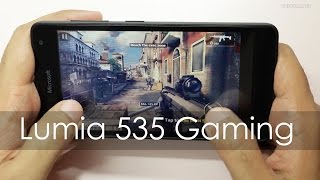


What people say
Only a few ratings so far, not enough to show a trend yet.
1 rating so far
What people actually want to know
When was the Microsoft Lumia 535 released?
The Microsoft Lumia 535 was released on November 28, 2014.
How long does the battery last on the Microsoft Lumia 535?
The Microsoft Lumia 535 has a 1,905 mAh battery.
Does the Microsoft Lumia 535 have a headphone jack?
Yes, the Microsoft Lumia 535 has a 3.5mm headphone jack.
Does the Microsoft Lumia 535 have NFC?
No, the Microsoft Lumia 535 does not have NFC. Contactless payments and tap-to-pair will not be available.
Where can I get support for the Microsoft Lumia 535?
Visit Microsoft's official support page for warranty info, repairs, and troubleshooting.
Where can I download the Microsoft Lumia 535 manual?
You can view and download the Microsoft Lumia 535 manual on our dedicated manual page.
Questions & answers
Loading answers…
✓ Question submitted. We'll notify you when someone answers.
We sent a verification link to . Click it to publish your question.
Can't find it? Check your spam folder.
Finish the security check above to post your question.
Your name shows with your question.
How it compares


New phones, honest scores.
One email when something worth knowing changes. No deal spam, no filler.
Hi Carl. That's great thanks. Now why did they put it as Auto-panorama? I never dreamed of searching under A!
It looks like there isn't a panorama lens in Windows Camera. I shall have to wait for the next update, I wont hold my breath...
Thanks again.