


Kindle Fire
Key specs
Critic consensus

“We're not going to tally up the marks and declare a winner, because their respective values will vary depending on how you plan to use your device. Feel free to mix and match and decide based on the criteria you value the most. Need a better browser, want to turn book pages without bringing the device to its knees, and looking for superior hardware? A Nook Tablet is for you. Need a constant stream of apps, a good e-mail app, and a thriving content ecosystem? Go with a Kindle Fire. We could discuss the permutations ad infinitum, but it's ultimately up to you to decide which device is best for your needs.”
“Ultimately, the $200 Kindle Fire lacks many features I consider essential in a serious tablet: the ability to work on it using a keyboard, browse the Internet quickly, view whole magazine pages, and so on. But we can't fault it for not being an iPad. It's only a few hundred fewer dollars, and Amazon has never marketed it as a tablet. This is a basic media consumption device.”

“It should be clear by now that the Kindle Fire isn't the cheap Android tablet some people may've been waiting for. Oh well, it is cheap. Not so sure about Android and tablet. It's more like the Kindle for music and video that loyal Kindle and Amazon users may not have been waiting for but just couldn't say no to. The Kindle Fire keeps it simple. It's a multimedia player, which feeds mostly on paid content from Amazon's catalog. They've thrown in email and a web browser (not nearly as revolutionary as they said it would be, but not bad either). There's nothing else to distract users from its main purpose - buying content that's a click away. There must be people who bought the Kindle Fire - or about to - without ever planning to have an Amazon account. They can load their own content and find ways to play it, getting around the Fire's limited file support. It's not impossible to root the Kindle Fire either. And the effort may even seem worth it - $200 for a tablet is a bargain, no doubt about that.”

“There are some differences worth noting. Yes, the iPad's battery will last you a bit longer, it’s a better looking piece of kit, it has 3G, a camera and it’s more flexible in terms of what you can do with it. The real story, and where you need to think long and hard, is about what you want to do with it. If a tablet, for you, is about watching movies and TV, and reading an enormous wealth of publications and periodicals, then it’s definitely the Kindle Fire that’s the one for you. If playing games, communicating, working and generally using a tablet as a tool is just as important, then it’s the iPad 2 and that’s where you need to be at. At least until the iPad 3 comes out.”
Watch before you decide


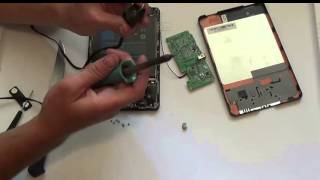

In Depth
The Amazon Kindle Fire is a low cost tablet computer that was first released in November 2011 and has gone on to become one of the most popular Android-powered tablets ever. It can be argued that it contributed a great deal in popularizing the 7-inch tablet form factor. Despite the fact that it runs an older version of the Android software, it managed to attract a great deal of attention from all around the world. Apart from being portable and handy, the Fire retails for just $199, and that’s part of what has made it one of the fastest rising tablets in history.
Amazon is reportedly losing money with every Kindle Fire sold due to its $200 price tag. However, Amazon is betting that sooner or later users will pay for content available on its online store and that’s how it actually makes money—with its digital offerings. So what, other than its very affordable price, gets people to want to buy this tablet?
First off, the 7-inch 600×1024 pixel resolution makes it extremely portable. It measures 11mm thick and weighs only 413 grams, so users are able to carry it around easily whether in a bag or inside a pouch. Its other hardware features include microUSB connectivity, Wi-Fi, stereo speakers, and 8GB of internal storage. Processing duties are handled by a 1GHz dual core TI OMAP CPU and 512MB of RAM, which is plenty for using the device for what it was meant to be used for: multimedia content consumption. That means reading books, listening to music, watching movies, and even playing games. Given that the Fire offers up to 7.5 hours of video playback, users will find it quite convenient to lug around during their day-to-day activities.
As mentioned earlier, it runs Android 2.3 Gingerbread. A forked version, to be more specific. It has been tailor-made to work well with Amazon’s online services, and includes a new type of Web browser called Amazon Silk. It may be worth spending a couple of hundred dollars to get the Kindle Fire if you are a loyal Amazon customer or want to get started using Amazon’s digital services. Otherwise, there are probably better options available in the market now, starting with Google’s very own Nexus 7.
Need To Know: Amazon Kindle Fire
1. Small, portable, and lightweight yet offers enough battery life to last throughout a day’s worth of moderate to heavy use. (The Good)
2. Tight integration with Amazon online services makes it very easy to get books, music, movies, and games. (The Good)
3. Built-in multi-touch display has disappointingly low native resolution. (The Bad)
4. Amazon has no plans of providing official updates to the Android software in the future. (The Bad)
What people actually want to know
When was the Kindle Fire released?
The Kindle Fire was released on November 15, 2011.
How long does the battery last on the Kindle Fire?
The Kindle Fire has a 4,400 mAh battery.
Does the Kindle Fire have a headphone jack?
Yes, the Kindle Fire has a 3.5mm headphone jack.
Where can I download the Kindle Fire manual?
You can view and download the Kindle Fire manual on our dedicated manual page.
Questions & answers
Have a question about the Kindle Fire? Ask it here and we'll email you as soon as someone answers. Readers have answered 5,000 questions across PhoneCompass.
Finish the security check above to post your question.
Your name shows with your question.
✓ Question submitted. We'll notify you when someone answers.
We sent a verification link to . Click it to publish your question.
Can't find it? Check your spam folder.
How it compares


New phones, honest scores.
One email when something worth knowing changes. No deal spam, no filler.