


Apple iPad
Key specs
Critic consensus

“Is the iPad a perfect product? No. And the omissions will give the anti-Apple crowd plenty of ammo. Why do I need this extra device that's not a full-fledged laptop? Where's the camera? What about Flash? Um, how about multitasking? These are all valid complaints, but one thing I can say about most Apple products, and certainly the iPad: There may be things it doesn't do, but what it does do, it does remarkably well. Aside from the aforementioned limitations, there isn't a lot else to gripe about. And to my great surprise, you can actually get real work done with the iPad. I'm curious to see who actually buys the iPad, apart from Apple enthusiasts. But I can tell you that when my laptop eventually dies, I'll be getting one.”
“The iPad is revolutionary, but it's not a true handheld device. That means you should think twice about whether you really need AT&T 3G before plunkingdown an extra $130 more than the Wi-Fi-only version. Some applications don't even work over 3G. AT&T is the only U.S. carrier with 3G support for the iPad and it has flexible and affordable 3G service plans.”

“When you think about tablets, the Apple iPad and Motorola XOOM should be the first two to come into mind because they’re able to provide a satisfying and appropriate tablet experience. Though, pricing is one glaring item that sways people in making an informed purchase – and with that in mind, the $800 cost of the Motorola XOOM places it at the upper end of the spectrum. However, considering that it boasts plenty of features not found with the iPad, like taking photos & videos, video chat, HDMI output, 4G LTE support down the road, the higher pricing may be considered justified to an extent. However, we can't help but admit that the significantly more affordable iPad, which is now a year-old product, comes in at just $630 when similarly equipped with 32GB and 3G connectivity. Looking past the hardware and cost, the platform experience is undoubtedly different between the two as the iPad sticks to its usual straightforward approach, while personalization and presentation are at the utmost top of the list with the XOOM. On the surface, it’s clear that Android 3.0 Honeycomb is the truly optimized tablet experience since its overall appearance and characteristics differ from what we see on smartphones. But with the iPad, it still retains the iPhone’s original look and feel of the platform – which isn’t particularly tailored for tablets, although still quite usable. However, we actually see a lot more third party apps available with the iPad that are tablet friendly. All in all, if you want to experience a respectable tablet without spending a whole lot of cash, then you should consider the now quite affordable at $399 iPad 16GB Wi-Fi, which got discounted recently thanks to the introduction of its successor, or the $529 iPad 16GB Wi-Fi + 3G if you need more connectivity. On the other hand, if you're ready to spend more money for a tablet, and want to experience a modern-looking user interface the Google way, then the XOOM will do the job for you. However, do not forget that the iPad 2 is right around the corner, adding more functionality and setting new standards in the design field.”

“There are two conclusions to be made about the Apple iPad. As a product you could buy, it's a tempting but ultimately unconvincing device. Anyone with a particular penchant for Apple, or enough money to burn and a love of shiny tech, are likely to buy into it. Unlike the iPhone, however, it doesn't traverse the boundary between early adopters and the mass market. Most people probably wouldn't know what to do with it. What it does do is demonstrate the potential of the tablet as a segment. In time, with a few software updates, tweaks to the hardware and a more compelling library of content to draw on, it could well deliver on the hype it currently receives. It'll also spur on competitors to compete with it, which can only be a good thing.”
Watch before you decide


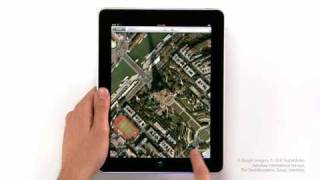
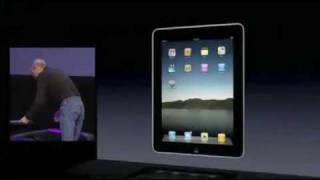



In Depth
The iPad was introduced as one of the first tablet devices of this generation. It can be thought of as a super-charged iPod touch, with a far larger screen and many more exciting features. The iPad has Apple’s 1 GHz A4 system and 512 MB of RAM. You can surf the internet on 802.11 b/g/n WiFi (and 3G for select models) and have 16 to 64 GB of storage depending upon how much you are willing to pay.
This tablet has a 9.7 inch LED backlit display with vibrant colors and excellent brightness. There is some glare, but in general the viewing angles are excellent for a device of that size and thinness. The excellent viewing angles mean that typing and viewing the screen at the same time is not difficult, even in the glare of sunlight.
There are many apps designed specially for the iPad, such as Mail, Calendar, Music, eBook Reader, Pages and games. These applications are far easier to use and view on the iPad compared to the iPod touch due to the larger screen size and nearly full size touch keyboard. The apps are easy to use, and more can be downloaded from the iTunes store. Games are being developed everyday for the iPad, and casual gamers will certainly enjoy playing shooting games and racing games on this device.
Many people were skeptical of the iPad at first, saying that it was nothing more than a larger Touch, however as time as gone on it is clear that this is a unique device on its own. The ability to have almost every computer feature available at the touch of your fingers is truly remarkable. There is now a lot of competition for the iPad, however Apple stole a march on its rivals with the early release of the iPad.
Need To Know: Apple iPad
1. Fast processor and browsing speeds. (The Good)
2. Excellent display. (The Good)
3. No multi-tasking. (The Bad)
4. Only 3G on select, more expensive models. (The Bad)
What people actually want to know
When was the Apple iPad released?
The Apple iPad was released on April 3, 2010.
How long does the battery last on the Apple iPad?
The Apple iPad has a 25 mAh battery.
Does the Apple iPad have a headphone jack?
Yes, the Apple iPad has a 3.5mm headphone jack.
Where can I get support for the Apple iPad?
Visit Apple's official support page for warranty info, repairs, and troubleshooting.
Questions & answers
✓ Question submitted. We'll notify you when someone answers.
We sent a verification link to . Click it to publish your question.
Can't find it? Check your spam folder.
Finish the security check above to post your question.
Your name shows with your question.


New phones, honest scores.
One email when something worth knowing changes. No deal spam, no filler.
If those are MP3 files, you can use SHAREit (link) to transfer files to another device.