


Google Nexus 7
Verdict
Key specs
Critic consensus

“Simply put, the Nexus 7 delivers the best balance of price and performance you'll find in the tablet market right now, so it's an easy Editors' Choice for best small-screen tablet. That said, there are still reasons you might want to buy some of our other top-rated tablets. Google has delivered a powerful, good-looking tablet for an almost shockingly low price here. I wouldn't get too worked up about the Google Play store, as the Kindle app, Comixology, and various video apps make up for the lack of content. And while Android still falls far short of the iPad in terms of high-quality tablet-designed apps, it's ahead of the Kindle Fire considering that it runs every app the Fire does, and more. The Nexus 7 doesn't magically solve Android's problem with a lack of tablet apps. But it may turn the vicious cycle into a virtuous one, and the spread of these affordable, high-quality Android tablets will cause app developers to start writing for these devices. That makes it our enthusiastic Editors' Choice over the slower, less capable Kindle Fire.”

“The Google tablet is not ideal, but it makes the right compromises and if the limited storage isn't a deal-breaker, we can't see anyone choosing another 7 Android tablet right now.”

“The Nexus 7 is going to become the go-to device for people who find the iPad too large, or find it too expensive. We're sure the latter exist, but after all this time the question remains: does the former? We find the 7-inch screen a downside in some respects, but many gadget companies have hoped against hope that this is really a form factor consumers want, apart from the iPad, if only they could nail the execution. Finally, we'll find out if they're right.”

“With its speedy performance and powerful new Jelly Bean OS, the $199 Nexus 7 is not only the budget tablet to beat, it's a game changer that should lead other Android device makers to step up their offerings. Once Google inevitably works the kinks out of its Google Now service, the Nexus 7 will be even more valuable, because it will be a viable personal assistant. The Nexus 7 does have some flaws. The lack of a back-facing camera means you can't use augmented reality apps or QR codes, and we wish there was a microSD card slot. Overall, though, Google's slate easily beats the Kindle Fire and Samsung Galaxy Tab 2 7.0. If you want the best overall 7-inch tablet, get the Nexus 7.”
Watch before you decide

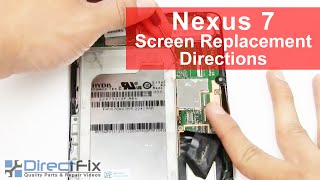


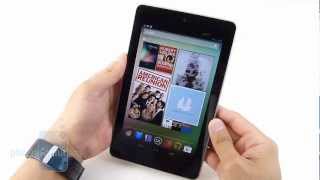


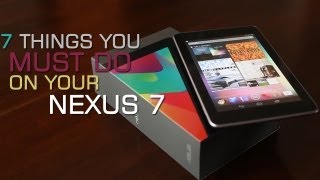


What people say
Only a few ratings so far, not enough to show a trend yet.
1 rating so far
I used the tablet almost one year and before warranty expires and without any physical or water damage the screen began having a vertical line. Sent for warranty and they denied it arguing customer damage despite the tablet was intact, no scratches, never dropped and used always with a hard case....
In Depth
The Google Nexus 7 weighs in at just 340g, has a thin 10mm profile, comes equipped with a 7-inch screen, and is overall hardly larger than a paperback novel. Yet despite all of this, it is definitely not a small fry. In fact, with its recent unveiling, Google has managed to easily set the bar for the next-generation of budget-friendly but high-quality Android-powered tablet computers. And best of all, it runs Android 4.1 Jellybean, the latest version of the Android software.
What makes the Google Nexus 7 so special is the fact that it houses a lot of high-end Android tablet features in its small casing. Powering the Google Nexus 7 is a quad-core NVIDIA Tegra 3 processor, 1GB of on-device RAM, a 4325mAh battery, and choices of either 8GB of 16GB of internal storage. Google rates the Nexus 7’s battery as good for up to 8 hours on a charge, which is understandable given how thin it is. It’s actually quite an impressive feat since the built-in 7-inch screen features a native resolution of 1280×800 pixels. Other hardware features include a front-facing camera, various types of motion sensors, Bluetooth, GPS, Wi-Fi, NFC, and microUSB connectivity.
The lack of certain hardware features might be a deal breaker for some. For instance, the Google Nexus 7 doesn’t come with a built-in microHDMI port or a microSD card slot. However, it’s meant to be more of a pocket organizer than a full-fledged pocket computer in that you can use it to complement your existing main kit of devices. That’s the reason for its immense portability and extremely low price point. Besides, it is the first and so far the only Android device that officially runs version 4.1 a.k.a. Jellybean, which brings about a bunch of important software improvements that many users will no doubt find useful.
You could turn it into a reading device or simply make it your main way of consuming multimedia content. Whatever you or the rest of the market decides to do, it’s clear at this point that Google has got a winner in the Nexus 7. And perhaps, at long last, it’s finally appropriate to stop and say, yes, these are the Droids that you are looking for.
What people actually want to know
When was the Google Nexus 7 released?
The Google Nexus 7 was released on July 15, 2012.
How long does the battery last on the Google Nexus 7?
The Google Nexus 7 has a 4,325 mAh battery.
Does the Google Nexus 7 have a headphone jack?
Yes, the Google Nexus 7 has a 3.5mm headphone jack.
Where can I download the Google Nexus 7 manual?
You can view and download the Google Nexus 7 manual on our dedicated manual page.
Questions & answers
✓ Question submitted. We'll notify you when someone answers.
We sent a verification link to . Click it to publish your question.
Can't find it? Check your spam folder.
Finish the security check above to post your question.
Your name shows with your question.
How it compares


New phones, honest scores.
One email when something worth knowing changes. No deal spam, no filler.
Yes, you can still have it fixed. Contact Asus to locate the nearest service center in your area. Keep in mind that you will have to pay for repair since you are out of warranty.