

Google Pixel Slate
Verdict
While there’s a lot to love about the Pixel Slate, you’ll find a more compelling experience from Microsoft’s Surface or Apple’s iPad Pro series. But if the Pixel Slate goes on sale — or Google reduces the price — it could be an interesting option for those looking for a tablet suited to both work and play.
Key specs
Critic consensus

“Like the Pixelbook, it excels with its modern design, solid overall performance, and good battery life. The Pixel Imprint fingerprint sensor adds a much-needed feature that not only makes the Pixel Slate more secure, but sets a precedent for OEMs to include biometric authentication in future Chromebooks and Chrome OS tablets. While that hardware is good, it's not the best for most users nor is it even the best out of the few Chrome OS tablets available now for those who want a premium device.”

“Based purely on its hardware, the Pixel Slate is impressive. Unfortunately, the whole package is hampered by a confusing software experience and a high price. If you’re looking for a Chrome device, there are plenty of less expensive options that work just as well, if not better.”

“The Pixel Slate seemed like the best chance to offer the best of both a mobile OS and a desktop-like browser experience, but poor optimization and expensive pricing make it a dud in my book. Maybe Google will improve the Slate's performance and fix the bugs in a software update, but at launch, the Surface Pro 6 is the better value on every level: hardware, software, and keyboard. Or just get a Pixelbook — it does everything the Pixel Slate does but better, and it's cheaper.”

“It has a more premium fit and finish than any previous Google tablet and even bests the Pixelbook in terms of design. Google just needs to spend a bit more time optimizing Android apps to make it a killer tablet.”
Watch before you decide


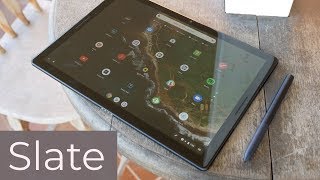


In Depth
With Apple and Microsoft putting pressure on the high-end 2-in-1 and tablet markets, Google’s Pixel Slate looks to answer the call for a powerful Android tablet that can double as a laptop. But hitting the balance between tablet and laptop can be tricky. Let’s see if Google succeeded and what reviewers have to say about their latest release.
Design
The aluminum chassis includes 2 USB Type-C ports, volume buttons, and a power/lock button which doubles as a fingerprint sensor.
There’s also a 4-pin connector at the bottom of the tablet (when in landscape) for accessories such as the Pixel Slate Keyboard.
Overall, reviewers loved the design and quality on offer with the Pixel Slate. They noted that it felt reassuringly hefty without being too bulky. They also liked the feel of the aluminum in the hand and complimented the design for its slim bezels and sleek lines.
Display
Around front, you’ll find a 12.3-inch, 2000-by-3000 pixel LCD panel which Google calls a Molecular display. Reviewers loved the viewing experience on the Pixel Slate with its bold colors, excellent contrast, and mostly fluid response.
Reviewers with lower-end Celeron models had issues with the tablet keeping up during heavy multitasking or when playing high-end games.
There were also mentions of reduced contrast at extreme viewing angles. Still, in most cases, you’ll be sitting in front of the tablet to use it.
T3 says, “… the Surface Book-matching 3000×2000 panel, squashing 293 pixels per inch into its 12.3-inch area, does not disappoint even slightly. It’s vibrant without being over saturated, and absolutely razor-sharp when static.”
Performance
Powering the tablet, you’ll find a selection of 8th Generation Intel processors ranging from the basic Celeron to the productivity- and gaming-focused i7. Google paired these processors with 4 to 16GB of RAM depending on the variant you choose.
Most reviewers received the i5 model with 8GB of RAM and found it more than enough for heavy multitasking, watching streaming video, cranking out documents, or enjoying the occasional game. That said, even the i7 doesn’t compete with the iPad Pro 12.9 in benchmarks.
Reviewers with the Celeron model complained of frequent stuttering and a generally poor experience. So avoid the lowest-end options in the line up if possible.
CNet tested the i5 variant and said, “At this price, I expected buttery-smooth operations, and that’s definitely not the case. It works, but that doesn’t feel like enough.”
Software
Instead of running Android, the Pixel Slate runs Chrome OS. This means you’ll need an Internet connection for some things, so be sure to have Wi-Fi nearby.
Overall, reviews of the tablet-based version of Chrome OS left reviewers with mixed opinions.
The Canadian Techie says, “Even though Google said they tried to make Chrome OS more tablet-friendly that’s not the case. Chrome OS just doesn’t work well as a tablet interface.”
T3 was more positive, saying, “There’s none of the fiddly complexity of Windows’ not-quite-properly-formed Tablet Mode, and none of the almost cartoonish simplicity sometimes displayed by iOS. Once again, this straddles the two pillars of the tablet world, and does so with aplomb.”
Storage
Depending on the model you choose, you’ll find 32 to 256GB of storage with no microSD card support. While 32GB might seem low for a “laptop replacement” keep in mind that much of Chrome OS is running in the cloud with the Chrome Browser serving as the hub offering access to a range of apps and features.
That said, you can technically upgrade storage by using an external USB storage option — such as a flash drive, hard drive, or solid state drive. However, reviewers found drive support hit-or-miss. So you’ll want to research compatibility between the tablet and your intended drive before spending any money.
Cameras
While you’re not likely to whip out your Pixel Slate to take snapshots of your dinner or a meetup with friends, you’ll find 8MP front and rear cameras available for web conferencing, video calls, and the occasional note or selfie.
Reviewers found the cameras average. This won’t replace your point-and-shoot or keep up with the cameras in Google’s Pixel phones.
TechAeris put the cameras to the test and declared “… while the front camera is fine for video chats, the rear camera is average indoors and out.”
Battery Life
The tablet includes a 48 watt-hour lithium-polymer battery good for roughly 10 hours of Wi-Fi surfing on a single charge. When the battery is low, you can use the USB Type-C fast charging to gain as much as 2 hours of use with a 15-minute charge.
Better still since the tablet includes 2 USB-C ports, you can still connect other accessories while charging.
Audio
Most reviewers loved the audio experience on the tablet. You’ll find two front-facing stereo speakers which many praised for the overall volume and well-balanced sound. Unfortunately, there’s no 3.5mm headphone jack. Some reviewers received USB-C to 3.5mm adaptors while others did not. So if you plan to use headphones often, be sure to check in advance if they’re included in your region.
Accessories
The tablet offers two official Google accessories to help you get the most out of your tech — the Pixelbook Pen and Pixel Slate Keyboard.
The Canadian Techie says, “The Pixelbook Pen worked really well, it’s just as smooth as the Apple Pencil and the Surface Pen.”
However, other reviewers noticed a slight delay to the input of the pen and described it as feeling sluggish or syrupy. If you’re looking for a tablet for professional graphics work or digital art, Apple’s iPad Pro 12.9 (2018) might be a better option.
The Pixel Slate Keyboard saw similarly mixed reviews. While the round buttons offered plenty of travel and the backlight was great for dimmer environments, many found the base of the keyboard too flimsy for use anywhere but on a table. More concerning, some reviewers had issues with the keyboard disconnecting from the tablet.
Fortunately, with USB-C and Bluetooth, you can hook up your favorite keyboard and mouse without issues — but these are often less portable than a good keyboard cover would be.
The Takeaway
Overall, the Pixel Slate confused reviewers. The price puts it in direct competition with the high-end options from Microsoft and Apple while the experience just doesn’t match. You’ll also likely need to pick up at least a keyboard to make the most of using it. This adds further to an already questionable price.
T3 says, “It’s a Chromebook in a tablet form factor, turbocharged and spiced up, something for work and for play, but not necessarily something which is going to replace either a dedicated tablet or a full-blown PC.”
However, CNet sums up most concerns best, saying, “This is the type of product I want future Chromebooks to be, but not at this price… the Pixel Slate is attempt (sic) at pushing a luxury price on a device that doesn’t feel like it earns it.”
What people actually want to know
When was the Google Pixel Slate released?
The Google Pixel Slate was released on December 31, 2018.
How long will the Google Pixel Slate receive software updates?
Google typically provides 7 years of security updates for its devices.
After security support ends, the tablet keeps working. It just won't receive fixes for newly discovered vulnerabilities.
How long does the battery last on the Google Pixel Slate?
The Google Pixel Slate has a 48 mAh battery.
Does the Google Pixel Slate support wireless charging?
No, the Google Pixel Slate does not support wireless charging.
Does the Google Pixel Slate have a headphone jack?
No, the Google Pixel Slate does not have a headphone jack. You'll need wireless headphones or a USB-C adapter.
Does the Google Pixel Slate have NFC?
No, the Google Pixel Slate does not have NFC. Contactless payments and tap-to-pair will not be available.
Where can I get support for the Google Pixel Slate?
Visit Google's official support page for warranty info, repairs, and troubleshooting.
Questions & answers
Have a question about the Google Pixel Slate? Ask it here and we'll email you as soon as someone answers. Readers have answered 5,000 questions across PhoneCompass.
Finish the security check above to post your question.
Your name shows with your question.
✓ Question submitted. We'll notify you when someone answers.
We sent a verification link to . Click it to publish your question.
Can't find it? Check your spam folder.

New phones, honest scores.
One email when something worth knowing changes. No deal spam, no filler.