


HP ElitePad
Key specs
Critic consensus

“In this age of bring your own device to work, tablet makers are still feeling their way as to what makes the ideal combination of a work and play gadget. And, while the ElitePad 900 gets a lot right, HP hasn't quite perfected the mix.”

“HP believes there’s a demand in the enterprise market for tablets that can go feasibly go anywhere and do anything. We agree, but don’t agree that the 900 is capable of filling that role.Much of the problem lies with the limits of current technology. Atom is the only processor available from Intel that can be used in a thin, light, passively cooled tablet – and it’s too slow. All small Windows tablets will suffer so long as that remains true.”

“The HP ElitePad 900 is a well-built and nicely designed Windows 8 tablet aimed at business users. It's no great performer, although battery life is decent. If you need an extremely portable Windows PC for around £600, you could do a lot worse. But you may want to consider adding a keyboard, mouse and stand to your setup.”

“There’s never a dull moment, which is extraordinary for a tower defense game, and three games in, Kingdom Rush Origins feels as compelling as ever.Kingdom Rush Origins is the best yet, as it offers engrossing enjoyment that is an absolute must have iOS experience. That’s whether you’re a Kingdom Rush fan, or entirely new to the series.”
Watch before you decide


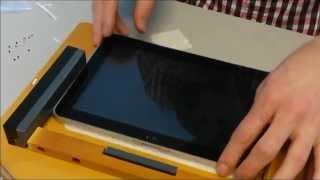


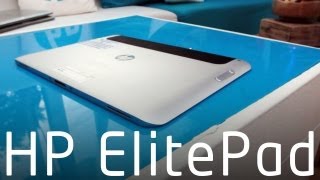
In Depth
Microsoft’s introduction of Windows 8 marks the beginning of a new era of tablet computing. Whereas Windows-based tablets used to be clunky, nearly useless bits of tech, today’s models are fast and offer many new features. Consider the HP ElitePad 900, which is billed as a great solution for users in the business segment. It comes pre-loaded with Windows 8 and runs on a 1.8GHz dual-core Intel Atom Z2760 processor with 2GB of RAM. Its performance is better than its Tegra 3-equipped counterparts but it’s still not as powerful as a proper notebook or tablet computer.
HP’s take on a Windows 8 tablet isn’t too different from that of other tablet manufacturers. It has a 10.1-inch 1280×800 touchscreen display that’s protected by a layer of Corning Gorilla Glass, comes with 64GB of flash-based SSD storage, and carries a number of tiny sensors including ones for ambient light and screen orientation. Its other hardware features include an 8-megapixel camera, 802.11 a/b/g/n Wi-Fi, and stereo speakers.
Perhaps you are curious to know whether or not the ElitePad 900’s list of specs ends there. It doesn’t. But it was likely decided during the design phase of this tablet that certain features would be excluded in order to keep its profile at 9mm thick. So it lacks built-in USB and HDMI-out but fortunately these haven’t been taken away completely. Rather, they were transferred to external docking stations and so-called smart jackets that can be used when one deems that they’re necessary.
One of the jackets gives it ports for HDMI-out and USB connectivity. Another makes it more appropriate for outdoor use with increased toughness. And there’s even one that simply adds more battery life. It’s like the ElitePad 900 is Tony Stark, and these jackets are his many Iron Man suits.
As fancy as that sounds, it may prove to be too much of a hassle in real life. It can be quite problematic even for people who don’t like convergence. HP may have decided on this kind of setup for maximum convenience, but in truth it has the potential to become the ElitePad 900’s greatest downfall.
Need to Know: HP ElitePad 900
1. Runs the full desktop version of Windows 8. (The Good)
2. Can be used with a number of external dock and jacket accessories for extra functionality. (The Good)
3. Comes with only 64GB of storage. (The Bad)
4. Some basic features like USB connectivity and HDMI-out require the use of an accessory. (The Bad)
What people actually want to know
When was the HP ElitePad released?
The HP ElitePad was released on January 1, 2013.
How long does the battery last on the HP ElitePad?
The HP ElitePad has a 25 mAh battery.
Does the HP ElitePad support wireless charging?
No, the HP ElitePad does not support wireless charging.
Does the HP ElitePad have NFC?
Yes, the HP ElitePad has NFC. You can use Google Wallet, Apple Pay, and tap-to-pair with Bluetooth accessories.
Where can I get support for the HP ElitePad?
Visit HP's official support page for warranty info, repairs, and troubleshooting.
Where can I download the HP ElitePad manual?
You can view and download the HP ElitePad manual on our dedicated manual page.
Questions & answers
Have a question about the HP ElitePad? Ask it here and we'll email you as soon as someone answers. Readers have answered 5,000 questions across PhoneCompass.
Finish the security check above to post your question.
Your name shows with your question.
✓ Question submitted. We'll notify you when someone answers.
We sent a verification link to . Click it to publish your question.
Can't find it? Check your spam folder.


New phones, honest scores.
One email when something worth knowing changes. No deal spam, no filler.