


HP ENVY x2
Key specs
Critic consensus

“The HP Envy X2 (11-g012nr) is faster than the Acer Iconia W510, has better all-aluminum construction, a more comfortable keyboard and mouse, and a sleeker design. But while the Envy X2 does offer enough battery life to carry you through the workday and then some, it still falls a few hours short of the similarly equipped Acer W510 while being priced $100 more.”

“The HP Envy x2 is a classy combination of slimline laptop and portable tablet. It's well put together and potentially offers the best of both worlds. There are plenty of rivals, including the Asus Transformer Prime and the forthcoming Samsung Ativ Smart PC -- not to mention a slew of impressive laptops. But with decent build quality, full Windows 8 and plenty of power, it looks to be worthy of envy.”

“We love the X2's design, but it's rather expensive given the modest performance on offer. Even so, it can still handle most basic computing tasks perfectly well, and its ingenious convertible design and impressive battery life mean that it will continue to earn its keep long after most laptops have run flat.”

“The HP Envy x2 is a beautifully built Windows 8 convertible tablet/laptop. As long as you don’t stress its Atom processor it’s generally a pleasure to use and sounds great. Unfortunately similarly specced rivals offer better wireless and physical connectivity, bundled Wacom styli, and longer battery life, all for £100 less. In other words, unless you really want the x2’s premium looks, its full-size SD card slot or its decent speakers, there’s little to envy here.”
Watch before you decide





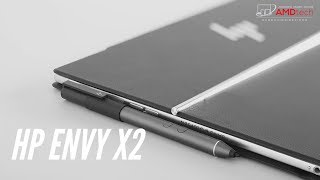


In Depth
The HP Envy x2 tablet is referred to as a hybrid PC because of the fact that it can be easily converted from a tablet to a notebook in just a few seconds. It has “x2” in its name because according to HP, it’s two products rolled up into one. That’s not crazy talk. It actually can be used as two different products, depending on how you set it up.
First, you can use it as a regular Windows 8 tablet computer. You can touch and type on its 11.6-inch 1366×768 IPSscreen, listen to music through headphones with its 3.5mm headphone jack, and surf the Web on it over 802.11 b/g/n Wi-Fi. It comes equipped with a 1.8GHz dual-core Intel Atom Z2760 processor and 2GB of RAM, so it will be able to handle Windows 8’s Modern UI animations just fine. Using the cloud for storage may be necessary, though, as it only comes with a 64GB storage drive.
Then when you’re ready to do some serious work, you just whip out the Envy x2’s external keyboard dock which gives it a number of additional features and even extends its battery life. This dock gives it a full-size keyboard, HDMI-out, and USB connectivity. Essentially, with the dock, the Envy x2 gets turned into a netbook-like contraption. And it’s very sleek with a brushed aluminum casing.
As impressive as its hardware features may be, though, its overall performance actually rests on the pre-installed software. That is to say, it will only ever be as good as Windows 8. If you’ve made up your mind about switching to Microsoft’s latest OS, then the Envy x2 is one of your best options. Otherwise, there are plenty of iOS and Android-powered alternatives with richer ecosystems.
Need to Know: HP Envy x2
1. Boasts an 11.6-inch 1366×768 touchscreen display. (The Good)
2. Runs the full version of Windows 8 instead of Windows RT. (The Good)
3. Some features require the use of an external keyboard dock. (The Bad)
4. Comes with only 64GB of internal storage. (The Bad)
What people actually want to know
When was the HP ENVY x2 released?
The HP ENVY x2 was released on November 14, 2012.
How long does the battery last on the HP ENVY x2?
The HP ENVY x2 has a 25 mAh battery.
Does the HP ENVY x2 have a headphone jack?
Yes, the HP ENVY x2 has a 3.5mm headphone jack.
Where can I get support for the HP ENVY x2?
Visit HP's official support page for warranty info, repairs, and troubleshooting.
Where can I download the HP ENVY x2 manual?
You can view and download the HP ENVY x2 manual on our dedicated manual page.
Questions & answers
Have a question about the HP ENVY x2? Ask it here and we'll email you as soon as someone answers. Readers have answered 5,000 questions across PhoneCompass.
Finish the security check above to post your question.
Your name shows with your question.
✓ Question submitted. We'll notify you when someone answers.
We sent a verification link to . Click it to publish your question.
Can't find it? Check your spam folder.


New phones, honest scores.
One email when something worth knowing changes. No deal spam, no filler.