


Kindle Fire HD
Key specs
Critic consensus

“We'd go so far as to say that if you're not getting a Kindle Fire HD specifically to interact with Amazon's purchasable content, you might be a little annoyed at the way it behaves. The device is certainly not a neutral party in that regard, and Amazon's stuff is going to be in your face a lot of the time. We have less trouble considering this new iteration of Fire a tablet than we did before. Finally, it has Bluetooth, finally, it can do a reasonable imitation of e-mail. However, we return to our tablet-as-blank-slate argument and find that the Kindle Fire HD acts a little too much like an ongoing Amazon advertisement for our tastes. There aren't innumerable times when you're confronted with stuff to buy, but there are enough that we took notice. If you can look past that aspect, the Kindle Fire HD improves over the first Fire in many ways, and it's a capable device—sometimes slow on the uptake, sometimes choppy, by no means unusable. Unfortunately, good isn't good enough when the Nexus 7 is out there winning hearts and minds without unusual design elements like the carousel or an ever-present row of Things To Buy on the home screen. The Nexus 7 is also faster, has better battery life and a more robust app store, and has access to most of the same content—save the free streamable videos that come with an Amazon Prime account on the Kindle Fire HD. We were excited to see a worthy 7-inch tablet with the launch of the Nexus 7, and hoped to see some lively competition in the segment. With its vault of services underpinning the financial viability of a cheap tablet, Amazon is perfectly positioned to present such a competitor. Unfortunately, the 7-inch Kindle Fire HD isn't it.”
“The Fire HD's body is significantly less boxy than the original Kindle Fire, and retains the soft rubberized back. The narrow margins on the long sides of the screen have widened, making it a bit easier to hold, if slightly more cartoonish-looking. Despite the fact that the screen merited a mention in the device's own title, we aren't blown away by the quality. It looks good, but we didn't take particular notice of the level of detail or color. Navigating the carousel is much smoother, but switching between app tabs like Music, Web, or Videos seems to have gotten even slower. As often as not, a full second elapsed between our tap and the app opening, causing us to wonder whether the tap registered at all. On the bright side, we haven't yet noticed that the Fire HD has any of the did-it-take-or-didn't-it responsiveness problems of the first Fire, everything seems to register, even if it's poky. The browser seems a bit snappier than before, and this may be due to the few million Kindles that now provide Amazon with predictive-load data. We also like the on-screen keyboard much better this time around, as it seems to make fewer mistakes and is more responsive.”

“The Kindle Fire HD is a good device if all you want to do is consume Amazon content. If you’re a big fan of its services, then plop down 200 Washingtons and buy yourself a Fire HD. Just don’t expect it to be a great email client, Web browser, or have the robust Google Play app catalog that an Android phone might have. $200 is not a bad price, and the Dolby sound is especially impressive, but the unlock screen ads and laggy navigation will be a constant reminder that you’re using a device made by a company that doesn’t really care so much about devices. Amazon just wants you to buy things. It’s a store.”

“The new 2012 Kindle Fire does not do HD video, does not have an HDMI port, or expandable memory, a camera, or even volume buttons. What it does have is one of the best value ratios out there. At $159, it's the cheapest mainstream 7-inch tablet. If your eyes can stomach SD video, you don't mind some its form-factor limitations, and you are an Amazon Prime member, the Kindle Fire is a great tablet value. It's definitely not the best tablet out there, but is certainly worth a look.”
Watch before you decide


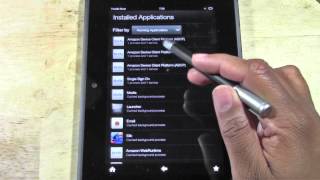
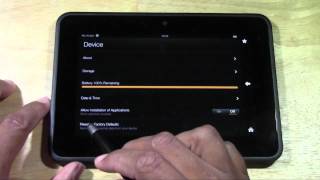


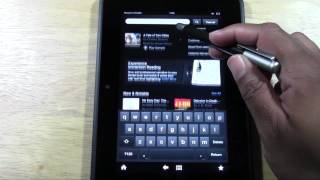


In Depth
The Amazon Kindle Fire HD is a new and improved version of the original Kindle Fire, and as its name suggests, comes fitted with a high-definition screen. The display is 7 inches across with native 1280×800 resolution and is comfortably sized for navigating the menus and apps of its Android 4.0 Ice Cream Sandwich operating system.
Apart from its upgraded screen and software, there are a number of other improvements from its predecessor. Most notable perhaps a the built-in 1 megapixel camera on the front, which with a few minor tweaks, can be used to record videos. Other features include HDMI-out, Bluetooth, and of course Wi-Fi connectivity. Battery life is rated at 11 continuous hours of reading time per charge, enough for most people.
Its clear the Fire HD is not designed for high end device aficionados. Rather, it’s a no-frills mobile computer that serves as a portal to Amazon’s catalog of books, movies and music. We can’t argue that its a great buy for those of you using Amazon’s services extensively or for those wanting an affordable entertainment device. There are however more versatile tablets available in the same price range such as Google’s Nexus 7.
Need to Know: Amazon Kindle Fire HD
1. High-resolution 1280×800 7-inch IPS touchscreen display helps make the most of default software. (The Good)
2. Default operating system is Android 4.0 Ice Cream Sandwich. (The Good)
3. Users will not be able to upgrade to later versions of Android (i.e. Android 4.1 Jelly Bean). (The Bad)
4. Provides less value for money than other notable 7-inch Android tablets like the Google Nexus 7. (The Bad)
What people actually want to know
When was the Kindle Fire HD released?
The Kindle Fire HD was released on September 14, 2012.
How long does the battery last on the Kindle Fire HD?
The Kindle Fire HD has a 4,400 mAh battery.
Does the Kindle Fire HD have a headphone jack?
Yes, the Kindle Fire HD has a 3.5mm headphone jack.
Questions & answers
Have a question about the Kindle Fire HD? Ask it here and we'll email you as soon as someone answers. Readers have answered 5,000 questions across PhoneCompass.
Finish the security check above to post your question.
Your name shows with your question.
✓ Question submitted. We'll notify you when someone answers.
We sent a verification link to . Click it to publish your question.
Can't find it? Check your spam folder.
How it compares


New phones, honest scores.
One email when something worth knowing changes. No deal spam, no filler.