


Samsung Galaxy Book 12
Verdict
Key specs
Critic consensus

“Samsung succeeded in updating the TabPro S with the Galaxy Book. Adding 4GB of RAM, an extra USB Type-C port, and an LTE option bring the slab into the modern age, at the very least. The keyboard cover and S Pen are particularly good because they're included (similar accessories are extra when you buy a Surface Pro). The typing experience is much better than other hybrid keyboards, and the S Pen is quite useful when paired with Samsung's Air Command software. Our model of the Galaxy Book was a capable machine that performed just as well as other devices with U-series processors, two-in-ones or not.”

“Prospective buyers with enough petty cash can hardly go wrong with the Samsung Galaxy Book 12 LTE if they like the idea of a connecting keyboard and high portability. Apart from the meagre port selection, Samsung really has managed to combine the best of both worlds in one device.”

“The Galaxy Book is okay in a vacuum — it has a nice display, solid performance, and a comfortable keyboard — but in this surprisingly competitive field, it doesn’t match up. The PC market marches on, but this one merely stumbles.”

“The Samsung Galaxy Book provides one of the best displays we've seen on any laptop, as well as a keyboard that's good for typing, provided you've got a hard surface. If only this machine lasted longer, fit better in your lap or cost less, it would be more exciting.”
Watch before you decide






In Depth
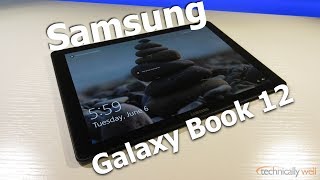
While Samsung is a leader in the smartphone market, their tablets and hybrids have had trouble keeping up. Their latest release, the Samsung Galaxy Book 12, hopes to change that.
The hybrid includes both a keyboard and pen out of the box—something you won’t find with competitors. But does the performance and experience make the savings worth it?
Reviewers have had time to test out this new release and we’ve scoured what they’re saying to bring you this summary!
The design of the tablet left many reviewers conflicted. While they liked the sleek, brushed aluminum finish, they weren’t all fans of the case design or lack of choices for connecting accessories. With just two USB Type-C ports and a headphone jack, you’ll likely need an adapter to use your favorite mouse or other accessory.
Other reviewers also found the bezels on the device too thick. They felt this made the device awkward to hold while also adding unneeded weight. That’s not to say the tablet is particularly heavy—for a laptop. But most reviewers mentioned that the hybrid is definitely best used on a flat surface or tabletop.
However, weight was only one part of this issue. Many reviewers found the flexible keyboard case to be too flexible. From instability while propping up the tablet on their laps to bending the keyboard trying to type, most quickly stopped trying to use the hybrid as a laptop on their laps.
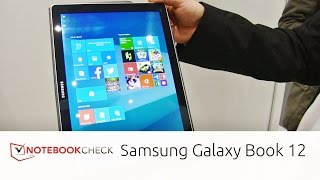
Heading around front, reviews improve fast. Everyone loved the 12-inch 1440-by-2160 AMOLED screen. As one of the first tablet displays to offer HDR functionality, it received high marks for both image quality and video playback. Reviewers had no issues using it for work either, thanks to its crisp text and spacious size.
Powering the tablet, you’ll find a 3.1Ghz Intel Core i5 processor with 4 to 8GB of RAM depending on the model. We found no complaints about performance. PC World said, “If it wasn’t for Microsoft’s newly-released Surface Pro (2017), the Book would top the [performance] list.”
The Galaxy Book 12 runs Windows 10—just like a desktop PC or laptop. With 128GB to 256GB of internal storage plus microSD card support, you should have little to worry about unless you’re working with large files.
You’ll also find Wireless AC and Bluetooth 4.1 BLE connections to make connecting to networks and wireless accessories easy. There is also an LTE variant. However, opting for LTE means you can only have 4GB of RAM.
While many competing hybrids charge extra for a stylus or keyboard cover, the Galaxy Book 12 includes them out of the box. Reviews on the keyboard are hit or miss—though complaints pertain more to flexing than accuracy.
The included S Pen includes 4,000+ levels of pressure sensitivity, tilt support and doesn’t require a battery. However, it doesn’t include a digital eraser function.
If you’re looking to snap pictures with your tablet, reviews are about what you’d expect. While the 13MP rear camera is better than most tablet offerings, it’s still not going to compete with your phone or dedicated camera. The front facing 5MP camera is good for video chat.
Battery life was the most critical—and inconsistent—aspect of most reviews. Some reviewers found their tablet only lasted 4 or 5 hours. Other’s had no problem hitting 8 or 9. However, none reached the 11.5 hours estimated by Samsung. Many also complained of slow charging while in use. If you plan to use this as a workstation, you’ll definitely want to keep a charger handy.
While Samsung’s latest offering is an improvement over previous models and includes accessories most competitors charge extra for, reviewers were on the fence about recommending it. If you’re looking for a digital sketchpad or media consumption device, the stylus and HDR display are attractive. However, if you’re looking to work on the go, many reviewers felt the battery life and keyboard weren’t up to the challenge.
The Verge summed up opinions well, saying, “The Galaxy Book is okay in a vacuum—it has a nice display, solid performance, and a comfortable keyboard—but in this surprisingly competitive field, it doesn’t match up. The PC market marches on, but this one merely stumbles.”
What people actually want to know
When was the Samsung Galaxy Book 12 released?
The Samsung Galaxy Book 12 was released on May 21, 2017.
How long does the battery last on the Samsung Galaxy Book 12?
The Samsung Galaxy Book 12 has a 5,070 mAh battery.
Does the Samsung Galaxy Book 12 support wireless charging?
No, the Samsung Galaxy Book 12 does not support wireless charging.
Does the Samsung Galaxy Book 12 have a headphone jack?
Yes, the Samsung Galaxy Book 12 has a 3.5mm headphone jack.
Does the Samsung Galaxy Book 12 have NFC?
No, the Samsung Galaxy Book 12 does not have NFC. Contactless payments and tap-to-pair will not be available.
Where can I get support for the Samsung Galaxy Book 12?
Visit Samsung's official support page for warranty info, repairs, and troubleshooting.
Where can I download the Samsung Galaxy Book 12 manual?
You can view and download the Samsung Galaxy Book 12 manual on our dedicated manual page.
Questions & answers
Have a question about the Samsung Galaxy Book 12? Ask it here and we'll email you as soon as someone answers. Readers have answered 5,000 questions across PhoneCompass.
Finish the security check above to post your question.
Your name shows with your question.
✓ Question submitted. We'll notify you when someone answers.
We sent a verification link to . Click it to publish your question.
Can't find it? Check your spam folder.
How it compares


New phones, honest scores.
One email when something worth knowing changes. No deal spam, no filler.