


Microsoft Surface Pro 5
Verdict
Key specs
Critic consensus

“With the i7 2017 Surface Pro, Microsoft has created a convertible tablet that fulfills many, but not all promises. Workmanship, display and battery runtime are, without a doubt, state of the art. Its competitors, such as Acer's Switch 5, cannot keep up here.”

“Surface Pro remains a good system, and Microsoft has proven that machines of this kind have a place in the world. But the world has moved on, and Surface Pro hasn't moved with it.”

“The new Surface Pro is a superb 2-in-1. It’s beautifully built and performs well. The screen is excellent and even the speakers sound good. However, it’s very expensive, especially when you add the cost of the Type Cover and – if you need one – the Surface Pen. Few will opt for the base model, and you’ll pay a heck of a lot more for a Core i7. Ultimately, while a fantastic device, it’s hard to recommend the Surface Pro unless money is no object.”

“With all of its improvements, the Surface Pro sits atop the heap of hybrid laptops out there. But I can't help but feel like Microsoft missed an opportunity to show the competition how it's done. It's pricier than it needs to be, and it doesn't make any design leaps over previous generations.”
Watch before you decide


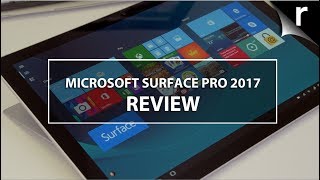


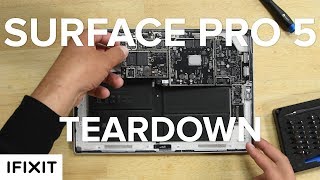


In Depth
Offering both laptop-like performance and an ultra-portable, lightweight package, Microsoft’s Surface redefined the hybrid experience. Their latest release features fewer major upgrades and more refinement compared to the differences between earlier models.
Does the Surface still have what it takes to keep the competition at bay? Reviewers are chiming in with their thoughts on their power new piece of kit.
Let’s see what they’re saying!
Looking at the Surface, most reviewers were quick to point out how similar it is to the older Surface Pro 4. They found minor differences—mostly in the hinge and corners of the device. However, the difference in the hand pleased most reviewers. Most had no issue with using the device in their lap or holding it for extended periods.
The front of the tablet features a 12.3-inch PixelSense display running at 1824-by-2736 pixels. Reviewers loved the display for its crispness, brightness and color accuracy. Benchmarks show it can handle professional photo editing and other color-sensitive tasks with ease. The resolution also makes the Surface ideal for working with multiple apps, documents or images at once.
Expert Reviews UK put the monitor through their testing routine and declared, “at full whack it’s utterly gorgeous.”
Depending on the model you choose, the new tablet comes with either an Intel Core m3, i5 or i7 processor and between 4 and 16GB of RAM. Most reviewers agreed that the i5 is the most versatile choice. However, for professional work, the i7 comes highly recommended.
Reviewers had zero issues with the tablet getting warm to the touch despite the new fanless design on m3 and i5 models. For the i7 models, reviewers found the fans barely noticeable.
Alphr summed up performance reviews well, saying, “If you are thinking of doing CAD/CAM work on it, you’ll need to go for the top spec, but a Core i5 version will be fine for most users.”
The Surface Pro 5 runs the same version of Windows 10 as a desktop or laptop computer. Depending on the model you choose, you’ll find between 128GB and 1TB of internal SSD storage. There’s also a microSD slot and USB 3.0 port for added storage options.
Microsoft doesn’t disclose the new hybrid’s battery capacity. While most reviews found that it falls short of the estimated 13.5 hours provided by the manufacturer, most had no trouble getting 6 to 8 hours of the tablet. With lighter usage, reviewers such as IT Pro UK squeezed 11 hours out of a single charge. Keep in mind, however, that the faster processors will use more power.
The Surface Pro 5 features a variety of ports to connect your accessories. While reviewers questioned the lack of USB Type-C support, most were happy with the options. Choices include a USB 3.0 port, a mini DisplayPort and a 3.5mm headphone jack. You’ll also find Wireless AC and Bluetooth 4.1 support.
Many reviewers overlooked the 8MP rear camera and 5MP front-facing lens. Those that didn’t found the rear camera only so-so. However, no one had problems using the front-facing camera for Microsoft Hello unlocking or Skyping.
Reviewers agreed the Surface works best when paired with the Type Cover keyboard and Microsoft Pen. Neither are included with the tablet itself, so be sure to consider the added price of the two accessories. For artists, the Microsoft Pen now features 4000+ levels of pressure sensitivity and tilt support.
The keyboard cover also received rave reviews. IT Pro UK said, “Not only was it by far the best detachable laptop keyboard we’d ever seen, it was one of the best laptop keyboards around, full stop.”
Overall, reviews for Microsoft’s latest release are positive—though some question whether an upgrade from the 4-series is worthwhile. The Verge summed up opinions well, saying, “The Surface Pro is the best execution on this style of computer: it has the power of a full-fledged laptop and the full support of Windows 10 Pro, while still maintaining a very light and portable package.”
As long as you don’t mind the price, it appears there is a lot to love about this tablet.
What people actually want to know
When was the Microsoft Surface Pro 5 released?
The Microsoft Surface Pro 5 was released on June 15, 2017.
How long does the battery last on the Microsoft Surface Pro 5?
The Microsoft Surface Pro 5 has a 45 mAh battery.
Does the Microsoft Surface Pro 5 support wireless charging?
No, the Microsoft Surface Pro 5 does not support wireless charging.
Does the Microsoft Surface Pro 5 have a headphone jack?
Yes, the Microsoft Surface Pro 5 has a 3.5mm headphone jack.
Does the Microsoft Surface Pro 5 have NFC?
No, the Microsoft Surface Pro 5 does not have NFC. Contactless payments and tap-to-pair will not be available.
Where can I get support for the Microsoft Surface Pro 5?
Visit Microsoft's official support page for warranty info, repairs, and troubleshooting.
Questions & answers
Have a question about the Microsoft Surface Pro 5? Ask it here and we'll email you as soon as someone answers. Readers have answered 5,000 questions across PhoneCompass.
Finish the security check above to post your question.
Your name shows with your question.
✓ Question submitted. We'll notify you when someone answers.
We sent a verification link to . Click it to publish your question.
Can't find it? Check your spam folder.
How it compares


New phones, honest scores.
One email when something worth knowing changes. No deal spam, no filler.