


Microsoft Surface Pro 4
Verdict
Key specs
Critic consensus

“Every previous time I've reviewed the Surface Pro, I've concluded with a kind of frustration. Microsoft keeps aiming the Surface Pro at laptops, and for the way I use laptops, it keeps falling short. Why, I have always asked, will they not simply build a real laptop? But Microsoft now has a real laptop—the Surface Book. It still continues to promote the Surface Pro 4 as the tablet to replace your laptop, but there's now a clear acknowledgement that the tablet can't be the laptop replacement for everyone. The company recognizes some of us are still better served by laptops. While that positioning still strikes me as awkward, it doesn't bother me quite as much as it used to. The Surface Pro 3 proved that the basic design doesn't, in fact, have to be a laptop replacement to still be appealing and useful to a wide range of users.”

“The quest for more power is enticing, but it’s not always the most practical of efforts. As we often seek to remind our readers, it is instead the balance of the different elements of the equation which defines a truly great mainstream device. That’s why the Surface Pro 4 Intel Core m3 model is so important: thanks to its passive cooling, it is foundationally a completely different device from the other SP4 candidates, and it succeeds for a completely different reason.Best of all, the arguably substantial benefits of lower power consumption, silent operation, likely superior battery life, and a complete lack of moving parts (which are prone to failure) come with very few practical compromises for the average user. Yes, CPU performance is below that of the Surface Pro 3 Core i5 configuration we previously reviewed—but overall, real-world system performance is probably closer to just around 20% lower (with no incidence of throttling under practical use), which is of limited concern considering how quick everything still feels.On top of this are the myriad other enhancements that span all of the Surface Pro 4 models. The screen is not only significantly brighter, but it also features a higher resolution and a markedly improved color rendition and gamut. The Type Cover has evolved from being a tolerable stand-in for a traditional keyboard to a terrific Ultrabook-grade input device, and the same goes for the enlarged touchpad below it. The Surface Pen is now included, and it feels better than ever.”

“Should I buy the Microsoft Surface Pro 4? If you have the money, the Surface Pro 4 is the best Windows 10 tablet available. It offers a bright, crisp display, great performance and solid build quality. Paired with its Surface Pen and optional Type Cover, the Surface Pro 4 becomes a fully functioning laptop that will meet most people’s personal and work needs.However, I’m not completely sold on its value as a professional design tool. The fact that Microsoft is also charging an extra £110 for the Type Cover, where most other PC and tablet makers are offering keyboards for free is also an annoyance. Buyers on a strict budget who don’t need top-end performance could find a better deal with one of Asus’ Transformer Books, or Microsoft’s own Surface 3.”

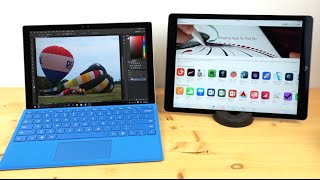
“Microsoft always called the Surface Pro the tablet that could replace your laptop. And then the company went and made its own laptop, the ambitious new Surface Book. That's fine, because the Surface Pro was never really a laptop anyway. It's an amped up iPad (or iPad Pro), that can also run any Windows software you need, but particularly excels at drawing and sketching apps, and is great for reading and video viewing. It's lightweight and portable enough to go around with you anywhere, and the hinge and keyboard cover provide lots of flexibility for setting up in potentially awkward spots, although it still doesn't feel quite right on your lap.”
Watch before you decide





In Depth
When Microsoft released their first Surface, critics and consumers alike were excited by the idea but disappointed with the end result. Now onto the fourth iteration however, the Surface series has seen huge upgrades to the hardware and continued to receive some subtle design updates.
The tablet sports the same all-magnesium unibody as its predecessors and almost the same dimensions at 7.9 x 11.5 inches. It just so happens to be slightly thinner at 0.33 inches and a bit lighter as well at 766 grams. While light, critics add that it does get a bit uncomfortable to hold for long periods of time when used as a tablet.
A closer look revealed to reviewers that Microsoft also managed to trim the bezel around the screen despite the fact the display on the Pro 4 is larger than the Pro 3 at 12.3 inches. But the screen is more than just slightly larger, it packs in more pixels as well. With a resolution of 2736 x 1824 it offers a pixel density of 267ppi, which is higher than its main competitor – the iPad Pro. The high resolution naturally offered testers a very crisp and sharp experience whether they were reading text, viewing images or watching movies.
Reviewers especially loved how little air gap there was between the screen and the Gorilla Glass 4 coating thanks to Microsoft’s patented PixelSense technology. Not only did this provide them with a great viewing experience, it also offered responsive touch and, when combined with the Surface Pen, incredibly pressure sensitivity.
Besides this the display also managed to impress with its wide range of colors, deep blacks and brilliant whites. That said, some critics did notice slight color inaccuracies though they add it wasn’t too obvious.
The Pro 4 comes in several different models, but the core unit comes with an Intel Core M3 processor, 4GB of RAM and a 128GB hard drive. Most consider this a slight downgrade as the M3’s clock speed is lower than that found on the base i3 chip of the Pro 3.
Most reviews we found were of the mid-range option: a 2.4GHz dual-core i5 processor with 8GB of RAM and a 256GB hard drive. This model, when run through their benchmark tests, performed well ahead of many notebooks and almost as good as the MacBook Pro with Retina. Their real world tests backed up the results as well.
Critics describe the performance as snappy and speedy though not noticeably faster than its predecessor.
The biggest letdown was battery life. For the most part experts were only able to get around five to six hours of continuous use even with the brightness set lower. This meant they were not able to go a full day without a charge, something many tablets and laptops are able to do.
The biggest improvement comes from the upgraded Type Cover. Engadget goes so far as to call it a revelation and states, “It finally brings a killer keyboard to the Surface lineup.”
It is all around a larger device, but the additional weight and size comes with its benefits. Though thicker, it was found to be much sturdier and more rigid than its predecessor, which allowed for better overall key feedback. As well, the additional width allowed Microsoft to put more space in between the keys. This, suggests reviewers, offers a far easier and more enjoyable typing experience.
Combined with the larger, glass-backed trackpad they describe the new Type Cover as a “joy” to use.
The biggest downside is that the Type Cover does not come bundled with the Pro 4. It needs to purchase it separately.
What the tablet does come with is the Surface Pen. The latest pen now has 1,024 levels of pressure and an eraser on the opposite end. It was designed to feel more like a pencil, something critics appreciated as it was far more comfortable and intuitive to use.
For Microsoft, the fourth time seems to be the charm.
Reviewers were blown away by the Surface Pro 4’s improvements and performance. Still, they find it hard to recommend for everyone especially at its price point.
Digital Trends states, “…anyone looking at the Surface still needs to ask themselves if a single do-it-all device is really needed. For some, the Pro’s enhanced portability is never going to make sense. But those looking to lighten their load will fall in love…It’s the best 2-in-1 PC Yet.”
Gizmodo states, “It’s a great second device to take anywhere and so some fun half-productivity, half-creative work…If refinements were made to make Windows 10 just a bit more touch-friendly…it would be a…true laptop killer.”
What people actually want to know
When was the Microsoft Surface Pro 4 released?
The Microsoft Surface Pro 4 was released on October 26, 2015.
How long does the battery last on the Microsoft Surface Pro 4?
The Microsoft Surface Pro 4 has a 42 mAh battery.
Does the Microsoft Surface Pro 4 support wireless charging?
No, the Microsoft Surface Pro 4 does not support wireless charging.
Does the Microsoft Surface Pro 4 have a headphone jack?
Yes, the Microsoft Surface Pro 4 has a 3.5mm headphone jack.
Does the Microsoft Surface Pro 4 have NFC?
No, the Microsoft Surface Pro 4 does not have NFC. Contactless payments and tap-to-pair will not be available.
Where can I get support for the Microsoft Surface Pro 4?
Visit Microsoft's official support page for warranty info, repairs, and troubleshooting.
Where can I download the Microsoft Surface Pro 4 manual?
You can view and download the Microsoft Surface Pro 4 manual on our dedicated manual page.
Questions & answers
Have a question about the Microsoft Surface Pro 4? Ask it here and we'll email you as soon as someone answers. Readers have answered 5,000 questions across PhoneCompass.
Finish the security check above to post your question.
Your name shows with your question.
✓ Question submitted. We'll notify you when someone answers.
We sent a verification link to . Click it to publish your question.
Can't find it? Check your spam folder.
How it compares


Compare new, refurbished, and carrier deals with the true 24-month cost calculated.