


Microsoft Surface Pro 3
Verdict
Key specs
Critic consensus

“The tablet that can replace your laptop? Yes, perhaps, but it’s probably more accurate to refer to the Surface Pro 3 as the tablet that can replace your tablet. Under the right circumstances, this thing could be a tablet slayer. It occupies a strange middle ground between tablet and notebook—one which is sought by artists, sales professionals, educators, and anyone who cares to compromise a bit of each column in exchange for a highly portable and wholly unique hybrid that is as attractive as it is amazing. But for everyone else, we don’t think the laptop is finished quite yet.”

“As a laptop, the Microsoft Surface Pro 3 works well, with a sturdier keyboard cover, but it's still not as comfortable to use in your lap as a traditional clamshell laptop, and you still have to purchase the keyboard cover separately, adding to the overall price of the system. Photos and videos look great on the high-resolution screen, but the tablet is simply too heavy and bulky to carry around single-handed for long periods. It'll work great if you always have a desk or a tablet in front of you. The fact that the Core-i5 Surface Pro 2 returned almost the same performance on our benchmark tests and is less expensive is a major mark against the Surface Pro 3. You could buy a premium ultraportable, like the 11-inch Apple MacBook Air, and still have enough left over for an Apple iPad mini for the same amount of money as the Surface Pro 3 we tested.”

“The Surface Pro line has always struck me as offering good solutions to the wrong problem. This is Microsoft's third attempt to optimize this design for laptop-style usage. It's still not good enough. And what's so frustrating is that we've seen form factors that can pull this off: the clamshell keyboard attachments as used by the Lenovo Helix, and countless HP models such as the Spectre x2, Split x2, and Pavillion x2. They do it. They work, and they give that all important lapability.I would love to see a Surface that uses the design of these competitors, but Microsoft apparently won't give me one. Microsoft calls the Surface Pro 3 the tablet that can replace your laptop. Until the company ships a clamshell keyboard, that's just not the case.As a result, I'm disappointed every time I use it. Microsoft is promising the thing I want, and it has shown it has the engineering prowess to deliver what I want. It's just not actually doing so.”

“So is the Surface Pro 3 the laptop killer it claims to be? It's not out and out murder, not even manslaughter really, more a viable laptop alternative with full Windows 8.1 that will suit a certain audience.Just like its earlier Surface predecessors, the Pro 3 still sits on the fence with what exactly it's trying to be - and it doesn't succeed in delivering the best of a tablet device given its 12-inch scale. It's also expensive, there's no MS Office included in the price and the screen has an annoyingly reflective coating.But despite finding this physical size perplexing at first, a week of use in the laptop form (and with the optional keyboard attached, of course) has come to make sense. Often great sense thanks to the significant screen resolution and multi window multi-tasking, variable position stand, touchscreen controls and included stylus. It's clear the Pro 3 is the most accomplished Surface yet, but it still won't tick all boxes for all users.”
Watch before you decide
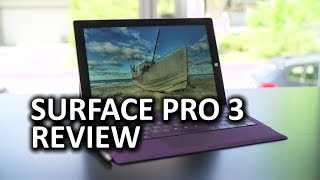


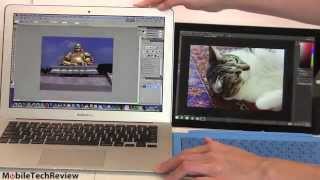


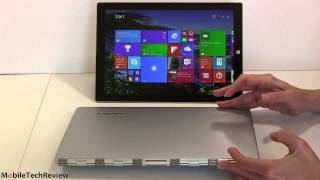


In Depth
The Surface Pro 3, Microsoft’s third hybrid tablet/laptop, brings with it several changes. The most noticeable upgrade is the display size. At 12 inches, it is 1.4 inches larger than its predecessor and sports a 2160×1440 resolution. Despite the above full HD resolution, its pixel density is actually lower than the MacBook pro with Retina at 216ppi. While reviewers did notice a slight lack of clarity in comparison, they still say describe the resolution as top-notch. They also point out that the new 3:2 aspect ratio affords more screen real estate and makes the tablet feel more like a notepad in portrait mode. Due to the high resolution and aspect ratio, critics warn that small icons or buttons are difficult to press though the issue is slightly rectified with the trackpad and stylus. They also add that the screen is highly reflective due to the glossy screen coating.
The Microsoft Surface Pro 3 shares the same magnesium body as previous models but offers a new and improved kickstand for ease of use. Previous Surfaces only had a couple angles users could lock into but the Pro 3 offers a friction hinge that allows an angle between 22 degrees and 150 degrees. Experts enjoyed the flexibility as it made it much easier for them to switch between working at a desk to on their lap. It is also incredibly thin at 0.35 inches and, when compared to laptops, is light at 798 grams. Unfortunately, in order to actually use it as a laptop, users must purchase the keyboard component separately. The Type Cover keyboard features backlit physical keys and attaches to the Pro 3 via a magnetic strip. For the most part, reviewers were fairly underwhelmed with the keyboard with The Verge stating, “It…doesn’t feel quite as good as a proper laptop keyboard, but part of that is the plastic, clackety noise it makes…”
In order to compete as both a tablet and laptop, the Surface Pro 3 features top-of-the-line internal hardware. There are three different versions of the Pro 3: i3, i5 and i7. Even the lowest end impressed critics with Digital Spy stating, “Even the most budget Surface Pro 3 will make most devices feel sluggish.” The i3 model offers 4GB of RAM and 128GB internal storage while the i7 has 8GB and 512GB. Benchmark tests place the Surface Pro 3 above other hybrids like the Lenovo IdeaPad Yoga 2 Pro and even laptops like the HP Spectre Ultrabook. During actual tests, reviewers found performance to be very snappy and smooth though there was some slight sluggishness during games. When using it intensively, experts noticed that the fans would get incredibly loud and the metal surface would reach, as Tech Radar puts it, “scorching levels of heat.” Besides getting loud and hot, reviewers discovered that the battery would also drain in around 8 hours, which they note is good but doesn’t stack up to 12-hour battery life of the MacBook Air or even the iPad Air, which lasts 10 hours.
Though Microsoft touts the Pro 3 as the single-device replacement for a laptop and tablet, reviewers aren’t quite as optimistic. Digital Spy states, “The Surface Pro 3 proves you can have an incredibly powerful portable computer in a slim form-factor…Sadly…a laptop is nearly as portable while an iPad or Nexus 5 are cheaper.” The Guardian adds, “…while the Surface Pro 3 is lovely…I don’t think it’s going to give Lenovo, or Apple, any sleepless nights.”
What people actually want to know
When was the Microsoft Surface Pro 3 released?
The Microsoft Surface Pro 3 was released on June 21, 2014.
How long does the battery last on the Microsoft Surface Pro 3?
The Microsoft Surface Pro 3 has a 8,000 mAh battery.
Does the Microsoft Surface Pro 3 support wireless charging?
No, the Microsoft Surface Pro 3 does not support wireless charging.
Does the Microsoft Surface Pro 3 have a headphone jack?
Yes, the Microsoft Surface Pro 3 has a 3.5mm headphone jack.
Does the Microsoft Surface Pro 3 have NFC?
No, the Microsoft Surface Pro 3 does not have NFC. Contactless payments and tap-to-pair will not be available.
Where can I get support for the Microsoft Surface Pro 3?
Visit Microsoft's official support page for warranty info, repairs, and troubleshooting.
Where can I download the Microsoft Surface Pro 3 manual?
You can view and download the Microsoft Surface Pro 3 manual on our dedicated manual page.
Questions & answers
Have a question about the Microsoft Surface Pro 3? Ask it here and we'll email you as soon as someone answers. Readers have answered 5,000 questions across PhoneCompass.
Finish the security check above to post your question.
Your name shows with your question.
✓ Question submitted. We'll notify you when someone answers.
We sent a verification link to . Click it to publish your question.
Can't find it? Check your spam folder.
How it compares


Compare new, refurbished, and carrier deals with the true 24-month cost calculated.