


Samsung Galaxy Tab S4
Verdict
If you are willing to wait for more apps to support the Dex desktop mode, the Samsung Galaxy Tab S4 offers one of the most compelling Android tablet experiences today — although it comes at a premium price.
Key specs
Critic consensus

“Most of the things I like about the Tab S4 are things that I liked in the Tab S3. The Tab S4 is an attractive, lightweight Android tablet made better by expandable storage, face-and-eye login options, and a redesigned S Pen. I used the new S Pen more than any other stylus on any other tablet or two-in-one thanks to its newfound comfort in my hand and my general love for Air Command's convenience.”

“The Samsung Galaxy Tab S4 is a fantastic tablet that takes the Android tablet crown thanks to its great display and the current lack of viable alternatives.”

“The Galaxy Tab S4 tries hard to be a must-have device for the modern day enterprise user, and while it succeeds in many areas, it fails in others. I am sold on the advantages that tablets can bring over smartphones and notebooks when it comes to portability and productivity.”
“The Samsung Galaxy Tab S4 has functionality that makes it a better tablet for the enterprise. This functionality includes Samsung DeX integration, mouse support, S Pen functionality with Air Command utilities, and multi-window capability. You can also use the tablet as a touch pad, digitizer, or touch keyboard when connected to an external monitor.”
Watch before you decide
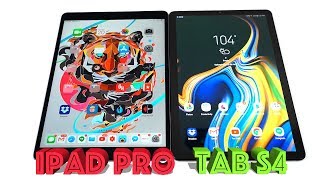





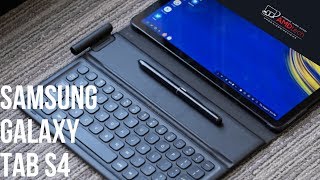
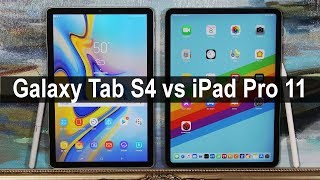

In Depth
Android tablets are a mixed bag these days. For most, getting a productivity-friendly, high-end tablet means jumping over to Apple’s iPad lineup . Samsung’s latest release hopes to challenge this trend with its large display, included stylus, and interesting desktop mode. But does it all add up to a great experience worth the premium price?
The tablet uses an aluminum chassis with glass front and rear panels reminiscent of a giant smartphone. Reviewers loved the sleek lines and glossy panels — apart from fingerprints. The thin, lightweight design is also comfortable for one-handed use if you’re reading magazines or browsing the web. However, if you’re planning to use the tablet on the go, you’ll want a case to protect it from the occasional drop and to improve grip.
Around front, you’ll find the star of the show — a 10.5-inch 1600-by-2560 pixel Super AMOLED display. Like most Samsung displays, it offers deep, inky blacks and punchy colors. Reviewers found the display plenty sharp for text and images while the HDR support makes video content — such as Netflix — look great.
Since there’s no fingerprint scanner or home button, Samsung’s trimmed the bezels and reviewers liked the added immersion. But this means that the table uses face and iris recognition instead of the more secure fingerprint security. If you’re worried about security, you might stick to password mode.
Powering the tablet, you’ll find last year’s 2.35Ghz octa-core Snapdragon 835 processor with 4GB of RAM. From launching a half dozen apps in Dex mode to playing the latest games, reviewers found the tablet snappy and responsive no matter how hard they pushed it. Sure, if you open 15 apps things bog down a little, but they don’t crash and the tablet stays cool to the touch at all times.
Depending on your model, you’ll find 64 or 256GB of internal storage with microSD card support up to 400GB to expand storage when needed.
The tablet runs Android 8.1 Oreo with Dex mode support — Samsung’s interesting hybrid desktop mode. You can link up a Bluetooth mouse and keyboard and use your apps in windows like a desktop or laptop. There’s even support for connecting to an external monitor — though the software only clones the display so you can’t have separate apps open on both screens.
While the basics of Dex mode received high marks. Many reviewers ran into issues with app support. Some questioned how long it would take for apps to adapt — if at all.
On the photography front, you’ll find a 13MP rear camera and an 8MP front-facing lens. While good for basic snapshots or the occasional video chat, they’re not the same powerful cameras you’ll find in Samsung’s smartphone lineup.
On the audio front, the quad stereo speakers from AKG with Dolby Atmos support crank out plenty of volume — even in noisy environments. If you’re looking for a private listening experience, there’s also a 3.5mm headphone jack
The included S Pen active stylus is another perk to the tablet. Completely redesigned, the new chunkier stylus reminded many reviewers of a real pen. It was responsive, accurate, and doesn’t require batteries. Overall, it was one of the most talked about features.
Finally, we come to battery life. The monstrous 7300mAh battery with USB Type-C Quick Charge support lasted two days for mixed use or a single day of heavy use on a single charge. Just remember, while the tablet supports Quick Charge, the added size of the battery means full charges will take a while. Still, if you need a little extra juice to get through a task or to watch a quick video, plugging in for a few minutes should get the job done.
Overall, reviewers liked the tablet. While some questioned the validity of Android tablets compared to iPads , most found the tablet a joy to use. There are questions about the future of Dex. However, this is due to app support, not due to any failing on Samsung’s part.
T3 summed up opinions well, saying, “Seriously consider the iPad Pro 10.5 , but if you’re set on Android … the Samsung Galaxy Tab S4 will suit you just right.” MobileSyrup offered more, saying, “The Samsung Galaxy Tab S4 pleasantly surprised me. It functioned well and allowed me to get through a day of work. I can say I was definitely productive on the Tab S4, especially in comparison to other Android tablets I’ve used in the past.”
What people actually want to know
When was the Samsung Galaxy Tab S4 released?
The Samsung Galaxy Tab S4 was released on August 10, 2018.
How long does the battery last on the Samsung Galaxy Tab S4?
The Samsung Galaxy Tab S4 has a 7,300 mAh battery.
Does the Samsung Galaxy Tab S4 support wireless charging?
No, the Samsung Galaxy Tab S4 does not support wireless charging.
Does the Samsung Galaxy Tab S4 have a headphone jack?
Yes, the Samsung Galaxy Tab S4 has a 3.5mm headphone jack.
Does the Samsung Galaxy Tab S4 have NFC?
No, the Samsung Galaxy Tab S4 does not have NFC. Contactless payments and tap-to-pair will not be available.
Where can I get support for the Samsung Galaxy Tab S4?
Visit Samsung's official support page for warranty info, repairs, and troubleshooting.
Where can I download the Samsung Galaxy Tab S4 manual?
You can view and download the Samsung Galaxy Tab S4 manual on our dedicated manual page.
Questions & answers
Have a question about the Samsung Galaxy Tab S4? Ask it here and we'll email you as soon as someone answers. Readers have answered 5,000 questions across PhoneCompass.
Finish the security check above to post your question.
Your name shows with your question.
✓ Question submitted. We'll notify you when someone answers.
We sent a verification link to . Click it to publish your question.
Can't find it? Check your spam folder.
How it compares


Compare new, refurbished, and carrier deals with the true 24-month cost calculated.