


Doro 8035
Key specs
Critic consensus

“The Doro 8035 makes Android much easier to use for those who have more years under their belts, but you have to put up with some hardware compromises.”

“So this phone is a nice phone that gives its elder readers a bright easy to read the screen with plenty of volume and great features and with a normal smartphone look this is a great buy for the over 65’s.”

“If your own mother/aunt/friend/uncle/grandad has their own particular relationship with technology and just needs a little helping hand, then maybe the Doro would be the phone for them. At the very least it would be worth checking out.”
Watch before you decide
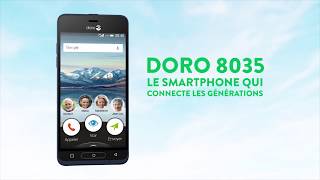

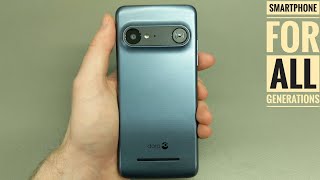
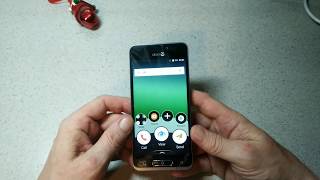


What people say
Only a few ratings so far, not enough to show a trend yet.
3 ratings so far
I'd lost my last 'phone, (into the river severn!) this was an Apple 'phone. On there were lots of apps, I would never use, so looking about trialed, a couple of others. I found this the best for my needs. they are 'phone calls, texts, and a limited use of the web.
I'd lost my last 'phone, (into the river severn!) this was an Apple 'phone. On there were lots of apps, I would never use, so looking about trialed, a couple of others. I found this the best for my needs. they are 'phone calls, texts, and a limited use of the web.
I'd lost my last 'phone, (into the river severn!) this was an Apple 'phone. On there were lots of apps, I would never use, so looking about trialed, a couple of others. I found this the best for my needs. they are 'phone calls, texts, and a limited use of the web.
What people actually want to know
When was the Doro 8035 released?
The Doro 8035 was released on March 16, 2018.
How long does the battery last on the Doro 8035?
The Doro 8035 has a 2,500 mAh battery.
Does the Doro 8035 support wireless charging?
No, the Doro 8035 does not support wireless charging.
Does the Doro 8035 have a headphone jack?
Yes, the Doro 8035 has a 3.5mm headphone jack.
Does the Doro 8035 have NFC?
No, the Doro 8035 does not have NFC. Contactless payments and tap-to-pair will not be available.
Where can I get support for the Doro 8035?
Visit Doro's official support page for warranty info, repairs, and troubleshooting.
Where can I download the Doro 8035 manual?
You can view and download the Doro 8035 manual on our dedicated manual page.
Questions & answers
Loading answers…
✓ Question submitted. We'll notify you when someone answers.
We sent a verification link to . Click it to publish your question.
Can't find it? Check your spam folder.
Finish the security check above to post your question.
Your name shows with your question.
How it compares



New phones, honest scores.
One email when something worth knowing changes. No deal spam, no filler.
Hi Carl, Thanks for your reply. The error message simply says internal error. I am looking into this for a friend who is new to smart phones. As I am Apple through and through, Android is a foreign country, so I will have to wait to reply until I catch-up with her and have her phone to check. The phone is a Doro8035.