


Doro Liberto 820
Key specs
Critic consensus

“Whether you’re considering the Doro for yourself or a loved one, the first thing to consider is how tech-savvy they are. If we set an arbitrary scale of one to ten, where ten is Steve Wozniak and one is Fred Flintstone, we’d say the Doro Liberto 820 will be a boon to anyone from levels two to four. These people will probably get the most out of the Doro’s ease of use and, if they get stuck, a helper can always step in remotely to assist.We’d still steer clear of it for total technophobes. The Liberto 820 does a lot, and despite the great job Doro has done simplifying it, there’s no getting away from the sheer volume of settings and functionality an Android smartphone possesses. For those we’d recommend one of Doro’s feature phones, such as the PhoneEasy 621.Anyone at a level of four or five and above should try a fully fledged Android, Windows or Apple iOS smartphone. iOS is the simplest to use, but Android also works well, and is much cheaper, when coupled with a simplified launcher.”

“You really won’t find an easier smartphone to use than the Liberto 820, that’s something we can’t dispute. Even the most nervous of technophobes should be able to get to grips with it, and the option to have “helpers” remotely assist you is a great touch. If you’ve been looking to move to a smartphone but were worried about things being too complicated the Doro Liberto 820 should put your fears to rest.”

“Doro's Liberto 820 is an excellent debut smartphone from the master of senior-friendly handsets. Android can appear horribly complex to smartphone virgins but Doro has extended almost every kind of assistance imagineable, from the reworked desktops and the bonus help features to the nifty bundled dock.As for the standard smartphone features, Doro hasn't skimped there either. The 4.5-inch screen is sharp and bright and the 8-megapixel camera is surprisingly good, capturing sharp photos packed with detail.If you have an elderly or infirmed relative who'd like a handset to get online or take decent photos, without compromising ease of use, then the Doro Liberto 820 is simply your best choice.”
Watch before you decide




What people actually want to know
When was the Doro Liberto 820 released?
The Doro Liberto 820 was released on October 31, 2014.
How long does the battery last on the Doro Liberto 820?
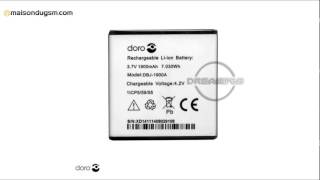
The Doro Liberto 820 has a 1,900 mAh battery.
Does the Doro Liberto 820 support wireless charging?
No, the Doro Liberto 820 does not support wireless charging.
Does the Doro Liberto 820 have a headphone jack?
Yes, the Doro Liberto 820 has a 3.5mm headphone jack.
Does the Doro Liberto 820 have NFC?
No, the Doro Liberto 820 does not have NFC. Contactless payments and tap-to-pair will not be available.
Where can I get support for the Doro Liberto 820?
Visit Doro's official support page for warranty info, repairs, and troubleshooting.
Where can I download the Doro Liberto 820 manual?
You can view and download the Doro Liberto 820 manual on our dedicated manual page.
Questions & answers
Loading answers…
Loading answers…
✓ Question submitted. We'll notify you when someone answers.
We sent a verification link to . Click it to publish your question.
Can't find it? Check your spam folder.
Finish the security check above to post your question.
Your name shows with your question.
How it compares


New phones, honest scores.
One email when something worth knowing changes. No deal spam, no filler.
1. Open Gmail.
2. Tap Menu button (button on the left of home button)
3. Tap Trash
4. At the top, tap Empty trash now.
Let me know if that's what you're looking for.