


HTC Bolt
Verdict
Key specs
Critic consensus

“The first question a marketing department should answer is this - Do people want a product like this? A sub-€500 HTC phone is definitely something people want. An HTC with a 5.5 QHD screen is something people want. An HTC with a Snapdragon 810 chipset? We're leaning towards no. Because here's the thing - it's an old chipset that brings old technology with it. Even the LTE modem and Quick Charging tech are a couple of generations behind current high-end phones.”

“For $600, the HTC Bolt has an attractive metal build, high-fidelity audio, and recent Android software. But the headphone hoopla is a bummer, as is the dated processor and the bloatware.”

“While a bit pricey and equipped with aging hardware, the HTC Bolt's aluminum, water-resistant body and fantastic audio are true highlights for Sprint customers.”

“The HTC Bolt is a well-intending smartphone that arrives hampered by more than a few problems. The handset design is quite nice, and it's great to see HTC keep its classy metal look while upgrading water-resistance. We like the display, the included headphones sound really good (after calibration), and data storage isn't a problem. And while the camera isn't really spectacular, it's not a mess, either, and is capable of generating some decent images.”
Watch before you decide






What people say
Only a few ratings so far, not enough to show a trend yet.
1 rating so far
I was well aware that phone did not have top hardware specs but the early reviews were pretty solid that it was 'decent' and that Sprint had done a good job of tailoring Android to run well on it. And when it first arrived in did seem to perform well, that was until I started to load some of the ...
In Depth
HTC has a hit-or-miss record with phones in the past few years. Their latest offering, the HTC Bolt–also known as the HTC 10 Evo, looks like a larger version of their popular HTC 10. On paper, the specs look solid for a mid-tier phone, but does that translate to value and an enjoyable experience?
Reviews are rolling in across the web and we’ve scoured them all to bring you this summary!
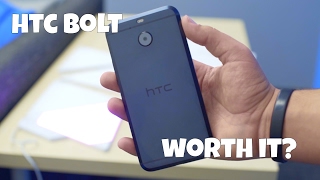
If you’ve seen a recent HTC phone, you’ve seen the HTC Bolt. It sticks with the traditional HTC aluminum unibody design with minimal flair. You’ll find a camera on the back, volume buttons and power button on the side and a USB Type-C port on the bottom. With an IP57 rating, the phone can also withstand brief submersions and splashes.
Reviews on the design were mixed. While no one had a problem with the appearance of the phone, many mentioned problems with grip. Alphr noted, “This is not comfortable to hold, feeling too wide to sit comfortably in the hand.”
There’s also the lack of headphone jack. They don’t include an adapter either. However, they do include a set of specialized earbuds that received decent reviews. According to HTC they optimize sound to fit your ear’s shape and the environment in which you’re listening. Alphr checked out this new features and said, “Once configured, the sound does genuinely feel better to the ear, with more detail immediately noticeable.”
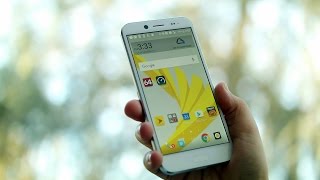
Heading around front, you’ll find a 5.5-inch LCD screen running at 1440-by-2560 pixels. There’s also a fingerprint scanner at the bottom of the front panel. Reviews for both were average. Phone Arena summed up opinions well, saying, “Its 500-nit output is far from bad, and should treat you well during a lot of outdoor usage. Color accuracy isn’t quite spot on, but it’s close enough not to be distracting.”
Powering the phone you’ll find an older octa-core Snapdragon 810 processor with 3GB of RAM. This was one area where reviews varied wildly. Alphr noted, “In 2016, no fresh install of Android should lag on the intro screens, or slow down when using the built-in keyboard. The HTC 10 Evo does both of these things.” However, many reviews found the phone performed well for most tasks. Just remember that it’s a mid-tier phone and not a flagship that the phone’s price might suggest.
With 32GB of internal storage and microSD support up to 2TB, there’s more than enough room for your favorite apps, media or pictures.
The phone runs HTC’s latest Sense UI skin over Android 7.0 Nougat. PC Magazine applauded the UI, saying, “[It] is rather light compared with most manufacturer skins. It largely resembles stock Android aside from app icons and BlinkFeed.”
However, for readers looking at the Sprint exclusive variant, beware of bloatware. Reviewers noted more than 60 apps pre-installed on their devices–many redundant or useless.
Reviews indicate that the phone’s 3200mAh battery appears enough to get a full day of light-to-moderate usage on a single charge–but only just. Fortunately, QuickCharge 2.0 support means you can charge up completely in just over 1.5 hours.
Lastly, you’ll find a 16MP rear camera with optical image stabilization and a front-facing 8MP lens. Like other aspects of the phone, reviews for these were average. Expert Reviews UK said, “Photos seemed lacking in detail and, while colours were bright and well-balanced, the focus seemed to struggle to stay locked on.” Low-light performance was respectable in many reviews as well, though it doesn’t keep up with recent flagships in that regard.
Overall, the biggest issue facing most reviewers was the price. At full retail pricing, the HTC Bolt is only slightly cheaper than the superior HTC 10 and is priced well above competing handsets with better specs. For that reason alone, most reviewers recommend passing on this latest HTC release. Tom’s Guide summed up the problem well, saying, “the Bolt is a decent but pricey midrange option — but it should have been better than it is.”
What people actually want to know
When was the HTC Bolt released?
The HTC Bolt was released on November 11, 2016.
How long does the battery last on the HTC Bolt?
The HTC Bolt has a 3,200 mAh battery.
Is the HTC Bolt water resistant?
The HTC Bolt carries an IP57 rating.
Note: water resistance degrades over time and manufacturer warranties typically don't cover liquid damage.
Does the HTC Bolt support wireless charging?
No, the HTC Bolt does not support wireless charging.
Does the HTC Bolt have NFC?
Yes, the HTC Bolt has NFC. You can use Google Wallet, Apple Pay, and tap-to-pair with Bluetooth accessories.
Where can I get support for the HTC Bolt?
Visit HTC's official support page for warranty info, repairs, and troubleshooting.
Where can I download the HTC Bolt manual?
You can view and download the HTC Bolt manual on our dedicated manual page.
Questions & answers
✓ Question submitted. We'll notify you when someone answers.
We sent a verification link to . Click it to publish your question.
Can't find it? Check your spam folder.
Finish the security check above to post your question.
Your name shows with your question.


New phones, honest scores.
One email when something worth knowing changes. No deal spam, no filler.
My ht c bolt is about a year old and 2 days ago when I was on the camera app my phone just turned off and vibrates, turns to the white HTC screen it does this over and over. I have tried to do the hard reset and it will only go to one screen after holding Jonah's down volume and power button it had rebot , rebot to bootloader, bolt to download, bolt to recovery, power down. I have tried all of them some just come back to that screen and some go to a black screen with grey ht c and in a couple second s it will go back to the white screen. Help please....