


Key specs
Watch before you decide






What people say
Only a few ratings so far, not enough to show a trend yet.
2 ratings so far
this phone is very organized and not cluttered. its very easy to figure out it also has voice command witch is amazing. and the keys are not hard to push and are very easy to text with.
This phone is worth every penny I paid for it. I bought it at retail - I wasn't up for upgrade until 8 more months. I text a lot and I needed a larger keyboard. I don't want my phone to be a PC, camera, GPS or anything else. However, it is nice to have those features if I need them but I don't wa...
In Depth
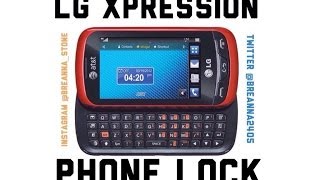
If you can make do with simple feature phone, you might consider the LG Xpression, which runs on the BREW Mobile software platform. It boasts a slide-out QWERTY keyboard and a 3-inch 240×400 pixel resolution touchscreen display for user input. It may look ordinary, but thanks to a wide range of connectivity features, it’s actually a pretty handy mobile phone.
With a 4-row QWERTY keyboard, it’s pretty useful for those who need a dependable messaging phone that isn’t so hard to use. Its keys are large and very easy to press, so typing out long e-mails or text messages is no problem at all. And when the use of a hardware keyboard isn’t necessary, there’s always the touchscreen display and the virtual keyboard.
As a BREW-powered handset, the Xpression won’t have the nearly endless selection of apps found on iOS or Android, but it can run various types of third-party software such as games and messaging applications. This helps give it extra features that are not available through its default configuration. It may not have NFC, wireless charging, or any of the crazy new tech that comes standard in today’s high-end smartphones, but it’s still an excellent choice for those who just want a proper cellphone for near effortless communication.
Need to Know: LG Xpression
1. Slide-out 4-row QWERTY keyboard. (The Good)
2. Refreshing design. (The Good)
3. Lacks built-in Wi-Fi connectivity and NFC. (The Bad)
4. Camera performance is disappointing. (The Bad)
What people actually want to know
How do I transfer photos from my LG Xpression to my computer?
You need a micro SD memory card installed in your phone to transfer photos via USB. Photos stored in the phone’s internal memory cannot be transferred directly and must first be moved to the memory card.
To transfer photos:
- Insert a micro SD card into your phone (slot is under the back cover, next to the camera button)
- Open Pictures on your phone, tap the menu (three lines in upper right), select “Move” or “Copy”
- Select all photos, then choose to move/paste them to the memory card
- Connect your phone to your computer using a USB cable
- On your phone, go to Settings > Connection > USB Connection and select “Mass Storage”
- On your computer, open File Explorer and access the removable drive to copy your photos
Alternative methods:
- Remove the memory card and insert it directly into your computer’s card reader
- Use Bluetooth to transfer photos wirelessly (requires Bluetooth adapter on your PC)
- Text photos individually to another device if you don’t have a memory card
If your computer doesn’t recognize the phone, download the LG USB Mobile Driver from LG’s support website.
When was the LG Xpression released?
The LG Xpression was released on April 24, 2012.
How long does the battery last on the LG Xpression?
The LG Xpression has a 1,000 mAh battery.
Does the LG Xpression have a headphone jack?
Yes, the LG Xpression has a 3.5mm headphone jack.
Does the LG Xpression have NFC?
No, the LG Xpression does not have NFC. Contactless payments and tap-to-pair will not be available.
Where can I download the LG Xpression manual?
You can view and download the LG Xpression manual on our dedicated manual page.
Questions & answers
✓ Question submitted. We'll notify you when someone answers.
We sent a verification link to . Click it to publish your question.
Can't find it? Check your spam folder.
Finish the security check above to post your question.
Your name shows with your question.


New phones, honest scores.
One email when something worth knowing changes. No deal spam, no filler.
I had this issue with when I plugged it into my computer it would just charge. Thanks to the helpful info on here I was able to put the micro sd card from my husbands phone into this phone. then plug into the computer and choose the "mass storage" option that came up. Then it pretty much was acting like it was a flash drive and I was able to get the pics onto my computer very quickly and easily. it is too bad they don't tell you that when you purchase the phone, I also couldn't find anything about retrieving pics in the user manual. oh well, I will be getting a new phone soon, hopefully I wont have any issue with this in the future. getting a smart phone now. :)