


Samsung Galaxy Note 3
Verdict
Key specs
Critic consensus

“Oh well, Samsung and the Galaxy Note 3 have done it again and the bad news for the competition is that their phablets have just been relegated to just huge phones by the latest installment of the one that once started it all.”

“While the hardware is great, and even Samsung's plastic backing is much improved, much of the Note 3's software feels unfinished. The gallery is unusable out of the box and needs to be fixed, and the phone doesn't feel as smooth as it could be. With such a huge battery, the Note 3 should last a few hours longer in our tests, especially given what the G2 can accomplish with a smaller battery and a slightly smaller screen. We've got to wonder what the Note will look like after it gets a few OTA updates under its belt.”

“To use a term of phrase borrowed from that other mobile giant, this is Samsung's best Note yet. It's better in pretty much every way, with the possible exception of that speaker. The display is bigger, but it never makes the device feel inflated, which is some sort of dark magic in its own right. Either way, we applaud Samsung for consistently making this series better and better.”

“We're not sure you need all the extra features that Samsung packs in, and we could live without the S Pen. And not everyone needs or wants a smartphone with a 6in display. Neither is the camera all that great. But be in no doubt about it, the Galaxy Note 3 is a high-quality portable device, offering the best performance we've ever seen, a stunning screen and nice build quality.”
Watch before you decide


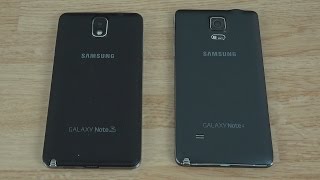


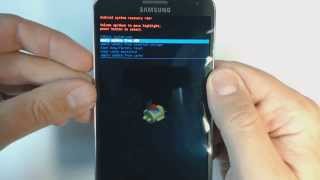

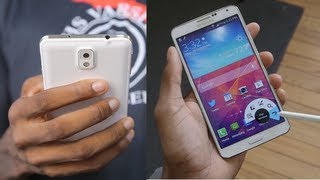

What people say
Only a few ratings so far, not enough to show a trend yet.
2 ratings so far
Samsung galaxy note 4 is the phone suits my personality very well. Smartphone is a nice and worthy phone available in market with android OS, v4.4.4, v5.0.1 version. Latest trends and features are inbuilt in this phone which attracts the todays youth. Its Available Super AMOLED capacitive touchsc...
Samsung Galaxy Note 3 was renowned for large screen, fast processor & a mean camera to top it up. That was certainly the case when I bought the Note 3 with the Jellybean OS. Samsung due to some brain freeze decided to upgrade their OS to Kit Kat to address various pertinent issues with the phone....
In Depth
Larger than many comparable smartphones and slightly smaller than your average tablet is the Samsung Galaxy Note 3, Samsung’s latest ‘phablet’. With a 5.7-inch AMOLED screen, it offers plenty of display to take notes, watch movies and more. A 2.3-gigahertz processor and 3GB of RAM keep the experience silky smooth. Combine this with the S-Pen, Samsung’s proprietary stylus, and you have a device that is geared toward productivity but has plenty of power for games, video and more.
Despite the large screen size, the phone’s boxy styling and soft leather-like backing make it comfortable to hold and provide plenty of grip. The display has received a boost in resolution from the Note 2 to 1080 x 1920 pixels. This provides a level of clarity and detail that rival the leading devices on the market. Rich Trenholm of CNET remarked that the phone was surprisingly light for its size and that its features justify the large size as well.
Unfortunately, there are a few shortcomings. Both Joseph Pisani of The Guardian and David Court of PC Advisor found the S-Pen’s new design difficult to use. If you have small hands, the thin profile of the pen will suit you well. Otherwise, it can be difficult to grip. This brings us to the next issue: the interface. Many of the Note 3’s new features are based around gestures and button presses using the S-Pen. If you find the S-Pen hard to use, this could cause some serious frustrations. However, once you adjust to the S-Pen, the Note 3 offers features that you will not currently find on other smartphones.
What people actually want to know
When was the Samsung Galaxy Note 3 released?
The Samsung Galaxy Note 3 was released on September 17, 2013.
How long does the battery last on the Samsung Galaxy Note 3?
The Samsung Galaxy Note 3 has a 3,200 mAh battery.
Does the Samsung Galaxy Note 3 have a headphone jack?
Yes, the Samsung Galaxy Note 3 has a 3.5mm headphone jack.
Does the Samsung Galaxy Note 3 have NFC?
Yes, the Samsung Galaxy Note 3 has NFC. You can use Google Wallet, Apple Pay, and tap-to-pair with Bluetooth accessories.
Where can I get support for the Samsung Galaxy Note 3?
Visit Samsung's official support page for warranty info, repairs, and troubleshooting.
Where can I download the Samsung Galaxy Note 3 manual?
You can view and download the Samsung Galaxy Note 3 manual on our dedicated manual page.
Questions & answers
✓ Question submitted. We'll notify you when someone answers.
We sent a verification link to . Click it to publish your question.
Can't find it? Check your spam folder.
Finish the security check above to post your question.
Your name shows with your question.
How it compares


New phones, honest scores.
One email when something worth knowing changes. No deal spam, no filler.
You mean you can't download the Samsung Gear app? Hmm, odd. It should be compatible. Have you tried downloading the APK and manually installing it?