Skip to content
Home…›ZTE
Manual
ZTE Android 6.0 Marshmallow Released Nov 2016 Discontinued

ZTE Avid Trio

Android 6.0 Marshmallow Operating system
5" Screen size
5MP Main camera
Snapdragon 425 MSM8917 Quad core Processor
8 GB Storage
2,800 mAh Battery
By category

Key specs

What critics say

Critic reviews

No Compass Score yet. We calculate one once enough reviews include a score.

PC Magazine
PC Magazine

“The ZTE Avid Trio is a decent budget phone for voice calls. If you can afford to increase your budget and don't mind a larger form factor, the $180 ZTE Zmax Pro has a sharper display, faster performance, and a better camera. If you prefer to stay within the $100 range, the LG Aristo looks promising. We haven't reviewed it yet, but it offers a sharper screen, a higher-resolution camera, and newer Android software for $20 more than the Trio.”

Video reviews

Watch before you decide

Reviews
Google account bypass / removal 2018 ZTE Avid Trio Z833, Quick and easy!!!!!
Pedro pmj Martin
ZTE AVID TRIO Full Review For Metro PCsT-mobile
Varieties Teck
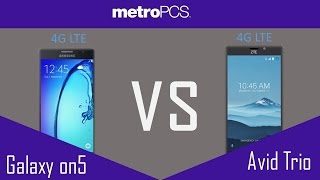
Samsung Galaxy on5 VS ZTE AVID TRIO METRO PCS
Varieties Teck
ZTE Avid Trio Z833 Google account bypass 2018, 100% solved
Coolgrownman 87
bypass google account on ZTE AVID TRIO Z833 working
Phone Tricks Phones
ZTE Avid Trio FRP bypass | ZTE Z833 google account removal | ZTE USA MetroPCS/T-Mobile Bypass
Mohammad Ali
ZTE AVID Trio The Complete Review
LG Fanatic
ZTE Avid Trio How To bypass google account FRP
Varieties Teck
ZTE AVID TRIO How To Move Apps,Games To SD Card
Varieties Teck
ZTE Avid Trio How To Hard Reset For Metro PcsT-mobile
Varieties Teck
Community opinion

What people say

Only a few ratings so far, not enough to show a trend yet.

1 rating so far

Recent voices
A
Atomiv · 10 years ago
Avoid

Half the screen goes out continuously.

Specifications
Full specs
Overview
Released Nov 2016
Announced —
Price tier —
Also Known As ZTE Z833
Processor Qualcomm Snapdragon 425 MSM8917 Quad core
CPU Speed 1400MHz
RAM 1GB
Storage 8 GB
Price (USD) —
Regions USA, Canada
Regional Variants —
Warranty 1 Year
Accessories USB Power Adapter, Manual, Standard Battery, Data Cable
Software & Support
OS Android
OS at Launch 6.0 Marshmallow
Current Version —
OS Updates —
Security Updates —
Custom UI —
Display
Type Color
Technology LCD (TFT)
Size 5"
Resolution 480 × 854
Pixel Density 196 ppi
Colors 16.7 million
Refresh Rate —
Touch Sampling Rate —
Peak Brightness —
Always On Display
DC Dimming
DisplayMate Grade —
Multi-touch
Fingerprint Resistant
Sensors Ambient Light, Proximity, Motion / Accelerometer, Digital Compass
Additional Features Capacitive touch screen
Secondary Display
Secondary Display
Type —
Size —
Resolution —
Color Type —
Colors —
Camera — Main
Main Camera 5MP
Flash Yes (LED)
Sensor Name —
Sensor Size —
Focal Length (Main) —
Focal Length (Ultrawide) —
Focal Length (Telephoto) —
Optical Zoom —
Digital Zoom —
Video Resolution HD (1280 x 720 pixels)
Video FPS —
Video Length —
Video Formats 3GP / 3GPP, H.264 / AVC, MPEG-4, WMV
Features Effects, Geotagging, Panorama, Self-timer
Additional Info Scene mode
Camera — Front
Front Camera
Video Recording
Resolution 2MP
Video Resolution —
Video FPS —
Zoom
Optical Zoom —
Digital Zoom —
Features —
Additional Info -
Camera — Scores
DxOMark Overall —
DxOMark Photo —
DxOMark Video —
DxOMark Zoom —
DxOMark Bokeh —
DxOMark Selfie —
DxOMark Rank —
Performance
Chip Qualcomm Snapdragon 425 MSM8917 Quad core
Process Node —
GPU —
RAM 1GB
Storage 8 GB
AnTuTu v11 —
Geekbench 6 Single —
Geekbench 6 Multi —
Geekbench 5 Single —
Geekbench 5 Multi —
Battery
Capacity 2,800 mAh
Type Lithium-Ion (Li-Ion)
Removable
Fast Charging —
Wireless Charging —
Comes with Charger —
Talk Time —
Video Playback —
Internet (WiFi) —
Internet (Cellular) —
Standby 19h 30m
Mixed Usage —
Charge Time 0–100% —
Charged in 30 Min —
GSMArena Score —
Battery Test Source —
Battery Life (Call) —
Battery Life (Video) —
Battery Life (Web) —
Battery Life (Gaming) —
Connectivity
Wi-Fi Wi-Fi b/g/n
WiFi Version —
Bluetooth 4.2
Bluetooth Profiles A2DP, AVRCP, OPP/FTP, HID, HFP, HSP, PAN
Bluetooth Codecs SBC
USB Type Micro-USB 2.0
USB OTG Unknown
USB Speed —
NFC
Infrared
Headset Jack 3.5mm
Mobile Hotspot
GPS
GPS Type A-GPS
UWB
Satellite —
Memory Expansion
Expansion Type MicroSD, MicroSDHC
Expansion Capacity 32MB
Cellular
Networks GPRS, EDGE, HSPA+, LTE, HSUPA
LTE MHz
LTE (700) LTE (1700) LTE (1900)
3G MHz
850 1700 1900 2100
2G MHz
850 900 1800 1900
Data 4G/LTE
VoLTE Unknown
WiFi Calling Unknown
Physical SIM Nano-SIM
Dual SIM
eSIM
Push to Talk
Data Tethering
Design & Build
Form Factor Bar
Material Plastic
Frame Material —
Rear Material —
Colors Blue
Dimensions 14.5 × 7.4 × 1 cm (5.71 × 2.91 × 0.39 in)
Weight 167g
IP Rating —
Water Resistance Unknown
Fingerprint Sensor No
Rugged Design
iFixit Score —
Parts Availability —
Audio
External Speakers Yes
Noise Cancellation
Dolby Atmos
Hi-Res Audio
FM Radio —
GSMArena Loudness —
Speaker Loudness —
Input & Navigation
Touchscreen
Navigation Type Touchscreen
Keyboard Type Touchscreen
Home Key
Sleep/Wake Key
External Volume
Safety
SAR Head 0.98 W/kg
SAR Body 0.61 W/kg
Hearing Aid Compatible
TTY/TDD
More
Additional Information —
Additional Comments —
Related Links Official Website
Manual Download PDF
Quick Start Guide —

Specifications are sourced from manufacturers and third-party databases and may contain errors. Suggest a correction →

Common questions

What people actually want to know

When was the ZTE Avid Trio released?
How long does the battery last on the ZTE Avid Trio?
Does the ZTE Avid Trio support wireless charging?
Does the ZTE Avid Trio have a headphone jack?
Does the ZTE Avid Trio have NFC?
Where can I download the ZTE Avid Trio manual?
Community

Questions & answers

CA
Carl · Answered

Open the Messaging app > Settings > check if you have the option Background.

You
CA
Carl · Answered

Hi Orlando. Try this: Go to Settings -> Apps -> Messaging -> Clear cache. If that still don't work, Clear data it as well. If that icon won't go, go to your Messaging app, look for the unsent message and delete it.

You
CA
Carl · Answered

Hi Kia. Go to Settings > Apps > look for the camera > Clear data. Try opening the camera after that. Let us know if that works.

You
CA
Carl · Answered

Hi Janeia. Is it only happening on one app or all your apps? You might want to check those apps with notification not working, check their notification settings.

You
CA
Carl · Answered

Hi Gail. That's odd. Are you trying to install from Google Play store? If so, what happens when you try to install?

You
CA
Carl · Answered

Yes, they all use micro SD cards.

You
CA
Carl · Answered

Hi Claire. Check if you have a voicemail that you haven't checked yet.

You
Have a question?
ZTE
Made by
ZTE
208
Phones reviewed
PhoneCompass Newsletter

New phones, honest scores.

One email when something worth knowing changes. No deal spam, no filler.

By subscribing you agree to receive emails from PhoneCompass. Unsubscribe anytime.

Compare is full