


Eee Pad Transformer
Key specs
Critic consensus

“In such a crowded emerging tablet field, it's hard to recommend one Honeycomb tablet over another. If you are attracted to the keyboard dock accessory and you are sold on Honeycomb as your platform, the price is definitely right, as the Transformer is the cheapest tablet with Android 3.0 right now. If you're looking for more than a Wi-Fi-only model, the T-Mobile G-Slate (by LG) is a very small notch ahead of the Honeycomb competition because it's the first tablet to integrate 4G wireless—and it also has a goofy-but-fun 3D camcorder. But you'll notice these tablets all rate similarly, and that's because the primary element here is the operating system. If you want the best tablet you can buy, go with an iPad.”

“The Asus Eee Pad Transformer makes us wonder, is this a step backwards or forwards for technology? On the one hand, you've got a new mainstream medium, the tablet. Rather than embrace the medium, Asus have augmented it it into last seasons fad, the net book. On the other, Asus are bearing the customer in mind, carrying forward the successes of netbooks, leaving the plasticy underpowered bits behind. One thing is for sure, with a plethora of tablets with little differentiating them, Asus have made their mark, offering more, for less without compromising on quality. The dock adds an obsene amount of functionality above and beyond its keyboard, so for a mere $80 price difference, it's a no brainer - buy the dock.”

“As a Honeycomb tablet, the ASUS Eee Pad Transformer is as good as any we've used. And with a working microSD card slot and being more svelte, it's got a leg up on the Motorola Xoom, even if we do prefer the soft-touch coating on the Xoom and other tablets. But add on the keyboard dock, and no other Android tablet compares.Will the Transformer replace a traditional Windows or Mac OS laptop? Not just yet. And for $550 (or $650 for the 32GB package), you can get a more powerful laptop with a better feature set. But look past the necessity issue. With the ASUS Eee Pad Transformer, you get a semi-laptop experience with the might of Android 3.0 behind it. You get an Android tablet and an Android laptop. And that's something nobody but ASUS can yet offer.”

“We give ASUS a lot of credit for the Eee Pad Transformer TF10, which beats the Lenovo U1 Hybrid to market as the first Android tablet that connects to a keyboard dock. In addition to making typing easier, the Transformer's $149 dock adds a battery life boost, even though we're not fans of the oversensitive touchpad. If you opt just for the tablet, you'll still get a stylish design, wide viewing angles, snappy performance, and useful apps for an almost shockingly low $399. While there are still some software kinks for both ASUS and Google to work out--and Android 3.0 needs more tablet apps in general--the Eee Pad Transformer's aggressive pricing and versatility put the Honeycomb competition on notice.”
Watch before you decide






What people say
Only a few ratings so far, not enough to show a trend yet.
1 rating so far
got ASUS Eee Pad Transformer the over day , i like it a lot . had a bit off trouble in stalling norton , if you use fire fox to in stall you will be ok , do not use google. the sound could be better . and the manual could give you more infore about the tablet, but over all very good 8 out off 10
In Depth
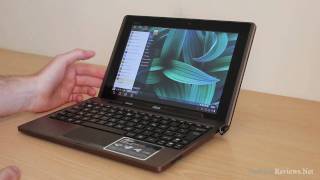
The Asus Eee Pad Transformer made its debut in April of 2011 and attempts to bridge the gap between tablet computers and netbooks. Its intuitive hybrid design features a standalone 10.1-inch touchscreen computer that functions independently as a tablet or as a traditional netbook when coupled with its optional keyboard dock.
At the heart of the Transformer resides a dual-core Nvidia Tegra 2 running in tandem with 1 GB of RAM. Its 32 gigs of flash memory can be expanded using a microSD card, as well as ASUS’s webstorage service. Integrated Bluetooth and WiFi ensure that the Transformer can stay connected on the go. An external HDMI port allows for video to be outputted to a television or projector.
The LCD on the Transformer features an IPS panel with 10-point multi-touch. Its resolution of 800 x 1280 pixels provides video playback that is smooth as butter, and with a wide 178-degree viewing angle, your friends can gather round and watch comfortably without missing any of the action. Since it’s covered in a thin layer of scratch-resistant Gorilla Glass, the responsiveness and durability of the display is unparalleled.
The Transformer’s keyboard dock, in addition to converting the Transformer into a netbook device, contains an additional battery that extends the overall life from around 9.5 to about 16 hours. It also features a standard SD card slot for extra removable storage, two full-sized USB ports, and a touchpad. It fits snugly and securely together with the tablet portion and has a flexible hinge for full adjustability.
To take full advantage of its Android 3.2 operating system, the Transformer includes two cameras. In the rear is a 5-megapixel autofocus camera that’s capable of 720p video capture. While the camera takes clean shots in well-lit situations, it leaves much to be desired in low-light due to its lack of a flash. The front-facing 1.2 megapixel camera works great with Android’s new video conferencing capabilities.
All in all, the Asus Eee Pad Transformer offers the best of both mobile computing worlds. The Transformer’s performance and features position it on par with the current generation of tablets, and its capability to convert to a netbook is a solid feature that many consumers will find attractive.
Need to Know: Asus Eee Pad Transformer
1. The hybrid design allows for full use as an independent tablet or netbook, both of which function on par with the competition. (The Good)
2. The Transformer’s screen is brilliant, highly responsive, and can be viewed from nearly any angle without distortion. (The Good)
3. With no flash, the rear-facing camera is virtually useless in low-light situations. (The Bad)
4. The keyboard dock includes many nice features such as USB ports and an SD card slot, but it is not included and must be purchased separately. (The Bad)
What people actually want to know
When was the Eee Pad Transformer released?
The Eee Pad Transformer was released on March 25, 2011.
How long does the battery last on the Eee Pad Transformer?
The Eee Pad Transformer has a 24 mAh battery.
Does the Eee Pad Transformer have a headphone jack?
Yes, the Eee Pad Transformer has a 3.5mm headphone jack.
Where can I download the Eee Pad Transformer manual?
You can view and download the Eee Pad Transformer manual on our dedicated manual page.
Questions & answers
Have a question about the Eee Pad Transformer? Ask it here and we'll email you as soon as someone answers. Readers have answered 5,000 questions across PhoneCompass.
Finish the security check above to post your question.
Your name shows with your question.
✓ Question submitted. We'll notify you when someone answers.
We sent a verification link to . Click it to publish your question.
Can't find it? Check your spam folder.
How it compares


New phones, honest scores.
One email when something worth knowing changes. No deal spam, no filler.