


Asus VivoTab
Key specs
Critic consensus

“The Asus Vivo Tab TF810C is probably the best Atom-based Windows 8 convertible tablet/laptop we’ve looked at and, if you can live with its limited specs, the hybrid we would most recommend. Its beautiful IPS screen goes brighter than those of rivals, it’s nicely designed, offers good usability, and a full-size Wacom stylus. It also leads the pack when it comes to battery life, as it lasts up to a whopping 19 hours on a charge.”

“The Asus VivoTab TF810C is a lovely Atom Windows 8 transformer whose launch has been hampered by spotty retail presence, a lack of drivers for the first two months and an enormous price tag in the US. Now that Asus has the drivers mostly sorted out, we're more bullish on the tablet, but given its small retail distribution and absent review program, we're not sure how strongly Asus is behind this product. Throw in the high price tag that makes this by far the most expensive Windows 8 Atom tablet, and it's hard to look past these issues and fall in love with the tablet. And that's a shame because the hardware is lovely, the keyboard dock offers a solid typing experience while greatly extending battery life, and it's one of the few with a Wacom digitizer and pen. Top that off with a few less common features like GPS, NFC and a truly decent 8MP rear camera and the VivoTab TF810C has what it takes to stand out.”
Watch before you decide








In Depth
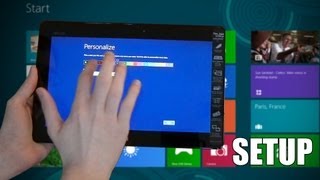
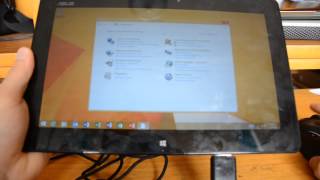
ASUS has a strong track record of well received tablets like the Google Nexus 7 (best selling Android tablet in the third quarter this year) and the Eee Pad Transformer Prime (first slate with a quad-core processor). Joining the impressive list is the ASUS VivoTab.
Combining solid build quality with elegance, ASUS VivoTab sports a brushed aluminum back, rounded edges on the glass, and a chassis made using state-of-the-art nano-molding technology. Under the hood, the slate features a powerful 1.8 GHz Intel Atom (Clover Trail) processor, 2GB of RAM, 10 hours of battery life, NFC capability, and a high-resolution 8MP camera (as opposed to the 5MP in the Microsoft Surface). The VivoTab’s 11.6-inch, 1366 x 768 resolution display boasts an amazing 600nit compared to the 400nit luminosity of the Surface. While the screen’s pixel density of 135 pixels per inch is a fraction of the iPad 4 Retina display’s 264 ppi, it tops than the Microsoft Surface’s 148 ppi and the average 10.1-inch Android tablet’s 149 ppi.
ASUS pioneered the concept of convertible tablets with its Transformer range of Android devices. Inheriting the design characteristics of the Transformer, the VivoTab “transforms” into a fully functional laptop. The optional docking station protects the screen when shut, provides additional 9 hours of battery life, keyboard, touchpad and MicroSD slot. Weighing just 1,340 grams and just 20.9 mm on the side with the keyboard dock attached, the device is thin and light as a mid-range notebook.
The VivoTab uses the full-blown Windows 8 — not the Windows RT running on the VivoTab RT or the Microsoft Surface RT — and thus will be able to run legacy or desktop programs available for Windows-running PCs. Windows 8 is also able to support true multitasking and native drivers for peripherals like printers and game controllers.
Unlike the VivoTab RT, the VivoTab comes with a Wacom dual digitizer which lets you use your fingers or a digital pen to interact with the tablet.
Need to know: Asus VivoTab
1. The VivoTab together with the docking station is a powerful device. (The Good)
2. Among the best designed and most durable tablet PC. (The Good)
3. Pricier than other high-end tablets. (The Bad)
4. Availability of Windows 8 apps still limited in comparison to the larger Apple and Android ecosystems. (The Bad)
What people actually want to know
When was the Asus VivoTab released?
The Asus VivoTab was released on November 30, 2012.
How long does the battery last on the Asus VivoTab?
The Asus VivoTab has a 30 mAh battery.
Does the Asus VivoTab have a headphone jack?
Yes, the Asus VivoTab has a 3.5mm headphone jack.
Where can I download the Asus VivoTab manual?
You can view and download the Asus VivoTab manual on our dedicated manual page.
Questions & answers
Have a question about the Asus VivoTab? Ask it here and we'll email you as soon as someone answers. Readers have answered 5,000 questions across PhoneCompass.
Finish the security check above to post your question.
Your name shows with your question.
✓ Question submitted. We'll notify you when someone answers.
We sent a verification link to . Click it to publish your question.
Can't find it? Check your spam folder.
How it compares


New phones, honest scores.
One email when something worth knowing changes. No deal spam, no filler.