


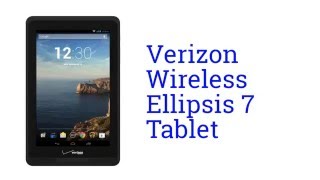
Verizon Wireless Ellipsis 7
Verdict
Key specs
Critic reviews
No Compass Score yet. We calculate one once enough reviews include a score.

“The Verizon Ellipsis 7 4G LTE tablet is a great deal. I never had any significant issues while I was using it, the camera left something to be desired, but it when it came to the usability and user experience it was able to handle everything I wanted it to do with ease.”

“If all that you care about is internet on the go and basic tablet features, the Ellipsis 7 is a decent deal. If you're looking for a more well-rounded tablet with more longevity, you might want to look elsewhere.”
Watch before you decide





What people say
Only a few ratings so far, not enough to show a trend yet.
5 ratings so far
Even the description boast with expandable microSD card..... too bad you are unable to utilize it's full potential... They fail to mention the limited amount of space dedicated to apps and the inability to store apps on the SD card.
I have had this tablet when Verizon a was running a promo and it was free (I was upgrading my phone, so they threw it in ). so far it has been working just fine for me. The camera is slow and resolution is not great...but I don't use it much anyway. Wi-Fi works great all the places I took it and ...
Works well, I have hade it for 3 months with no problems
In Depth
The Ellipsis 7 is Verizon’s first device that offers an LTE connection. Aside from a fast browsing experience, reviewers note that the tablet does not have any other standout features. Experts critique the tablets lackluster design, pointing out that the plastic faux metal back attracts fingerprints and has a poor grip.
The front of the tablet sports a 7-inch IPS LCD display with a resolution of 1280×800 pixels. According to experts, the screen offers good viewing angles and accurate color reproduction though they also mention that there’s no vibrancy to the colors.
Despite having a 1.2GHz quad-core processor and 1GB of RAM, critics complained about the tablet’s slow performance. Browsing the web didn’t create any issues; however once reviewers tried switching through apps, they noticed significant slowdown. When put through a graphically oriented benchmark test, the Ellipsis 7 scored incredibly low at 14 frames per second, more than half the speed of the Dell Venue 7.
Included with the rest of the hardware is 8GB of internal storage, expandable microSD slot, a 3.2MP rear camera and a 4000mAh battery which, when tested under heavy use, lasted around 6 hours.
The tablet’s biggest draw is its LTE connection. Unfortunately, Verizon dropped the 3G and 2G modem so if LTE is not available then users cannot connect to a network. It does support Wi-Fi also, but only the 2.4GHz band.
Overall, most reviewers have a hard time recommending the Ellipsis 7. PCMag states, “…the Ellipsis might be worth it if you just need a basic, inexpensive device…But if you’re looking for anything beyond the basics, this isn’t a great deal.”
What people actually want to know
When was the Verizon Wireless Ellipsis 7 released?
The Verizon Wireless Ellipsis 7 was released on November 7, 2013.
How long does the battery last on the Verizon Wireless Ellipsis 7?
The Verizon Wireless Ellipsis 7 has a 4,000 mAh battery.
Does the Verizon Wireless Ellipsis 7 support wireless charging?
No, the Verizon Wireless Ellipsis 7 does not support wireless charging.
Does the Verizon Wireless Ellipsis 7 have a headphone jack?
Yes, the Verizon Wireless Ellipsis 7 has a 3.5mm headphone jack.
Does the Verizon Wireless Ellipsis 7 have NFC?
No, the Verizon Wireless Ellipsis 7 does not have NFC. Contactless payments and tap-to-pair will not be available.
Where can I download the Verizon Wireless Ellipsis 7 manual?
You can view and download the Verizon Wireless Ellipsis 7 manual on our dedicated manual page.
Questions & answers
Loading answers…
Loading answers…
✓ Question submitted. We'll notify you when someone answers.
We sent a verification link to . Click it to publish your question.
Can't find it? Check your spam folder.
Finish the security check above to post your question.
Your name shows with your question.
How it compares


New phones, honest scores.
One email when something worth knowing changes. No deal spam, no filler.
in the upper left corner, while looking at your photo, is the GALLERY icon. open this and choose FILMSTRIP to display your photos. then squeeze the photo you want to delete from top and bottom at the same time and slide quickly off the bottom of the screen. sometimes it takes me several tries to make it work.