


HP TouchPad
Key specs
Critic consensus

“The HP TouchPad is less polished than the iPad, with a smaller range of impressive third-party apps. Yes, it's got features that the iPad lacks, but so do the Android tablets, and they have a bigger app selection, too. The interface appears more polished than many Android tablets, but in operation that doesn't really stand up. It's also lagging behind in many hardware features, such as HDMI output. HP webOS is a very well thought-out operating system, and there's a lot to like about the TouchPad. But why would you buy it over the others? We're not sure many people will find an answer to that question.”

“The HP TouchPad will be the perfect tablet for a lot of people. The points we love about webOS pour into HP’s tablet bringing with it an experience that rivals the iPad and the best from Honeycomb. The intuitive nature and the wide support of Synergy means that you don’t feel you are missing out on core features with the HP TouchPad. But it’s not all perfect. We have some stability quibbles and at times webOS wasn’t as slick as you’d expect. In the highly-polished world of the iPad, the TouchPad seems to have a few software obstacles to overcome just as Honeycomb does. Then there is the question over how quickly we’ll see great tablet-specific apps arriving. Android’s growth as a mobile phone platform stands it at an advantage over webOS when it comes to apps, and the wide-ranging physical connections on Android tablets (HDMI, USB, microSD) aren't on offer here. That leaves us in the position of pinning the TouchPad down. Like the original Pre, it’s a great user experience in a device that lacks the premium build of some rivals. There is room to expand the offering of the TouchPad as well as improve some areas of current performance. If core functionality - email, browsing, contacts - are what interest you, then the HP TouchPad will serve you well and it deserves a high score. If it’s an all encompassing world of multimedia delights, services or physical connections, then you might want to look elsewhere.”

“This is going to sound like a broken record, but the TouchPad is yet another tablet that feels unfinished. The interface is more elegant and intuitive than what you'll find on Android Honeycomb tablets, and we appreciate the time-saving features such as Just Type. The TouchPad also produces louder audio than any other slate we've tested. Last but not the least, HP deserves credit for spicing up the app shopping experience and for leveraging webOS-powered phones to tell a better-together story. The reason this story doesn't have a happy ending (at least not yet) is because the TouchPad is pretty sluggish for a device that's powered by a dual-core processor. The slow and schizophrenic accelerometer alone gives us a pause. The TouchPad is also heavier, thicker, and more smudge-prone than class-leading designs such as the iPad 2 and the Galaxy Tab 10.1. And, of course, HP still has a lot of catching up to do on the app front. Just like Google, HP will likely work out many of the kinks with its first over-the-air-update--at which time we'll revisit our rating--but right now the TouchPad is a tough sell.”

“But it speaks to a larger question that HP still hasn’t answered: What’s the major draw HP offers that I can’t get in Android or iOS — two established competitors with more customers, more apps and more time in the market? I’m not saying HP is betting on a weak hand with the TouchPad itself. It’s well-built, easy on the eyes and I dig the card-based OS running on a tablet even more than I had anticipated.”
Watch before you decide








In Depth
The HP TouchPad is a 9.7 inch tablet priced at a level that’s on par with the iPad 2 and Galaxy Tab.
The TouchPad weighs around 1.65 pounds, which is heavier than the iPad 2 and the Galaxy Tab 10.1 and the Motorola Xoom as well. The tablet has a 9.7 inch screen and a 1024 x 768 screen resolution. It does not disappoint at all in terms of viewing, as the screen is beautiful and the display is excellent. It has terrific brightness, minimal glare and great viewing angles. This tablet is easy to use both inside and outside, and the great viewing angles mean that typing on the TouchPad is also fairly easy and straightforward.
In terms of performance, the 1.2 GHz Snapdragon processor and 1 GB of RAM means that it is very efficient and quick for loading applications, playing games, watching videos and browsing the internet. However, there are certain aspects to the tablet that are slow, such as the initial startup that takes around a minute, which is a lot compared to the 30 seconds that the iPad and Galaxy Tab take.
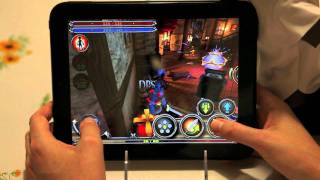
The one difference between the TouchPad and other tablets is the webOS system that is unique to HP. This device runs webOS 3.0, which is a tablet friendly version designed specifically for this device. It is fast, efficient, and has multi tasking capability as well. There are dedicated mail, calendar, music, web, video and gaming applications for this device. webOS also has unique Facebook and Twitter applications, and they are a step up on the generic smartphone and tablet applications for social networking found on most devices.
Overall, this tablet is a great alternative to the iPad 2 and Galaxy Tab, with webOS’s unique features making it a tempting device to own.
Need to Know: HP TouchPad
1. webOS version designed exclusively for tablets (The Good)
2. Fast application and internet performance (The Good)
3. Slow boot up (The Bad)
4. webOS lacks the rich App catalogs of its competitors (The Bad)
What people actually want to know
When was the HP TouchPad released?
The HP TouchPad was released on July 1, 2011.
How long does the battery last on the HP TouchPad?
The HP TouchPad has a 6,300 mAh battery.
Does the HP TouchPad have a headphone jack?
Yes, the HP TouchPad has a 3.5mm headphone jack.
Where can I get support for the HP TouchPad?
Visit HP's official support page for warranty info, repairs, and troubleshooting.
Where can I download the HP TouchPad manual?
You can view and download the HP TouchPad manual on our dedicated manual page.
Questions & answers
Have a question about the HP TouchPad? Ask it here and we'll email you as soon as someone answers. Readers have answered 5,000 questions across PhoneCompass.
Finish the security check above to post your question.
Your name shows with your question.
✓ Question submitted. We'll notify you when someone answers.
We sent a verification link to . Click it to publish your question.
Can't find it? Check your spam folder.


New phones, honest scores.
One email when something worth knowing changes. No deal spam, no filler.