


Microsoft Surface 3
Verdict
Key specs
Critic consensus

“The Microsoft Surface 3 does several things quite well, packaging the features of the Surface Pro 3 into a smaller, more affordable tablet. Some of these attributes really shine, like the premium magnesium-alloy construction, the refined design, and the mix of tablet portability and laptop functionality offered by the Surface with the Type Cover. But while there's a lot to love about the Surface 3, it's up against devices that offer similar features at lower prices, and that makes it a good product in a category with plenty of good products.”

“The Surface 3 is a very neat, versatile little machine. A lot of people will be able to make it work well for them. It works as a tablet. It works in most ways as a laptop. With the dock, it can even power a big screen and connect to a ton of peripherals. This is simultaneously a great digital notepad and a fine Office workhorse.”

“The Surface 3 is everything the Surface 2 should have been, and a sensible alternative to the Surface Pro 3 if you don't need full Core-series processing power. Featuring a bright, clear display, an alluring magnesium-alloy build, excellent Surface Pen support and just enough juice to run your programs if you temper your expectations, Microsoft's latest tablet just about hits the spot.Is it the best Surface ever? Not a chance, but in some ways the entry-level Surface 3 is the most appealing yet - particularly in terms of damage to your wallet if you're simply looking for the most affordable Windows 8.1-powered Surface tablet around. The top-spec model that we tested, however, drastically lowers the Surface 3's bang-for-buck. Unless you really need more onboard storage and the extra 2GB of RAM, the cost difference means you could both pick up a 64GB microSD card and pay for half of a keyboard cover. It still doesn't make the Surface 3 incredible value, but it makes it much easier to recommend.”

“The Surface 3 combines a truly premium design with a gorgeous screen, a colorful camera, rich audio and a really snappy keyboard. However, when you add in the $129 Type Cover, you're paying at least $630. If you're looking for a full-fledged laptop for serious work or a media-consumption tablet, you can find either of those for less. However, if you want an affordable device that's powerful enough to run full Windows, versatile enough to type long documents on, and portable enough to take anywhere, the Surface is worth the premium.”
Watch before you decide





In Depth
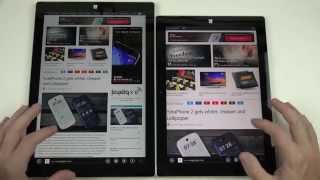
Despite losing nearly a billion dollars on the Surface RT, Microsoft continues to refined and tweak the hybrid tablet/laptop device. The Microsoft Surface 3 is a downgraded version of the Surface Pro 3, the most obvious change being its size. It measures 12 inches x 7.4 x 0.4 inches and weighs 622grams without the keyboard attachment. Like its predecessors it comes with a magnesium alloy casing and beveled sides giving it what experts call an industrial aesthetic. The included kickstand now also comes with three positions instead of two and it comes equipped with a full USB 3.0 port.
Across the bottom is the magnetic connector where the keyboard attaches. In order to accommodate the smaller size of the Surface 3 Microsoft has also shrunk down the size of the attachment. While critics found it a bit narrow they add that it feels good to type on as the keys are responsive with a good “bounce.” The downside, however, is the small trackpad. Forbes states, “…you’re better off using touch to navigate around the interface.” Besides the keyboard, the Surface 3 now offers stylus support. The functionality is identical to the larger Surface Pro 3. Reviewers found it fairly accurate and natural to write with though they wish Microsoft had included a dedicated location to stow it. Unfortunately, both the stylus and the keyboard are both sold separately, which upset critics. While the stylus might be optional, they add the keyboard is a necessity especially for those who actually want to use it as a true hybrid device.
The 10.8 inch display offers a quad HD resolution of 1920 x 1280 pixels for a pixel density of 213ppi. While this doesn’t land it in the Retina category, experts still found it quite sharp, especially at the distance laptops are normally viewed. They also add the excellent contrast, bright back light and accurate colors make up for the slight lack of resolution. Digital Trends states, “The Surface 3’s screen is incredible given its…base price.” For those who plan on watching videos, experts describe the speakers as “strong” and “robust” with maximum volume loud with barely any distortion.
Although a hybrid device, many reviewers found it failed as a tablet. While the inclusion of a full Windows operating system makes is useful in laptop mode, they discovered it often was unwieldy when utilizing touch screen. They often found windows would open, close, minimize or maximize for no apparent reason. And of course, when compared to Android or iOS platforms, the Windows app store still lacks apps.
Armed with a 1.6GHz Intel Atom quad-core processor and 4GB of RAM, the Surface 3 did not blow experts away with its speed. While they found it acceptable during light tasks such as typing and browsing the web, once they began heavily multi-tasking they noticed significant lag and hitches. They also add applications often loaded very slowly and most 3D games were practically unplayable. Still CNET adds, “…as a secondary or travel computer, it’s certainly more than fast enough.” Battery life is a bit better than the Surface Pro 3 with experts able to get around almost two day so life during light to medium usage.
Reviewers have mixed feelings on the Surface 3 as it offers good ideas with not so great execution. Wired states, “On one hand, the Surface 3 is a triumph. It tries to do a great many things, and does them serviceably…But…you can do better than the middle ground.” Giz Mag adds, “While the Surface 3’s power and screen size are merely “good enough” for a laptop, it balances things out with the most portable and tablet-friendly package we’ve seen in a Surface.”
What people actually want to know
When was the Microsoft Surface 3 released?
The Microsoft Surface 3 was released on May 5, 2015.
Does the Microsoft Surface 3 support wireless charging?
No, the Microsoft Surface 3 does not support wireless charging.
Does the Microsoft Surface 3 have a headphone jack?
Yes, the Microsoft Surface 3 has a 3.5mm headphone jack.
Does the Microsoft Surface 3 have NFC?
No, the Microsoft Surface 3 does not have NFC. Contactless payments and tap-to-pair will not be available.
Where can I get support for the Microsoft Surface 3?
Visit Microsoft's official support page for warranty info, repairs, and troubleshooting.
Questions & answers
Someone is waiting on an answer here. Readers have answered 5,000 questions across PhoneCompass.
Loading answers…
✓ Question submitted. We'll notify you when someone answers.
We sent a verification link to . Click it to publish your question.
Can't find it? Check your spam folder.
Finish the security check above to post your question.
Your name shows with your question.
How it compares


Compare new, refurbished, and carrier deals with the true 24-month cost calculated.