


Microsoft Surface RT
Key specs
Critic consensus

“The Surface is a nice tablet. The design and aesthetic are pleasing, the feel in the hands, particularly of the kickstand and magnetic cover connection is excellent. But is it worth buying on the day of release?The big problem Microsoft has is that right now it doesn't matter how good Surface is. The decision of whether or not to buy depends not on Surface itself, but on Windows RT. The only third-party applications that will run on Windows RT are those that use the Metro interface and are distributed through the Windows Store. At the moment, there just aren't that many applications, and many of the ones that exist are mediocre.If you are confident that the ecosystem will flourish—and fast—and don't mind the inability to use legacy desktop applications, then Windows RT is worth considering.If you are a home user who really needs Word, Excel, PowerPoint, or OneNote, and don't intend to use any of those programs in any capacity that could be regarded as commercial, then Windows RT is worth considering.But if you're not confident that the Windows Store ecosystem will flourish, or if you think it will be several years before it does, then Windows RT is not for you. You should be looking at the iPad and iPad mini, with their large selection of tablet software, or Windows 8, with its compatibility with a huge body of desktop software.If you want to use Office in a commercial setting, and hence have to buy a separate Office license anyway, then Windows 8 is almost certainly the better option.If, however, Windows RT is the operating system for you, Surface certainly has a place.For $499, you get a standalone Surface—no Touch Cover. I was surprised when Microsoft announced this. The company's previous marketing material had said the Touch Cover was included, and the advertising puts the Touch Cover front and center—it's almost more prominent than the Surface itself.If you don't buy any cover at all, you're missing out on a large part of the Surface experience. I would argue that you're also missing out on a large part of the Windows RT experience: Office RT really needs a keyboard and pointing device to be useful. You'll be almost entirely dependent on Metro-style applications built using WinRT.But if that's something you're happy with—if you're certain that the Windows Store will be good enough, and you're not especially interested in Office—Surface looks like it will be the cheapest way to take advantage of that ecosystem. At $499, it seems that Surface will undercut the other Windows RT and Windows 8 tablets that have been announced.For $599 with a bundled Touch Cover, things become a bit trickier. On the one hand, yes, you get the full Surface experience, and Office becomes useful. This is Surface the way it's meant to be used. On the other hand, the Asus VivoTab RT also costs $599 with its clamshell cover. The VivoTab RT isn't as attractive as Surface, and when paired with its clamshell cover, it's a bit bigger and heavier than Surface, but the payoff is that it's more flexible than Surface, it will have better battery life than Surface, it will have better cameras than Surface, and it will have better connectivity than Surface.Final pricing on Atom-powered Windows 8 tablets could squeeze Surface even harder. Though they won't include Office, that shouldn't faze corporate buyers, as they'd need to buy an Office license even for Surface. Against that deficit, they'll offer substantially greater software compatibility, making them much less of a gamble.The $699 unit, which bumps the internal storage up to 64GB and also includes a Touch Cover, seems hard to justify to me. The extra $100 gets you an extra 32GB of usable space, but with a 64GB microSDXC card costing just $60 that makes the extra storage feel very expensive. I would avoid it unless I had absolute certainty that I'd need every last byte of disk space.This puts Microsoft's tablet in an awkward spot. The Surface that has a clear place in the market, the $499 unit, isn't the best model. The Surface that's the best model, the $599 unit, doesn't have a clear place in the market.This evaluation will also change over time. It is very early in the life of the Windows Store—Windows 8 and Windows RT are not even generally available yet. It's inevitable that the Store will expand, even if there is some uncertainty about how fast it will do so. And as the store grows, so too will the value of Windows RT systems, and so too will the value of Surface.”

“Peering into the tablet landscape right now, it’s quite evident that Microsoft still has some serious work ahead of itself in catching up to the same level of its rivals in terms of platform functionality and comprehensiveness. Windows RT is a big undertaking for the Redmond based company, so naturally, they’re intent on giving users a unified experience to migrate them into Microsoft’s various services – like XBOX Games and its music/video services. However, as we look back at some of the first versions of other respective tablet platforms, like iOS for the iPad or the QNX based OS of the BlackBerry PlayBook, Windows RT has more of a polished appeal right from the get-go.As for the tablet itself, there’s a good amount of value seen with the Surface’s hardware – minus the low resolution of its display. For the base $500 model, you’re getting a solidly constructed tablet that’s boasting one distinctive look that showcases Microsoft’s surprising craft when it comes to design. Throw in that it’s featuring some high quality materials with its workmanship, it no doubt rolls off the tongue as being regarded as a premium item worthy of making friends drool with envy.Breaking the surface of the water, there’s a lot of growing up needed in the software side to make it an instant standout choice for hungry consumers. In time, though, we’re confident that Microsoft will be able to steam forward ironing out the kinks – while adding the much-needed refinements to make it a unanimous choice amongst consumers. For now, if you’re willing to experiment and try something new, the Microsoft Surface won’t disappoint.”

“I really like the Surface RT. This is one of the best-designed tablets I’ve ever used. It performs so admirably, in fact, that Windows 8 has grown on me. The operating system still has a long way to go before it feels like a fluid and finished experience – especially the classic Windows 7 style desktop – but, like Never Never Land, the Surface sometimes makes you forget. It can be a joy to use, thanks in no small part to an intense attention to detail on the physical hardware design. The kickstand and magnetic Type Cover are awesome and provide an experience I simply haven’t had on a tablet before. I just wish the whole package wasn’t so expensive. You don’t want to buy this tablet without a Type Cover, but it’s going to cost you $500 and an additional $130 to buy the bundle. That’s just… very expensive. As much as Microsoft wants to be on equal footing with the iPad, it would have been a smarter move to undercut Apple. The Surface may, one day, be as useful as the iPad and its library of 300,000 apps, but it isn’t right now. Again though, I really like this tablet. If you have the disposable income to afford it, this is currently the best way to experience Windows 8/RT. I have no doubt that when Microsoft built the OS, they built if for Surface.”

“Surface makes you want to pick it up and play, pleases you with the delivery of Windows RT and the live tiles make it feel personal and alive.Performance is a real issue, but since Tegra is at the heart of high performing tablets, we hope that RT can be tweaked to iron out slowdown issues.Microsoft's hardware designers should be applauded for delivering a solid tablet which delivers a great experience, but now it's down to the fortunes of the Windows Store to decide whether Microsoft Surface is remembered in history.”
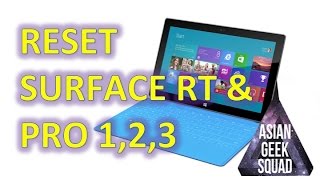
Watch before you decide


In Depth
Tablet computers have been around for a very long time now. And so has Windows. But combining the two traditionally hasn’t resulted in a very good product. Enter the Microsoft Surface RT tablet. It’s the culmination of Microsoft’s most recent efforts to “reimagine” Windows and mobile computing in general. Though there have been many attempts at making Windows-powered tablet computers in the past, those usually turned out to be either inadequate in terms of power, or simply too expensive to be worth considering. With the Surface RT tablet, Microsoft aims to bring a successful Windows-powered solution to the tablet computing market once and for all. Has it finally managed to accomplish this seemingly impossible task?
In trying, Microsoft outfitted its Surface RT with a 10.6-inch, 1366×768 touchscreen display which can be paired with an external keyboard for the “full” Windows 8 experience. As an ARM-based device, it uses a 1.3GHz quad-core NVIDIA Tegra 3 processor, much like many of the most popular Android-based tablet computers of today. Other hardware features include 2GB of RAM, 32GB of internal storage, a USB 2.0 port, HDMI-out, and a microSD card slot. Notably absent features include NFC and LTE cellular connectivity, which means that for the time being, it’s Wi-Fi-only.
It’s hard to talk about this tablet without mentioning its innovative cover. The smart cover option lets users choose between a Touch Cover, which has pressure-sensitive keys, and a Type Cover, which has actual scissor-switch keys, to type stuff with. These covers, which are available separately, make typing on the go a lot easier and also protect the tablet when it’s not in use. Though technically, it isn’t a part of the tablet itself, the well-designed addition is counted by many as one of its best features.
This tablet is truly interesting, and it looks ready to take the world tablet PC market by storm. But its job isn’t just to wow people who have never used a Windows tablet before. It also has to convince people that Android or iOS aren’t worthy alternatives. It has to be so good that people would be willing to go for the smaller app ecosystem and miss out on some of today’s most advanced hardware features. By itself, it’s certainly impressive, but once you pit it up against the likes of the iPad or the Nexus 10, things start to sober up.
At the end of the day, a choice has to be made, and the people who end up with the Surface RT from Microsoft are bound to be the ones who choose to try a new perspective. Microsoft says it’s time for a change, and here it is offering something different. The question is, are you ready for it?
Need to Know: Microsoft Surface RT
1. Uses a quad-core NVIDIA Tegra 3 SoC and ships with 2GB of RAM. (The Good)
2. Has an HD touchscreen display with 5-point multi-touch support. (The Good)
3. Touch Cover and Type Cover accessories cost extra. (The Bad)
4. Windows RT feels like a gimped version of Windows 8 for the desktop. (The Bad)
What people actually want to know
When was the Microsoft Surface RT released?
The Microsoft Surface RT was released on October 26, 2012.
How long does the battery last on the Microsoft Surface RT?
The Microsoft Surface RT has a 31 mAh battery.
Where can I get support for the Microsoft Surface RT?
Visit Microsoft's official support page for warranty info, repairs, and troubleshooting.
Where can I download the Microsoft Surface RT manual?
You can view and download the Microsoft Surface RT manual on our dedicated manual page.
Questions & answers
Have a question about the Microsoft Surface RT? Ask it here and we'll email you as soon as someone answers. Readers have answered 5,000 questions across PhoneCompass.
Finish the security check above to post your question.
Your name shows with your question.
✓ Question submitted. We'll notify you when someone answers.
We sent a verification link to . Click it to publish your question.
Can't find it? Check your spam folder.
How it compares


New phones, honest scores.
One email when something worth knowing changes. No deal spam, no filler.