


Microsoft Surface Pro
Key specs
Critic consensus

“Expectations are the real issue with the Microsoft Surface Pro. If you were hoping for something with the power of a Core i5 laptop but the weight and battery life of Surface RT then you need to take another look at the laws of physics and the current capabilities of Intel processors. It's a lightweight Windows 8 PC that runs all your applications and any browser you want, that you can use as a tablet with touchscreen controls and a fantastic pen, or as a notebook, by snapping on a keyboard.”

“The Surface Pro hints at genius but implodes under the weight of its own ambition. But the potential is plain to see. It’s a welcome and compelling alternative to an Apple and Google dominated future. Make it lighter and last longer, however, and Microsoft could have a winner on its hands in future.”

“The Surface Pro is the best Windows tablet we've used. It also makes a pretty good laptop. But as a tablet it's not match for the best iOS or Android devices, and as a Windows laptop it can't compete with Ultrabooks. It's portability and performance will be perfect for a few, and okay for most. So that makes it a good but not perfect device, which feels about right as a verdict.”

“Despite the competition it's going to see from both sides, tablets and ultrabooks alike, the Microsoft Surface Pro has the brand recognition right now to propel itself above most of the crop. If you're looking for the all-in-one solution, there's no denying that the Surface Pro is intriguing and empowered to handle the needs of power users. Obviously, there are no compromises since it caters to both tablet and PC functions – on top of being a wonderful consumptive device! As we've witnessed, you're paying a premium price for a tablet in the Surface Pro, but what you get is an untethered experience.”
Watch before you decide

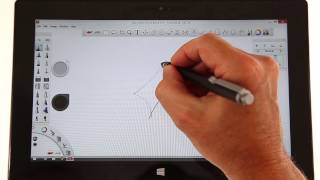


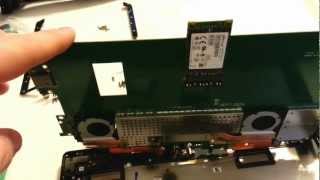


In Depth
Microsoft Windows-based tablets have been tried dozens of times before. Tried and failed, as a matter of fact. Now, with Windows 8, Microsoft is trying to “reimagine” the whole concept of the desktop operating system, and in doing so has come up with a new generation of tablets that can do more in ultra-thin, and ultra-light form factors. The clearest representation of this effort: the Microsoft Surface 8 Pro. It’s the future. Or is it?
Unlike today’s most popular tablet computer models, this one doesn’t run on a low-power mobile computing chip to try and reduce heat or prolong battery life. Instead, it comes with an Intel Core i5 Ivy Bridge processor with Intel HD Graphics 4000 for maximum performance. It’s essentially a full-blown mobile computer that uses the tablet form factor. It looks every bit as good as the first-generation Windows 8 RT tablets but offers far more power and functionality.
Speaking of functionality, the Surface 8 Pro will let users run all of their favorite legacy apps a.k.a. Windows desktop programs natively. This makes it functionally better than all of its ARM-based counterparts, though whether or not users will actually care for such a feature still remains to be seen.
Windows 8 is shaping up to be either Microsoft’s latest fault or its saving grace. Either way, the Surface 8 Pro tablet is a sight to behold. It has all the right hardware features, including a built-in kickstand and support for an external keyboard dock. Plus, the software allows running both modern and classic Windows programs. It’s a great way to experience the future of the desktop, but only if you’re willing to pay the price.
Need to Know: Microsoft Surface 8 Pro
1. Boasts a 1920×1080 Full HD 10.6-inch touchscreen display with pen input. (The Good)
2. Default software allows the use of “legacy apps” or native Windows 7 programs. (The Good)
3. Costs over double the price of the Microsoft Surface RT tablet. (The Bad)
4. Some features require the use of an external keyboard dock. (The Bad)
What people actually want to know
When was the Microsoft Surface Pro released?
The Microsoft Surface Pro was released on February 9, 2013.
How long does the battery last on the Microsoft Surface Pro?
The Microsoft Surface Pro has a 42 mAh battery.
Does the Microsoft Surface Pro have NFC?
No, the Microsoft Surface Pro does not have NFC. Contactless payments and tap-to-pair will not be available.
Where can I get support for the Microsoft Surface Pro?
Visit Microsoft's official support page for warranty info, repairs, and troubleshooting.
Where can I download the Microsoft Surface Pro manual?
You can view and download the Microsoft Surface Pro manual on our dedicated manual page.
Questions & answers
Have a question about the Microsoft Surface Pro? Ask it here and we'll email you as soon as someone answers. Readers have answered 5,000 questions across PhoneCompass.
Finish the security check above to post your question.
Your name shows with your question.
✓ Question submitted. We'll notify you when someone answers.
We sent a verification link to . Click it to publish your question.
Can't find it? Check your spam folder.
How it compares


New phones, honest scores.
One email when something worth knowing changes. No deal spam, no filler.