Skip to content
Home›Phones›Android
Android icon
Operating System

Android Phone Reviews & Rankings

Android is the operating system running on most of the world’s smartphones — from entry-level budget phones to ultra-premium flagships. It powers devices from Samsung, Google, Motorola, OnePlus, Xiaomi, Sony, an…

2600 phones reviewed
Last updated: October 23, 2026

Top-Rated Android Phones, Ranked

phones
Sort:
Samsung Galaxy Z Fold7
8.6
Flagship Samsung Galaxy Z Fold7
Samsung · Android 16
Compass Verdict

A sleek, foldable phone with an innovative design that finally matches traditional smartphones in size and weight.

Pros
+ Thinner, lighter design
+ Improved camera system
+ Seamless multitasking
+ Enhanced durability
+ Vibrant dual displays
Cons
− High price point
− Noticeable camera bump
− Average battery life
− Heats quickly in sun
− No S Pen support
Samsung Galaxy S25 Ultra
8.6
Flagship Samsung Galaxy S25 Ultra
Samsung · Android 15
Compass Verdict

A refined phone blending top-tier power and subtle design with familiar components, capped with a dose of AI advancements.

Pros
+ Powerful AI features
+ Improved camera software
+ Tough Gorilla Armor 2 glass
+ Long software support
+ Elegant design update
Cons
− High price point
− Limited design changes
− Battery life not best-in-class
− S Pen features removed
− Charging speed not fastest
Samsung Galaxy A27
7.3
Budget Samsung Galaxy A27
Samsung · Android 16
Motorola Razr+ (2026)
7.3
Flagship Motorola Razr+ (2026)
Motorola · Android 16
Compass Verdict

A decent foldable with noticeable improvements in battery life and durability.

Pros
+ Longer battery life
+ Improved camera features
+ Existing cases fit
+ Enhanced durability
+ Wide cover screen
Cons
− Price increase
− Aging processor
− Limited color options
− Minimal design changes
− Smaller battery than some models
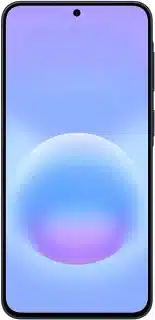
Google Pixel 9a
8.5
Mid-range Google Pixel 9a
Google · Android 15
Compass Verdict

This phone merges standout features with affordability, offering reliable everyday performance and excellent value.
Pros
+ Excellent camera performance
+ Long battery life
+ AI features add value
+ High brightness display
+ Strong software support
Cons
− No telephoto camera
− Slow charging speeds
− Design feels generic
− Thicker display bezels
Samsung Galaxy A57
7.6
Mid-range Samsung Galaxy A57
Samsung · Android 16
Compass Verdict

A balanced phone offering good displays and long-lasting software support but with room for camera improvement.

Pros
+ Slim, light design
+ Bright, colorful display
+ Solid battery life
+ IP68 water resistance
Cons
− Weak camera performance
− Price increase
− Macro camera lacks value
− Fingerprint sensor issues
Motorola Edge (2026)
7.2
Mid-range Motorola Edge (2026)
Motorola · Android 16
Samsung Galaxy A37
7.5
Mid-range Samsung Galaxy A37
Samsung · Android 16
Compass Verdict

A solid midrange choice with good battery life and solid build but some performance hiccups.

Pros
+ Bright, colorful screen
+ Long software updates
+ Reliable performance
+ Solid build quality
+ Durable design
Cons
− Average camera quality
− Fingerprint scanner issues
− No wireless charging
− Slower app performance
− Pricier than competitors
Google Pixel 10 Pro
8.3
Premium Google Pixel 10 Pro
Google · Android 16
Compass Verdict

A refined Android phone focused on on-device AI, but with minor hardware upgrades.

Pros
+ Stunning display brightness
+ Excellent AI features
+ Magnets for easy charging
+ Great photo quality
+ Seven-year support
Cons
− Performance feels lacking
− Mediocre battery
− AI features sometimes gimmicky
− Unimproved gaming performance
− Minor upgrade over predecessor
Google Pixel 10 Pro XL
8.3
Flagship Google Pixel 10 Pro XL
Google · Android 16
Compass Verdict

A refined device with a robust design and impressive features, but incremental upgrades over last year.

Pros
+ Bright and clear display
+ Improved wireless charging
+ Durable build
+ Advanced AI features
+ Great camera quality
Cons
− Bulkier feel
− Expensive
− Underwhelming battery life
− Minor performance upgrades
− AI features inconsistent
Motorola Razr 60 Ultra
8.3
Flagship Motorola Razr 60 Ultra
Motorola · Android 15
Compass Verdict

A well-rounded flip phone with impressive performance and a standout cover screen, while some wishes remain for better software support.

Pros
+ Vibrant, bright screens
+ Strong performance
+ Long battery life
+ Great cover screen
+ Unique material options
Cons
− No charger in box
− High price point
− Limited software updates
− Camera could be sharper
− AI button not needed
Google Pixel 10
8.2
Premium Google Pixel 10
Google · Android 16
Compass Verdict

This device offers substantial upgrades, including enhanced AI capabilities and a versatile telephoto camera.

Pros
+ Exceptional OLED brightness
+ Strong AI integration
+ Qi2 wireless charging
+ Decent camera versatility
+ Consistent software updates
Cons
− Average performance
− Weaker battery life
− No reverse charging
− Dropped SIM slot
− Lack of Pro features
Samsung Galaxy S25
8.1
Premium Samsung Galaxy S25
Samsung · Android 15
Compass Verdict

A safe, minimal update with enhanced AI features is a solid choice, but don’t expect drastic changes from prior models.

Pros
+ Sleek, premium design
+ Bright, vibrant display
+ Strong performance
+ AI-powered features
+ Compact size
Cons
− Minor hardware updates
− Unchanged camera specs
− Slow charging speed
Samsung Galaxy Z Flip7
8.1
Flagship Samsung Galaxy Z Flip7
Samsung · Android 16
Compass Verdict

A stylish foldable phone with a standout cover screen, offering great versatility but limited cover screen app support.

Pros
+ Large cover screen
+ Great foldable design
+ Flexible AI features
+ Tough and durable build
+ Good for selfies
Cons
− Heats during use
− Limited camera upgrades
− Restricted cover screen apps
− Not flagship chip
− Average battery life
Samsung Galaxy S25+
8.0
Flagship Samsung Galaxy S25+
Samsung · Android 15
Compass Verdict

A capable phone with a big screen, strong performance, and a few AI features, but limited design changes from past models.

Pros
+ Powerful performance
+ Advanced AI features
+ Stunning display
+ Long software support
+ Fast charging speeds
Cons
− Slightly dull design
− Minimal hardware upgrades
− Same camera system
− No significant battery improvements
− Higher price tag
Page of · phones
Compare is full
About the platform

About Android

Android is the operating system running on most of the world’s smartphones — from entry-level budget phones to ultra-premium flagships. It powers devices from Samsung, Google, Motorola, OnePlus, Xiaomi, Sony, and dozens of other manufacturers, giving you more hardware variety than any other platform.

The biggest advantage of Android is choice. You can spend $150 or $1,500 and find a phone built around your priorities — whether that’s camera quality, battery life, screen size, durability, or raw performance. Use the Brand and Budget filters above to narrow down phones that match how you actually use your device.

Updates and software support

Android versions vary by manufacturer. Google’s own Pixel phones and Samsung’s flagship Galaxy line now offer up to seven years of OS updates — among the longest in the industry. Mid-range and budget models typically receive two to four years of support. Check each phone’s software section in our reviews to see exactly how long updates are guaranteed, and how we factor that into the Compass Score.

Ecosystem and apps

Android gives you full access to the Google Play Store — over three million apps — plus deep integration with Gmail, Maps, Photos, Drive, and the rest of Google’s services. Many manufacturers add their own app stores and allow sideloading, giving power users more flexibility than any other mobile platform. If you prefer a cleaner, closer-to-stock experience, look at Google Pixel or select Motorola models.

Android vs iPhone

Choosing between Android and iPhone comes down to ecosystem, price flexibility, and how much you value customization. Android wins on hardware variety and price range; iOS leads on long-term software consistency and cross-device integration. Use our comparison tool to put any two phones head-to-head and see exactly how they differ on camera, battery, display, and performance.

Community

Questions & answers

GR
Grindale · Answered

Hey Kathie. Here are ways to free up your phone's internal memory:
• Move files and email attachments to the microSD card.
• In Browser, clear all temporary Internet files and Browser history information.
• Move application to microSD card.
• Uninstall any downloaded programs that you no longer use.
• Reset your mobile phone.

If you found my answer helpful, please click on the HELPFUL button so other people can find the answer easier. If it`s your first visit, please Join our community for free.

RO
rod dean · Answered

My phone will not allow me to move things to sad card, plus I don't understand phone speak or gargin used these days sorry, I am scared to move or delete anything because it says phone may not function properly? I need to down load important app related to my work ant can't

You
CA
Carl · Answered

Hi Ken. Can you try turning on data for a while then try sending a picture message again.

You
CA
Carl · Answered

Drag the green phone icon to answer calls. Let me know if that works for you.

You
GR
Grindale · Answered

The red x just means that the message you sent was not successfully delivered. Reception could have been poor during the time you sent your message. Just resend until you no longer see the red x.

If you found my answer helpful, please click on the HELPFUL button so other people can find the answer easier. If it`s your first visit, please Join our community for free.

PA
patti malley · Answered

When I send a text to my daughter, i'll look for a response and what I often see is a red X on the right over the text I sent. It looks like a delete icon

You
CA
Carl · Answered

Hi Lungie. Check the answer on the question How to fix camera problem on the Samsung Galaxy Grand Prime? Hope that helps!

You
CA
Carl · Answered

Hi Morgan. Maybe it's the default messaging app not working properly here. Try installing a different messaging app and try everything you did again using a new messaging app.

You
CA
Carl · Answered

Hi Lindsay. Try uninstalling some of your apps then restart the phone. If problem persists, I highly suggest resetting the phone to factory settings. And if unfortunately, phone is still freezing after factory resetting the phone, I suggest that you take your phone to a service center.

You
CA
Carl · Answered

Hi Terry. It looks like you have a bad battery and needs replacement. Did a quick Google search and found one on eBay. Hope that helps!

You
CA
Carl · Answered

I'm pretty sure any smartphone can mine but may depend on what you are mining. I'm worried on how safe it is. I wouldn't suggest doing this as this will heat up your phone a lot.

You
CA
Carl · Answered

Hi Simon. Which music player app are you using? Check its settings and refresh the library and set the folder of the songs.

You
Have a question?