


Samsung Galaxy J5
Where reviewers agreed
- Positive: Long battery life · 2 sites
- Positive: Good screen · 2 sites
- Positive: Handles everyday tasks well · 2 sites
- Negative: Disappointing camera · 2 sites
Points that 2 or more review sites made.
Key specs
Critic consensus

“It is easy to answer the question whether the update of Samsung's Galaxy J5 has been successful: Yes. The metal casing makes a much higher-quality impression and looks more modern than the predecessor's old-fashioned casing. The front-facing camera has been upgraded with a full-fledged LED flash, the working memory and storage device capacities have been increased, a somewhat faster processor and more screen surface are now installed.”

“It’s a shame to end on the slight downer of the camera because it’s the only area where the Samsung Galaxy J5 puts a foot wrong as far as I’m concerned. Usually, when I’ve reviewed a budget handset, I’m extremely eager to get back to my own phone, but in this instance, I’ll actually be a little sad to see the back of the J5. It’s smooth, stylish, and performs nicely with a bright screen and an incredible battery life. On one such day when I barely used the phone, it lost just 3% of its life from sitting in standby”

“The camera on the Galaxy J5 is really the phone's only issue, though, as the rest of it is great value. Its excellent screen and amazing battery life far exceed anything else in this price range, and it's certainly got enough speed to get you through most of your daily smartphone tasks.”
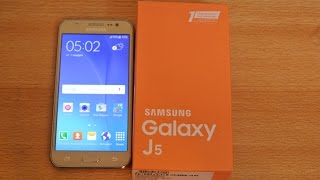
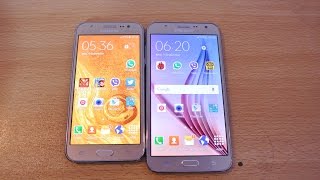
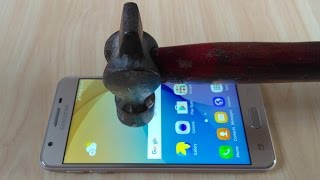
Watch before you decide







What people say
Only a few ratings so far, not enough to show a trend yet.
5 ratings so far
I have had a Sansumg Galaxy Ace for years dropped it loads of times without problem, it was built like a tank. The Sansumg J5 is very plasticy, it slipped out of my hands, it was not a heavy fall it did not even mark the phone, now the screen is blank despite trying to reset it.
Samsung galaxy J5 is a well-known for its battery life and their camera quality. Now Samsung introduce latest version of galaxy J5 (2016). It comes with new S bike mode feature and 5.2-inch display slightly larger than old version.
The battery life of Samsung Galaxy J5 amazing and camera quality and many other features like text messaging, internet access is excellent. The phone connectivity & wireless capabilities are really impressive.
What people actually want to know
When was the Samsung Galaxy J5 released?
The Samsung Galaxy J5 was released on June 18, 2015.
How long does the battery last on the Samsung Galaxy J5?
The Samsung Galaxy J5 has a 2,600 mAh battery.
Does the Samsung Galaxy J5 support wireless charging?
No, the Samsung Galaxy J5 does not support wireless charging.
Does the Samsung Galaxy J5 have a headphone jack?
Yes, the Samsung Galaxy J5 has a 3.5mm headphone jack.
Does the Samsung Galaxy J5 have NFC?
Yes, the Samsung Galaxy J5 has NFC. You can use Google Wallet, Apple Pay, and tap-to-pair with Bluetooth accessories.
Where can I get support for the Samsung Galaxy J5?
Visit Samsung's official support page for warranty info, repairs, and troubleshooting.
Where can I download the Samsung Galaxy J5 manual?
You can view and download the Samsung Galaxy J5 manual on our dedicated manual page.
Questions & answers
Loading answers…
Loading answers…
✓ Question submitted. We'll notify you when someone answers.
We sent a verification link to . Click it to publish your question.
Can't find it? Check your spam folder.
Finish the security check above to post your question.
Your name shows with your question.
How it compares


New phones, honest scores.
One email when something worth knowing changes. No deal spam, no filler.
Hi. I am using exactly j5 prime which was bought in Malaysia. Now iam in india but my phone is not able to have Volte service which is imp for me while i am using Jio sim for free call. How can I make it possible??