Skip to content
Home…›Samsung
Manual
Samsung Android 5.1 Lollipop Released Jul 2015 Discontinued

Samsung Galaxy J7

7.7 / 10
Compass Score
Based on 4 critic reviews
Android 5.1 Lollipop Operating system
5.5" Screen size
13MP Main camera
Snapdragon 615 Octa core Processor
16 GB Storage
3,000 mAh Battery
By category

Key specs

What critics say

Critic consensus

Compass Score
4 reviews
weighted by credibility
Notebookcheck
Notebookcheck
8.4

“With the Galaxy J7 (2016), Samsung has overhauled its mid-range 5.5-inch smartphone in a subtle, but effective way. One highlight of the 2016 edition is the metal case, which provides the smartphone with higher-quality haptics and more sturdiness when compared to its predecessor. The performance has also been taken up a notch by switching from the octa-core Snapdragon 615 SoC to the Samsung Exynos 7870 Octa and upgrading the RAM from 1.5 to 2 GB. Another plus point: The new edition comes with the more current Android 6.0.1 Marshmallow OS instead of Android 5.1.”

Fone Arena
Fone Arena

“The Samsung Galaxy J7 (2016) is just an average smartphone. Even though Samsung has improved the performance and battery life compared to its predecessor, the phone has the same 720p display, while most phones in the price range feature a 1080p screen. The camera has also not been improved compared to the predecessor.”

Phone Scoop
Phone Scoop

“The phone — which Boost Mobile is selling for $229 — is attractive, well-made, and functional as a piece of hardware. Many will appreciate the large screen and removable battery/memory. More importantly, the J7 delivers excellent battery life, above average call and data performance, and very good Bluetooth/GPS. These are clutch strengths.”

Digit
Digit
7

“The Samsung Galaxy J7 is a disappointing device, but with really great battery life. That said, it still can't beat its competitors, in any department. Its not a good phone to buy.”

Video reviews

Watch before you decide

Reviews
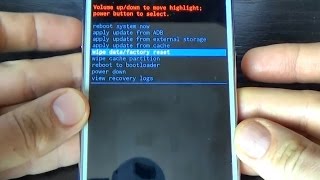
Samsung Galaxy J7 HARD RESET
GSM-ABC
Samsung Galaxy J7 SECRET CODES
GSM-ABC
Samsung Galaxy J7 J5 J3 j2 Reliance Jio 4G LTE Sim VoLTE settings
ShareIT
Samsung Galaxy J7 (J700F) Hard Reset
Shivam Technical Solutions
Samsung Galaxy J7 – 20+ Tips & Tricks HD
XEETECHCARE
Samsung Galaxy J7 (6) 2016 Full Review – iGyaan
iGyaan
Turn off Or Disable Talk Back Mode Samsung Galaxy J7 | J5 | E7 | E5 | A7 | A5 | A3| Mobile Tutorial
Ftopreview.com
Common questions

What people actually want to know

When was the Samsung Galaxy J7 released?
How long does the battery last on the Samsung Galaxy J7?
Does the Samsung Galaxy J7 support wireless charging?
Does the Samsung Galaxy J7 have a headphone jack?
Does the Samsung Galaxy J7 have NFC?
Where can I get support for the Samsung Galaxy J7?
Where can I download the Samsung Galaxy J7 manual?
Community

Questions & answers

JO
Joe Thomas · Answered

Signal is on and off. Restart but signal gone shortly thereafter.  Not covering up antena. Two towers within av. 14 mi.

When downloading app. Loose signal before complete. Really sucks.

GL
Gloria · Answered

Thank you, Carl. I did try that. I believe it is a geographic issue.  Service has returned, but it is sometimes sporadic while at home.  Again, thank you for your suggestion. 

You
JI
Jia · Answered

I do this many time but invain.....

All the contact pics are added to my cell phone....

Except my self pic  .. it does not show during conversation ( self) or my profile pic i means

JI
Jia · Answered

 In the message conversation  the pics of my contct are added but i work alot  my self contct pic is not add in galaxy j7 ..why... kindly tell me the method????

You
CA
Carl · Answered

Hi there. When you open a music player app, it should automatically detect the music files you have in your phone.

You
SU
suryakumar · Answered

It seems like many are starting to raise complaints who own the new Samsung Galaxy J7 (#GalaxyJ7). This problem is characterized by a blank screen that is often unresponsive in a sense that the phone won’t respond when you touch it. There are cases wherein the device is powered on even if the screen is dead that’s why some owners reported they continue to receive text messages and emails or even phone calls even if the screen is all black.

There are several possibilities that we have to consider when troubleshooting an issue like this. Of course, there’s the possibility of a minor app or firmware issue and there is another possibility that the problem is due to water or physical damage. So, we really need to troubleshoot the device thoroughly to determine the cause and what needs to be done to fix it. 
Get Some help Here

CA
Carl · Answered

Hi shankar. Keep in mind that damages due to misuse, abuse, or accident are not covered by warranty. In your case, I suggest that you take it back to the store where you bought it.

You
CA
Carl · Answered

I believe this is limited to the home launcher you are using. Can you tell us which home launcher app are you using?

You
CA
Carl · Answered

Hi Aditya. Yeah you should be able to play it fine. Please only download the game directly from Google Play store to avoid any problem.

You
CA
Carl · Answered

Hi ajay. Yes, the Samsung Galaxy J7+ have light sensor.

You
CA
Carl · Answered

Hmm.. Looks like a software issue. Might need to reflash stock rom. I highly suggest that you take your phone to an authorized Samsung service center for a check up.

You
CA
Carl · Answered

Oh, that's backlight bleeding. Please take your phone back to the store where you bought it. That should be under warranty.

You
CA
Carl · Answered

There are news around saying that that's possible to happen. But there's still no official announcement from Samsung.

You
Have a question?
Samsung
Made by
Samsung
850
Phones reviewed
PhoneCompass Newsletter

New phones, honest scores.

One email when something worth knowing changes. No deal spam, no filler.

By subscribing you agree to receive emails from PhoneCompass. Unsubscribe anytime.

Compare is full