


Microsoft Surface Go
Verdict
If you’re looking for a well-designed productivity or media consumption device for both work and play, the Surface Go is a great pick — just be sure to consider the added price of the Type Cover keyboard.
Key specs
Critic consensus

“Microsoft’s Surface Go is a high-quality compact tablet available at a low price. However, do not be fooled by its price if you intend to use the tablet as a full-fledged laptop. In this case, the additional accessories will quickly add up.”

“The Surface Go is a gorgeous machine that brings you an excellent Windows 10 experience in a 10-inch tablet.”

“The Surface Go is a super portable 2-in-1 that's great as a second go-anywhere machine. Unfortunately, battery life isn't great and once you've added the accessories it's not cheap. But for a portable machine there's little else to take it on.”

“With the middling performance and not-cheap cost when you factor in the Type Cover, the Surface Go can’t quite reach the heights of the 9.7-inch iPad, but the relative versatility that Windows 10 offers means the ultraportable Surface Go is still a solid alternative.”
Watch before you decide
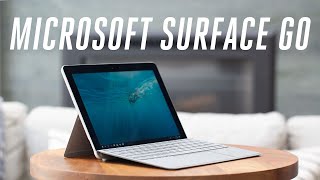



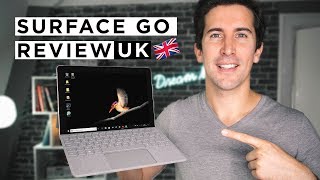


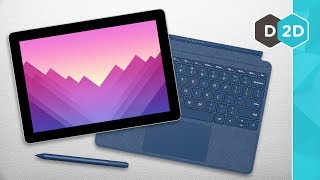


In Depth
Manufacturers have made the promise of a 2-in-1 device that provided all the perks of a tablet and a laptop in a single handy device plenty of times in the past. While Microsoft’s Surface Pro 5 and Apple’s iPad Pro 12.9 offer a compelling experience, they’re far from budget-friendly. With the release of the Microsoft Surface Go, they’re trying to bring a refined 2-in-1 experience at an affordable price.
The Go features the same solid magnesium body with an integrated kickstand as it’s larger, pricier siblings. Weighing 522g (1.15lbs), reviewers had no problem tossing it in their bags or holding it in one hand during extended work, reading, or streaming sessions. The new design features more rounding on the corners, but otherwise just scales the Surface experience down to an ultra-portable size.
Around front, you’re greeted by a 10-inch 1800-by-1200 pixel LCD panel. While reviewers loved the color, brightness, and crispness, they were not as fond of the large bezels surrounding the screen. But many noted that once you slot the Surface Go into a Type Cover keyboard, the bezels make a little more sense.
To help reduce the price, Microsoft powered the tablet with a 1.6Ghz Intel Pentium Gold processor. Depending on the model you choose, you’ll find either 4GB to 8GB of RAM. While many reviewers found the 4GB model acceptable, they all agreed that the 8GB model offers greater flexibility in terms of multitasking and using the Go as a PC.
Regardless of the choice, this isn’t a setup for high-end gaming or video editing. But for streaming video, checking email, using Office 365, playing casual games, and just general daily tasks, it’s more than capable of keeping things clipping along at a respectable pace. CNet notes, “In our benchmark testing, this system hits the middle ground in budget PCs — a bit faster than comparable budget Pentium laptops, but not as fast as a basic Intel Core i3 laptop.”
The Go ships with either 64GB of eMMC storage or 128GB of solid-state drive storage. The upgrade to the 128GB model does not just bring more space, but the storage itself is faster. Both choices offer microSD support for cards up to 1TB though. So, there’s plenty of room for files and media.
Out of the box, the tablet runs Windows 10 in S Mode. Essentially, this is a stripped down mode that only allows apps from the Microsoft Store. And for casual users, this might be everything needed.
If you’d like to install Chrome, or the Kindle app, or test out a game on Steam, you must disable S mode. This is an easy switch you can make in the Microsoft Store for free. But you cannot re-enable S mode again. Reviewers note there’s little downside to turning off S mode in terms of battery life or performance though.
The tablet includes an 8MP rear camera with 5MP front-facing lens. Apart from mentioning that Microsoft Hello face recognition and video chat worked fine, reviewers had little to say about the cameras. But based on the specs, they’ll be fine for communications or productivity use — just don’t expect them to keep up with a standalone camera or flagship phone.
The Go offers a good audio experience. There are front-facing stereo speakers and a 3.5mm headphone jack to provide plenty of volume and flexibility. While the speakers lack bass, reviewers found them loud and well-balanced overall.
If you’re looking to get the most out the Go, reviewers recommend the Type Cover keyboard case. But it’ll set you back a fair sum. Despite the price, reviewers loved the keyboard’s design and found it enjoyable to use despite its smaller size.
The Surface Pen received good reviews as well. Most reviewers recommended it for drawing or writing and praised the pressure sensitivity and minimal lag.
The tablet includes USB Type-C charging and an undisclosed battery capacity. But reviews found it good for just over 6 hours of video streaming and 4 to 5 hours for mixed or productivity use. So you’ll want to keep an external battery pack or power outlet nearby for extended sessions. But for quick use out and about, it offers plenty of power.
The biggest complaint about the Surface Go was the price of the Type Cover case. Many considered it essential and thought it should be included with the tablet. Otherwise, reviewers found the tablet a joy to use.
The Guardian says, “You won’t be playing any graphically intensive games on it, or fancy trying to edit a movie on it, but browsing, using web apps in a desktop-class browser, Office duties and even photo manipulation in a proper image editor such as Affinity Photo are workable with a little patience… You can get a lot more power for your money, but you’ll struggle to get as good an experience.”
Windows Central says, “If you’re on the fence when it comes to a Surface Go, I’d suggest taking some time to go actually use one in a store. I wouldn’t fuss with spec sheets, just go use one. I think you’ll be pleasantly surprised by the overall quality of this machine.”
What people actually want to know
When was the Microsoft Surface Go released?
The Microsoft Surface Go was released on August 2, 2018.
Does the Microsoft Surface Go support wireless charging?
No, the Microsoft Surface Go does not support wireless charging.
Does the Microsoft Surface Go have a headphone jack?
Yes, the Microsoft Surface Go has a 3.5mm headphone jack.
Does the Microsoft Surface Go have NFC?
No, the Microsoft Surface Go does not have NFC. Contactless payments and tap-to-pair will not be available.
Where can I get support for the Microsoft Surface Go?
Visit Microsoft's official support page for warranty info, repairs, and troubleshooting.
Questions & answers
Have a question about the Microsoft Surface Go? Ask it here and we'll email you as soon as someone answers. Readers have answered 5,000 questions across PhoneCompass.
Finish the security check above to post your question.
Your name shows with your question.
✓ Question submitted. We'll notify you when someone answers.
We sent a verification link to . Click it to publish your question.
Can't find it? Check your spam folder.
How it compares


Compare new, refurbished, and carrier deals with the true 24-month cost calculated.