


Doro 5516
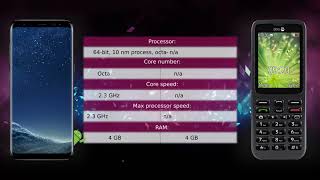
Key specs
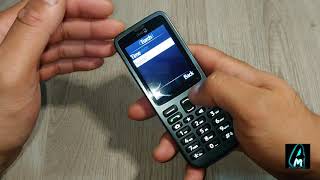
Watch before you decide




What people say
Only a few ratings so far, not enough to show a trend yet.
2 ratings so far
The Doro 5516 is useless, battery dies within 12 hours after being fully charged, and that's without using it. This is the second one ,the first one did the same, I took it back to Tesco thinking it had a duff battery, they swapped it for another Doro 5516, and the replacement is know better than...
I got this as a standby on O2 but have so far continued to use it because I like it! My battery is fine, lasts a couple of days..Although it is a phone designed for ease of use seemingly for the elderly, it is no bad thing that the text on the screen is large and the sound is loud and crisp. It i...
Battery died after 12 hrs even after no use at all, this is absolutely useless bought another just incase the battery was faulty but not, still 12 hours and dead. So useless it definitely is.
Overview
Software & Support
Display
Secondary Display
Camera — Main
Camera — Front
Camera — Scores
Performance
Battery
Connectivity
Cellular
Design & Build
Audio
Input & Navigation
Safety
More
Specifications are sourced from manufacturers and third-party databases and may contain errors. Suggest a correction →
What people actually want to know
When was the Doro 5516 released?
The Doro 5516 was released on November 3, 2016.
How long does the battery last on the Doro 5516?
The Doro 5516 has a 800 mAh battery.
Does the Doro 5516 support wireless charging?
No, the Doro 5516 does not support wireless charging.
Does the Doro 5516 have a headphone jack?
Yes, the Doro 5516 has a 3.5mm headphone jack.
Does the Doro 5516 have NFC?
No, the Doro 5516 does not have NFC. Contactless payments and tap-to-pair will not be available.
Where can I get support for the Doro 5516?
Visit Doro's official support page for warranty info, repairs, and troubleshooting.
Where can I download the Doro 5516 manual?
You can view and download the Doro 5516 manual on our dedicated manual page.
Questions & answers
Loading answers…
Loading answers…
✓ Question submitted. We'll notify you when someone answers.
We sent a verification link to . Click it to publish your question.
Can't find it? Check your spam folder.
Finish the security check above to post your question.
Your name shows with your question.



New phones, honest scores.
One email when something worth knowing changes. No deal spam, no filler.
Hi Ade. Are you pertaining to MMS? If so, can you check if you have the right APN settings according to your carrier? Open Menu -> Settings -> Messages -> MMS settings -> MMS Profile. Which carrier are you with? I can help you find the APN settings.